
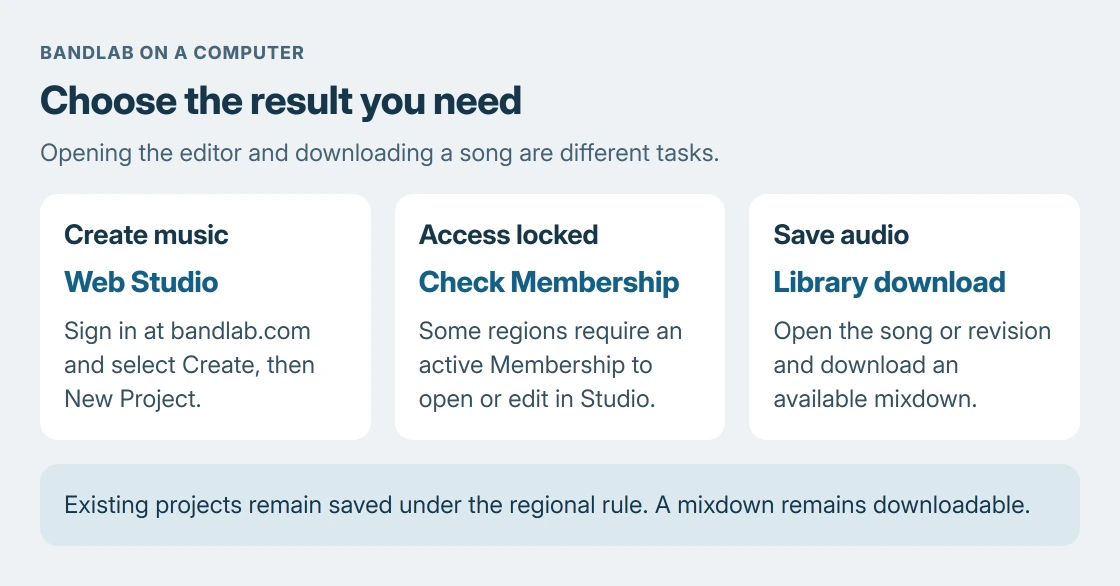
BandLab on a PC runs in a web browser, so using its Studio does not require a Windows installer. Open bandlab.com, sign in, and choose Create > New Project.
Studio access requires Membership in some regions. That restriction is separate from downloading software.
Open BandLab in a supported browser
Visit bandlab.com directly and sign in or create an account. BandLab's supported-platform instructions recommend the latest Google Chrome and require an active internet connection.
Its web requirements also list current Firefox or a Chromium-based browser. Android and iPhone app-store downloads are separate mobile routes. A mobile emulator is unnecessary for the documented PC browser workflow.
Status: BandLab's web requirements and October 23, 2026 Studio-access notice checked on October 24. No account was opened, audio recorded, software installed or subscription purchased here.
The advice to begin with the web address is ours: it avoids mistaking an unrelated installer or a mobile download for the Studio. The supported computer route already opens inside the browser.
Create a project and choose the recording input
Select Create at the top right, then New Project. In the new-track chooser, select Voice/Audio for a microphone recording. These controls are documented by the vendor.
Connect the microphone or audio interface. In the Studio's AutoPitch tab at the lower left, select the required Input Device and Input Channels. Watch Input Level while speaking before starting a take.
Allow microphone access for bandlab.com when the browser asks. Google says Chrome controls that permission per site in its camera and microphone instructions.
If permission was blocked, open Chrome's site controls beside the address and check the microphone permission. Reload the Studio after allowing it. Keep other recording pages closed while checking which input BandLab receives.
If the meter stays still, run the Windows microphone test on the intended input. A microphone working in Windows still needs the correct browser permission and Studio input selection.
The Windows app-permission guide covers that additional Windows access layer. Those controls and the website's permission are separate checks.
A Membership prompt can be an access rule
BandLab's October 23 access notice says some regions require an active BandLab Membership to open Studio, create projects or edit them. Browser access does not guarantee free editing.
The notice also says existing projects remain in the account and their mixdowns can still be downloaded without Membership. A locked editor therefore does not establish that recordings were deleted.
If an active Membership is not recognized, contact BandLab Support from the account concerned. Check the account and subscription rather than installing another copy of something to bypass a regional access requirement.
Download a song when the goal is a local audio file
For an existing project's mixdown, open Library, select the song or revision, then choose Download and the available format. This gets an audio file onto the PC; it does not install the editor.
BandLab's mixdown instructions also give Project > Download > Mixdown As inside Studio. Use the Library route when Studio access is unavailable under the regional rule.
A mixdown combines the project into an audio file. It is different from downloading separate tracks or retaining the editable project. Play the exported file before sharing it and keep access to the original project for future edits.
For a missing export or inaccessible account, send BandLab Support the affected project and exact error. Keep the existing project while the problem is checked; an audio download cannot recreate all its editable tracks.
The Short Version
Use BandLab's browser Studio on a PC. Choose Create, New Project and the correct microphone input. Check regional Membership requirements if editing is locked. Library's Download retrieves a mixdown rather than a Windows application.

Isaac Smith is the founder and editor of PC Glance, a website that covers computers, laptops, and technology. He is a tech enthusiast and a computer geek who loves to share his insights and help his readers make smart choices when buying tech gadgets or laptops. He is always curious and updated about the latest tech trends.