
ZIP files not extracting on a Mac need two checks first: a complete download and room for the expanded files. Double-click a completed ZIP in Finder. If it fails, check storage and obtain a fresh copy before changing tools.
A folder that opens with missing contents is a different result from an archive that refuses to expand. Some large scientific data packages have documented Mac extraction problems, so a missing-file check matters too.
Finish the download before trying to expand it
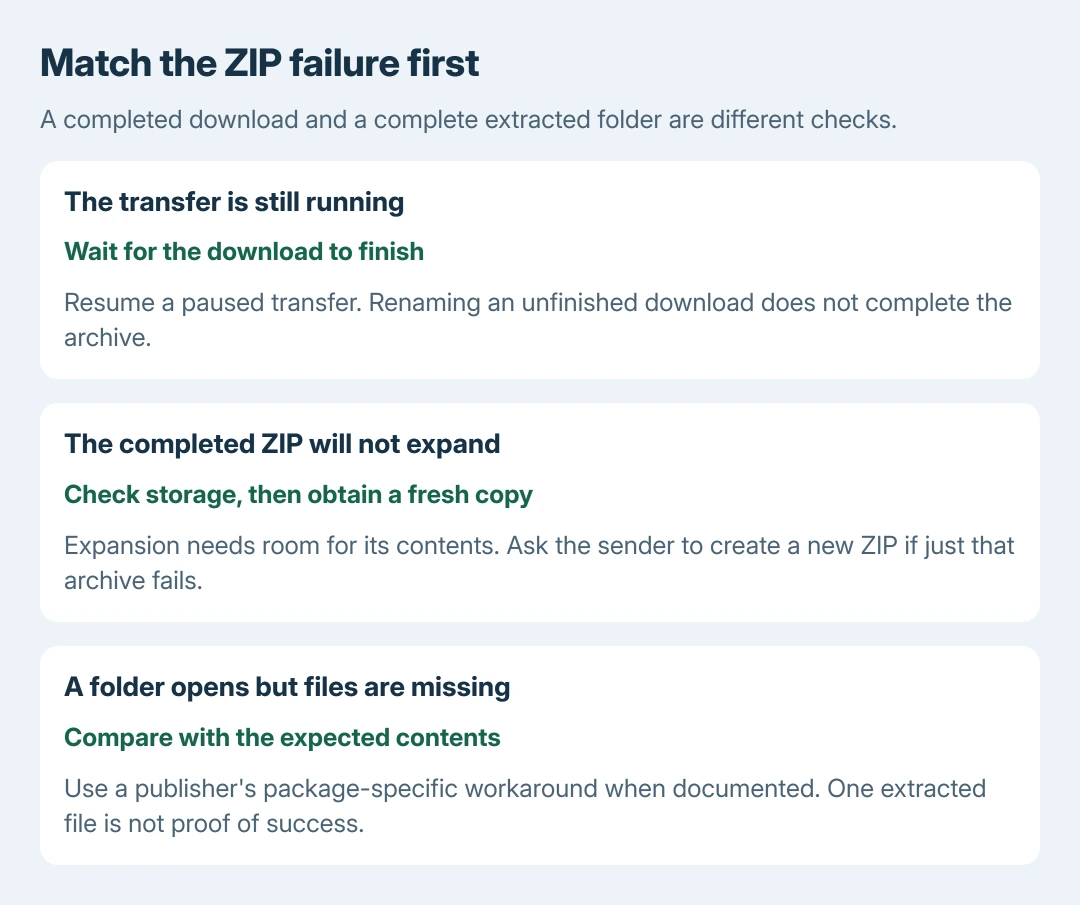
In Safari, open the downloads list and check whether the transfer is still running or paused. Resume a paused transfer and wait for completion. Apple says an item cannot be opened while it is still downloading in its Safari download checks.
Open the completed file's location in Finder and double-click the ZIP. The extracted item should appear beside it. Keep the source archive until the contents have been checked.
Status: Apple's ZIP, Safari and storage instructions checked October 28, 2026, with NCBI's package-specific Mac extraction warning. No archive was downloaded or expanded as a test.
Do not rename an unfinished download to force it open. A filename change cannot supply bytes that have not arrived. Apple's advice for a damaged download is to download it again from its trusted source.
Make room for the uncompressed contents
Apple documents the space requirement in its Mac ZIP instructions. The ZIP and its expanded contents may need to coexist, so the archive's size is not the total space needed.
On macOS Ventura 13 and later, open Apple menu > System Settings > General > Storage. Apple's storage guidance gives that route. Older versions use About This Mac > Storage.
Move files you intend to keep onto another suitable drive, or remove known unwanted downloads. Review Trash before emptying it; moving a file there alone does not make its space available.
If free-space readings disagree during another task too, the Mac local-storage comparison explains a reported case. That Photos-specific outcome is not proof that the same cache is filling this Mac.
Try expansion again after space is available. There is no useful universal multiplier for every ZIP. Its contents determine how much larger the extracted files will be.
Get a new copy when just one archive fails
Apple says a received ZIP can itself have a problem and recommends asking the sender to compress and resend it. Ask for a fresh archive, not another copy of the same known failing attachment.
For a web download, use the publisher's own link again. Check whether the publisher provides a file size or checksum for comparison. Do not assume that an apparently complete progress bar proves the archive is valid.
The ZIP format guide explains the archive-versus-contents distinction. Its Windows extraction menus do not apply to Finder.
The comparison is ours: a second trusted ZIP that expands normally directs attention to the original package. If unrelated archives fail too, give support the exact error, destination and extraction app.
Check for missing files after Safari extracts automatically
NCBI, the publisher of Datasets packages, documents two Mac ZIP bugs. They concern its packages, not every Mac archive. One can leave only a README after Safari's automatic extraction.
For that symptom, disable automatic opening in Safari > Settings > General. On older Safari versions, the menu is Preferences. Clear Open "safe" files after downloading, then download a fresh ZIP for manual extraction.
That checkbox also affects automatic opening of other downloaded file types. Compare the extracted folder with the sender's expected contents rather than accepting the presence of one file as success.
NCBI separately warns that Archive Utility can truncate large sequence files in its packages. For that specific case, its workaround uses Terminal's unzip or a suitable alternative extractor.
Open Terminal from Applications > Utilities. To select an empty destination folder, type cd and a space, drag that folder from Finder into Terminal, and press Return.
Type unzip followed by a space. Drag the trusted ZIP into Terminal to insert its path, then press Return. Extraction writes into the current folder. Check the resulting files against the package's expected contents.
This package-specific workaround cannot complete an unfinished download. For continued failure, give the publisher the error, Mac version and missing filenames. Contact Apple Support when unrelated archives also fail.
The Short Version
Finish the download, check expansion space, and obtain a new archive if only one ZIP fails. Verify the contents. Apply NCBI's Safari and Archive Utility workarounds only to the package problems it documents.

Isaac Smith is the founder and editor of PC Glance, a website that covers computers, laptops, and technology. He is a tech enthusiast and a computer geek who loves to share his insights and help his readers make smart choices when buying tech gadgets or laptops. He is always curious and updated about the latest tech trends.