
Change an Android ringtone in Settings > Sound & vibration > Ringtone, choose a tone, and save it. Samsung Galaxy phones use Sounds and vibration, with their own controls for built-in and custom sounds.
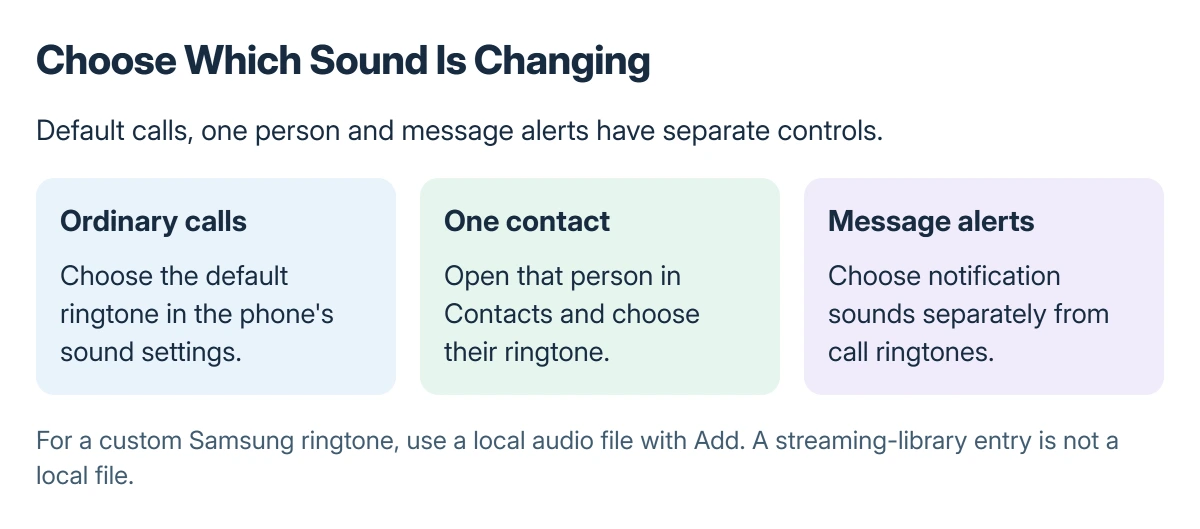
A contact-specific ringtone is set in Contacts. Notification sounds and the volume heard during a connected call are separate settings.
Choose the default ringtone for incoming calls
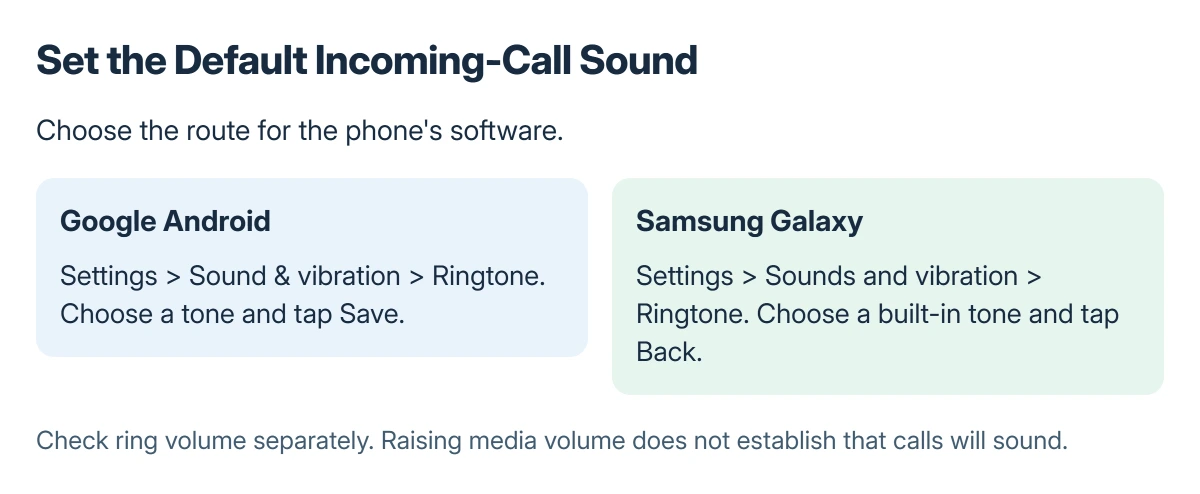
Open Settings > Sound & vibration > Ringtone, preview the available choices, select one, and tap Save. The Android route is documented by Google on its Android sound settings.
On Samsung, open Settings > Sounds and vibration > Ringtone. Tap a tone to preview it, leave the intended one selected, then tap Back to apply it.
Status: Google Android and Samsung Galaxy sound instructions checked 22 October 2026. Menu wording depends on the device; no ringtone or contact was changed.
Google says media, ring, notification and alarm volumes are different controls. Raise the ring volume for incoming calls instead of judging the setting by how loud a video plays.
Give one person a different tone
In Google's Contacts app, open the person, tap More > Set ringtone, select the sound and tap Save. This changes that contact's call sound rather than the phone-wide default.
For Samsung Contacts, select the person, then More > Change ringtone/vibration > Ringtone. Choose the tone, go back and save the contact when prompted.
Samsung states that a custom ringtone cannot be assigned to a contact stored only on the SIM card. Check the contact's storage location when that specific option is unavailable.
Use a local audio file for a custom ringtone
Samsung documents Add, shown as a plus sign on the Ringtone page, for choosing a song file stored on the phone. Select the file, choose whether to play selected highlights, then tap Done.
Its instructions require an actual local song file. A track available only through Spotify or another streaming service is not a selectable ringtone file simply because it appears in that service's library.
Google also describes copying an MP3 from a computer into the phone's Ringtones folder over USB. Keep the source audio somewhere safe; Android backup coverage varies by data type and app.
When the chosen tone still cannot be heard
Check sound mode and ring volume, then confirm whether the affected caller has an individual tone. Changing a default does not explain a phone deliberately set to mute or vibrate.
For a misplaced Galaxy, Samsung Find can ring the phone using its finding controls. That is separate from selecting an everyday call sound.
If a built-in tone previews normally but actual calls remain silent, contact the device maker with the model, software version and whether every caller is affected. Avoid resetting the phone just to change a sound preference.
The Short Version
Choose the default ringtone in Sound settings, or select a person in Contacts for an individual tone. Save with the control offered by that phone. Use ring volume for calls and a local audio file for a custom sound.
Where to Next
Check one ordinary incoming call after saving the change. That confirms the selected tone, contact exception and audible volume together.

Isaac Smith is the founder and editor of PC Glance, a website that covers computers, laptops, and technology. He is a tech enthusiast and a computer geek who loves to share his insights and help his readers make smart choices when buying tech gadgets or laptops. He is always curious and updated about the latest tech trends.