

Safari filling a Mac's storage repeatedly can have a specific cause: a content-blocker log that keeps growing. One macOS 27 owner traced the growth to ContentBlockerStatistics.db-wal and reported that removing Ad Block Pro stopped it.
That is one confirmed extension-related case, not an explanation for every full Mac. Check the file and its growth before applying that report to a different machine.
Check whether this is the same growing file
The owner reported the file inside their home Library's Safari folder. In Finder, choose Go > Go to Folder and inspect this location without deleting anything:
~/Library/Safari/Look for ContentBlockerStatistics.db-wal and inspect its size in Finder's list view or Get Info. Check it again after ordinary Safari use to establish whether that particular file is growing.
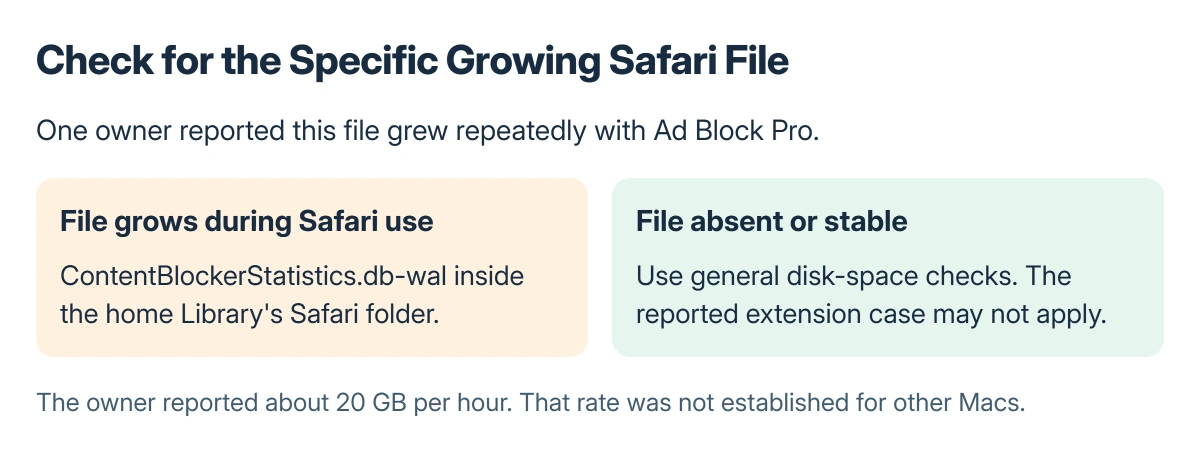
Status: one MacRumors owner reported removing Ad Block Pro stopped the growing log. Apple documents extension controls, not this specific defect. Checked 22 October 2026; no Mac was tested.
The report estimated growth around 20 GB an hour. That was the owner's observation, not a measured rate for other Macs or every version of the extension.
The original asker had not confirmed the same cause. They replied that they would watch for it; the participant who supplied the fix later returned to Tahoe for other reasons.
Turn off the suspected extension before removing files
Open Safari > Settings > Extensions. Note which extensions are enabled, then deselect the suspected content blocker and check whether the same file keeps growing during comparable use.
Apple documents the enable and disable checkboxes in its Safari extensions guide. This is a reversible comparison; disabling alone was not the fix confirmed in the forum report.
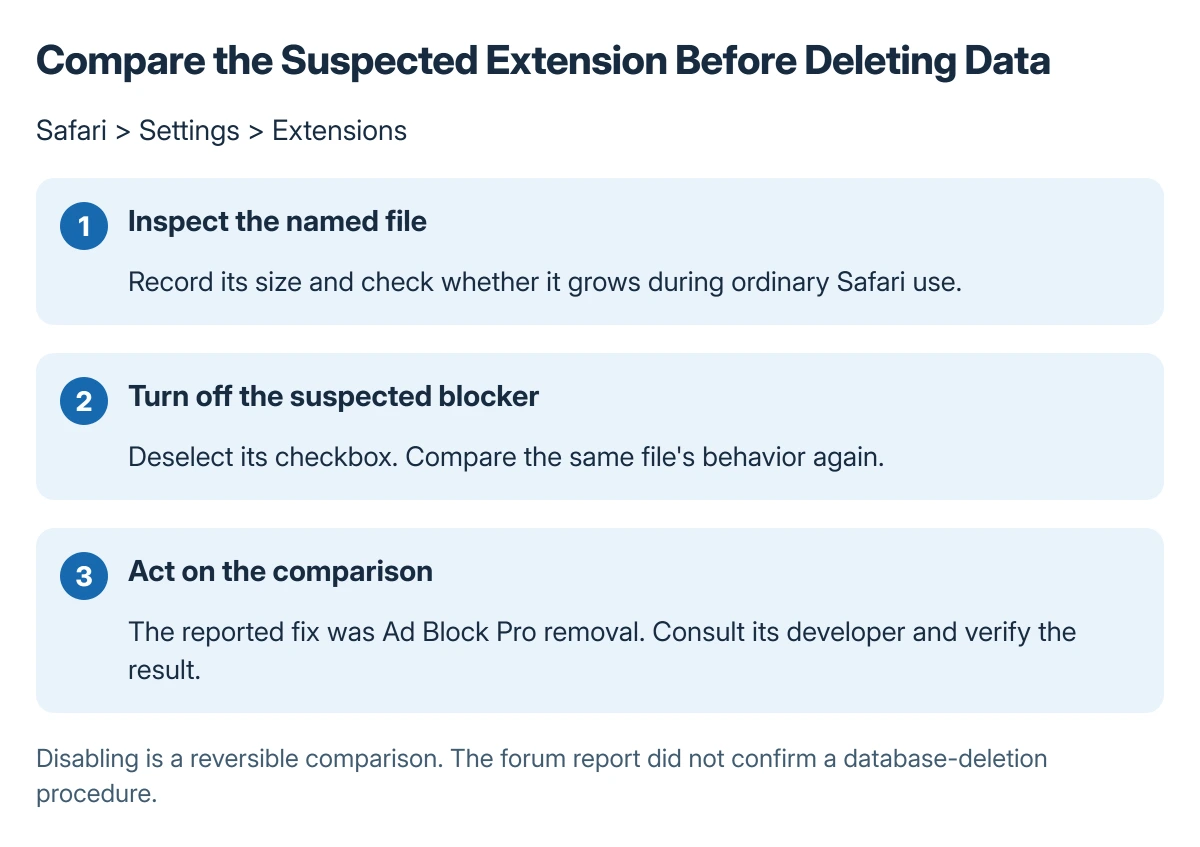
If the result points to that extension, contact its developer and check for an update. The reported successful action was removal, so keep that outcome separate from the preliminary disable test.
Apple says an extension can be removed by selecting it and choosing Uninstall, or by deleting the app containing it. Follow the prompts, preserving any needed app data before removal.
Verify that growth stops, rather than promising recovered space
Check the file and available storage after the change. The owner's short report confirms that the behavior settled; it does not document how or when every occupied byte was reclaimed.
Do not manually erase a live database or its companion files to imitate the outcome. That action was not established by the report and does not address the process writing new data.
Apple states in its Safari troubleshooting that extensions should be checked for updates when they cause a problem. Report the macOS, Safari and extension versions, plus the file's observed growth, to the developer.
If that file is absent or stays stable
Use the broader Mac System Data checks when the problem is a storage category rather than this growing file.
For disagreements between app warnings and free space, the Mac local-storage comparison explains why checking the actual disk matters.
Apple's storage guidance covers moving or deleting files that can be identified safely. If the Mac keeps crashing or rapidly losing space with no matching extension result, preserve important work and contact Apple with those observations.
The Short Version
Check whether ContentBlockerStatistics.db-wal is growing repeatedly. One owner stopped that case by removing Ad Block Pro. Compare extension behavior first, verify the result and use general storage checks when the file does not match.
Where to Next
Keep the before-and-after file sizes with the software versions. That gives the extension developer or Apple a specific behavior to assess without assuming every storage warning has the same cause.

Isaac Smith is the founder and editor of PC Glance, a website that covers computers, laptops, and technology. He is a tech enthusiast and a computer geek who loves to share his insights and help his readers make smart choices when buying tech gadgets or laptops. He is always curious and updated about the latest tech trends.