
Fortnite's PC storage size changes with updates and optional components. Check your current installation or the total for the download options you select. There is no permanent GB figure that covers every installation.
Open the Epic Games Launcher, go to Library, open Fortnite's three-dot menu and select Options. Check the sizes listed there. Removing optional high-resolution textures can reduce the space the PC installation needs.
Read the size for the installation you are choosing
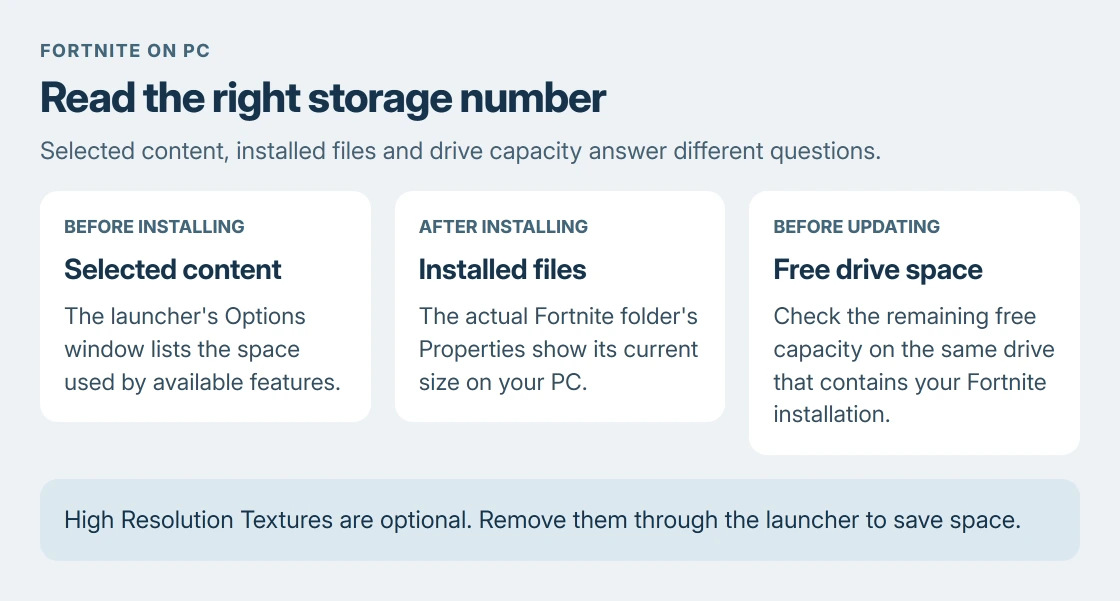
Epic's Fortnite storage instructions say the Options window shows how much space available features take. Read the selected options together instead of comparing your complete install with another player's smaller selection.
The size-reduction procedure documented by the vendor uses those optional features. It does not require deleting random files from Fortnite's installation folder.
Status: Epic's current PC storage instructions and Microsoft's drive-space guidance reviewed 23 October 2026. No fixed current GB total or local Fortnite installation test is claimed.
A console or phone installation is a different package. These Epic Games Launcher steps apply to the Windows PC version, so its total should not be used as a download estimate for another platform.
Measure the installed Fortnite folder
For an existing installation, open Fortnite's three-dot menu > Manage in the launcher's Library. Select the folder button beside Uninstall to open the installed files.
In File Explorer, go up one directory, right-click the Fortnite folder and choose Properties. Let Windows finish counting before reading Size and Size on disk. Do not select Uninstall while opening the location.
Use the folder on the drive where the launcher installed the game. A desktop shortcut's properties describe the shortcut, rather than the installed game's files.
Microsoft documents checking remaining drive capacity in File Explorer > This PC. Match the drive letter to Fortnite's installation location, since free space on a different drive will not make that location larger.
The Windows drive-space instructions also cover reviewing large personal files. Our disk cleanup guide helps when the space shortage involves more than this game.
Remove optional textures through the launcher
Close Fortnite before changing its installed components. Return to Library > Fortnite's three-dot menu > Options and review the selected features.
Epic identifies High Resolution Textures as an optional component that can be unchecked to save space. Clear that selection if you do not need those textures, then apply the change using the launcher's confirmation control.
Let the launcher complete the modification before checking the folder size again. Removing that texture package trades image detail for storage; it is separate from choosing graphics settings inside a running match.
An old size quoted for a previous Fortnite release cannot establish the present saving. Use the amount displayed by your launcher for the options currently offered.
Distinguish download progress from storage capacity
A number on a download-progress display describes the transfer in that operation. It does not establish the final folder size or the free space required for every later update. Read the launcher's current space requirement before starting.
If space is sufficient but downloading is slow, use our download-speed checks. Buying a larger drive does not resolve a slow connection.
Microsoft says files in the Recycle Bin still need to be removed to release their disk space. Review its contents before emptying it if you deleted large files to make room.
For a missing Options control or a persistent space error, contact Epic support with the launcher message and selected components. Use the launcher's current figures when describing the problem.
The Short Version
Check Fortnite's selected components and installed folder, then compare them with the correct drive's free space. Optional high-resolution textures can be removed through Options. The size varies with content and updates.
Where to Next
Keep the exact insufficient-space message when seeking help. The requested drive and amount are more useful than a size remembered from an older release.

Isaac Smith is the founder and editor of PC Glance, a website that covers computers, laptops, and technology. He is a tech enthusiast and a computer geek who loves to share his insights and help his readers make smart choices when buying tech gadgets or laptops. He is always curious and updated about the latest tech trends.