
A Windows 11 Pro generic key does not give a PC a Pro license. For a Home-to-Pro upgrade, first check Settings > System > Activation, then use a valid Pro product key or purchase the upgrade through Microsoft Store.
Publicly listed KMS client keys serve a separate organizational activation system. Copying one into a home PC is not a replacement for buying or already owning the correct license.
Check the installed edition and activation state
Open Start > Settings > System > Activation. Read the edition at the top, then expand Activation state if more details are needed. Record whether the PC currently runs Home or Pro and whether it is activated.
Microsoft says its manual Home-to-Pro upgrade instructions apply to an activated copy of Windows 11 Home. If Home is not activated, resolve that first. Changing editions adds another issue to an unresolved activation problem.
Status: Microsoft's Home-to-Pro upgrade, activation and KMS documentation checked 23 October 2026. No product key was applied and no Windows edition was changed.
If Pro is already installed, check its activation rather than running another Home-to-Pro upgrade. Our Windows activation checks cover a PC that has the intended edition but shows an activation problem.
Before purchasing, confirm that the feature you need requires Pro. The Home and Pro comparison explains the practical differences, including hosting Remote Desktop and joining a work domain.
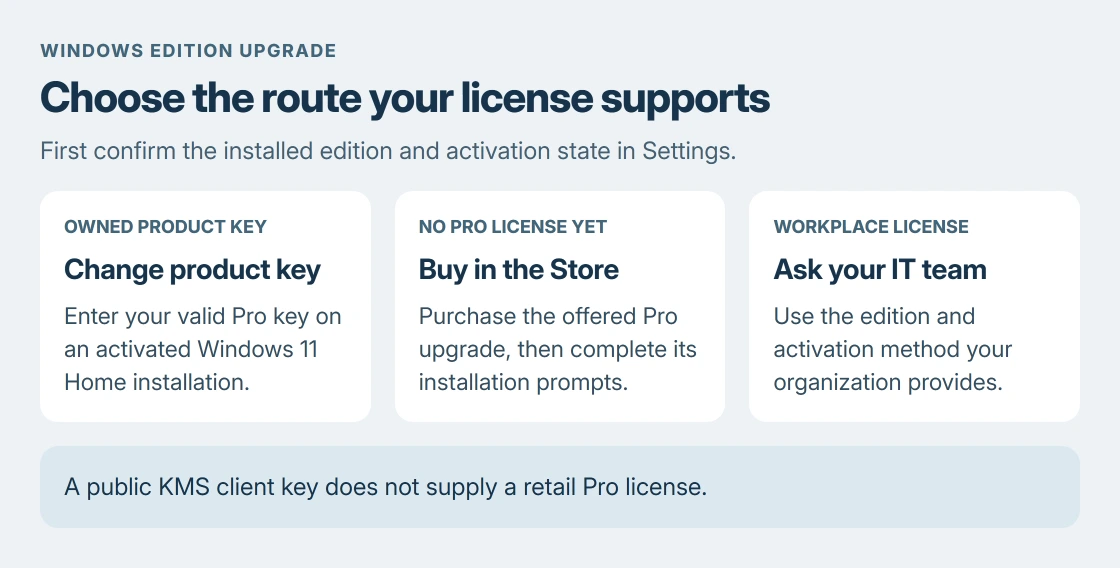
With a Pro key, change the product key in Settings
Use the Pro key supplied with your legitimate purchase or licensing arrangement. A Home key is not a Pro entitlement, and a key for a different Pro variant may not match the edition you want.
- Return to Settings > System > Activation.
- Beside Change product key, select Change.
- Approve the administrator prompt if it appears.
- Enter your 25-character Windows 11 Pro product key.
- Select Next and follow the upgrade prompts.
Keep your work saved before the upgrade requires a restart. When it finishes, return to Activation and verify both the Pro edition and its activation state. The edition name alone does not establish successful activation.
This is the manual procedure in Microsoft's Home-to-Pro upgrade guide. It uses your own Pro key, rather than an unverified key copied from a comment.
Without a key, use the Store upgrade route
In Activation, expand Upgrade your edition of Windows and select Open Store beside the Microsoft upgrade option. Microsoft documents purchasing Pro there while signed into your Microsoft account.
Read the offered product and price before confirming. After purchase, follow the installation and restart prompts.
A Store purchase can supply a digital license. The absence of a separately emailed product key does not by itself mean the purchase failed.
If the upgrade section is absent, check the installed edition again. Microsoft notes that the PC may already be on Pro or an edition upgrade may be unavailable. Do not force an edition change just to make that section appear.
A KMS client key belongs to a managed activation setup
Microsoft states that its published Generic Volume License Keys require a KMS host for that activation method. They cannot serve as retail license keys for an ordinary personal installation.
The public Windows 11 Pro KMS client key cannot replace a purchased retail entitlement. Its availability on a Microsoft documentation page does not make Pro free for every PC.
For a work or school machine, ask IT which edition and activation method the organization supplies. That avoids replacing a managed configuration with an unrelated key or trying to repair it as a personal purchase.
For a personal PC with a rejected purchased key, keep the exact error code and proof of purchase. Ask the seller or Microsoft support to verify the key and edition.
If Pro is installed but only a Home license exists, establish the correct entitlement before changing anything else.
The Short Version
Check the edition and activation. Upgrade activated Home using an owned Pro key or the Store purchase route. Public KMS keys require organizational activation infrastructure and cannot supply a retail license.
Where to Next
Keep purchase records tied to the account used for the upgrade. They help support distinguish a missing license from an edition or account mismatch.

Isaac Smith is the founder and editor of PC Glance, a website that covers computers, laptops, and technology. He is a tech enthusiast and a computer geek who loves to share his insights and help his readers make smart choices when buying tech gadgets or laptops. He is always curious and updated about the latest tech trends.