
During a power cut, a PC battery backup should give the equipment time to save work and shut down. Choose a UPS by its connected load and runtime at that load. The large VA number alone cannot answer both questions.
List the devices that must stay powered
Start with the desktop and the display needed to use it. Add the router and modem or fiber terminal only if the work also needs a live network connection. Include each device when estimating the protected load.
Schneider Electric's APC selector bases its choice on load and desired runtime. It cautions that equipment nameplate ratings can exceed actual draw, so distinguish a rating from a measurement.
Status: UPS sizing, runtime and outlet guidance reviewed with Eaton, APC and Microsoft on 24 October 2026. No UPS was purchased, tested or disconnected from mains power.
A power supply marked with a high wattage is stating its supply capability, not the desktop's constant wall consumption. Give the UPS maker the actual PC configuration and expected workload if there is no reliable load measurement.
Check the watt limit as well as VA
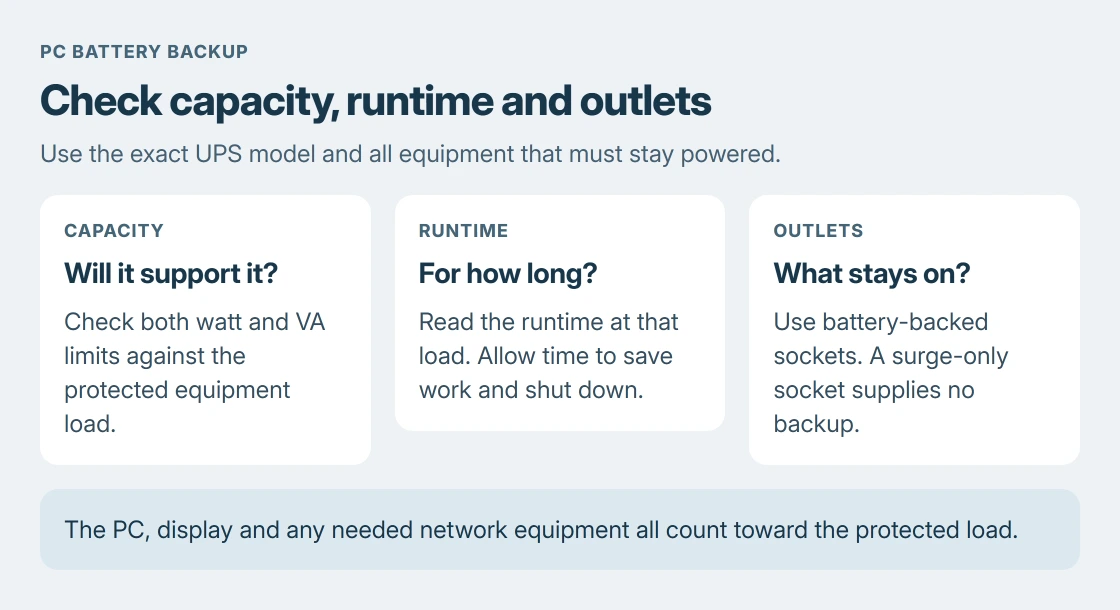
Read both output ratings in the candidate UPS specification. The equipment must fit the UPS's watt and VA limits. Leave the margin recommended for that model instead of sizing right at its maximum.
Capacity and runtime are separate questions documented by the vendor, Eaton. A model's advertised VA value is not an interchangeable watt value.
Check the local input voltage, plug and output sockets before purchase. For a gaming desktop or a supply with particular waveform requirements, ask the UPS and PC power-supply makers to confirm compatibility for the proposed pair.
If the computer already restarts without a visible stop screen, determine whether the fault is mains power, the PC supply or a crash. A UPS is not proof that an internal power fault has been repaired.
Read runtime at the load the PC will use
Open the runtime chart or selector for the exact model. Enter the protected load and compare the result with the time needed to save and shut down. An advertised light-load runtime does not describe a busy desktop.
Schneider Electric explains that runtime depends on the load and that UPS's specifications. Capacity answers whether it can support the equipment; the runtime result answers how long the battery can do so.
For unattended use, check whether the UPS offers supported shutdown software and a data connection for the installed operating system. Read its setup instructions and confirm those features are included with the chosen model.
Microsoft says Start > Power > Shut down turns off a Windows PC in its shutdown instructions. Plan for that completed shutdown before the battery is exhausted.
Connect equipment to the correct outlets
Read the outlet labels and model manual. Some UPS units have a mixture of battery backup and surge-only sockets. A surge-only connection does not keep the display or PC running when mains power fails.
APC's laser-printer guidance excludes laser printers from Back-UPS battery and surge-only outlets because of their power demand. Use the printer and UPS makers' specified arrangement instead of adding one to the desktop's backup sockets.
Follow the UPS instructions for battery connection, initial charging, ventilation and its supported self-test. Use the specified test procedure; an improvised mains-disconnection test is unnecessary for following this guide.
Keep shutdown, recovery and file backup separate
Microsoft documents that sleep still uses power. A sleeping desktop therefore still depends on a continuing supply. Choose a supported completed shutdown for an outage expected to outlast the battery.
A UPS also cannot restore a deleted document or a failed drive. Keep a separate file backup. A Windows recovery USB serves another purpose again: starting recovery when the computer cannot boot normally.
If a candidate's load, runtime, waveform or shutdown support remains unclear, send the equipment list to its manufacturer before buying. If an installed UPS reports overload or a battery fault, follow that model's service instructions.
The Short Version
List the equipment, check watt and VA capacity, then read runtime at that load. Verify battery-backed outlets and shutdown support. Keep a separate file backup. Ask the UPS maker about any uncertain compatibility before buying.

Isaac Smith is the founder and editor of PC Glance, a website that covers computers, laptops, and technology. He is a tech enthusiast and a computer geek who loves to share his insights and help his readers make smart choices when buying tech gadgets or laptops. He is always curious and updated about the latest tech trends.