
An iPhone battery change can restore capacity lost through battery aging, but a low charge percentage alone does not mean replacement is needed. Check Battery Health first, then use Apple's service estimate for the exact iPhone and country.
AppleCare battery coverage has a specific capacity condition. Paying for a replacement is a separate decision from qualifying for service without an extra charge.
Read battery health rather than today's charge
Open Settings > Battery. On iPhone 15 and later, choose Battery Health. For models through iPhone 14, the control is Battery Health & Charging. Inspect Maximum Capacity and any service recommendation.
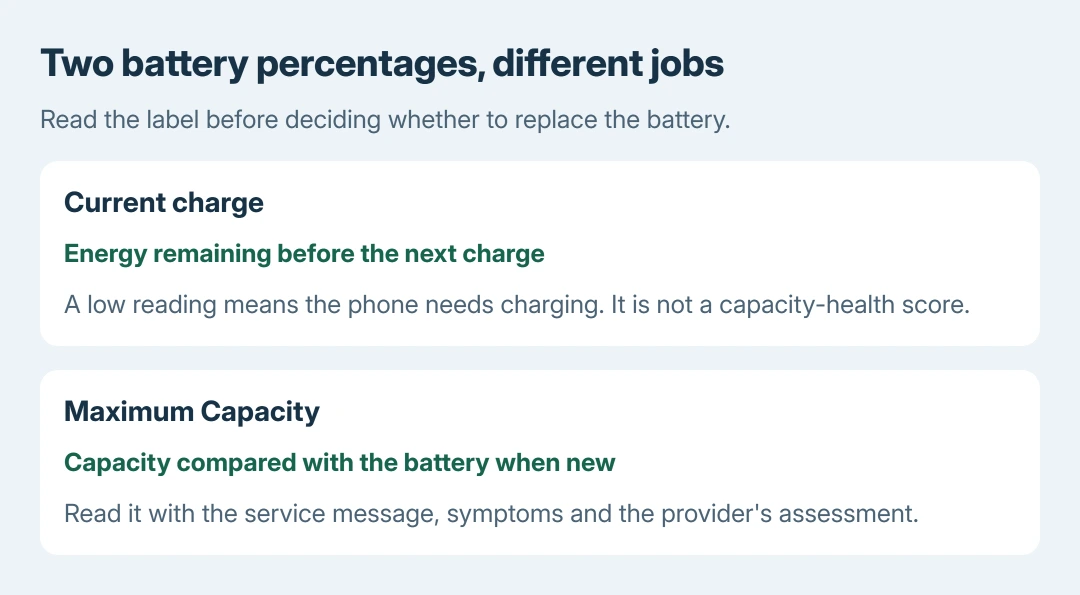
Maximum Capacity compares the battery's capacity with when it was new. The ordinary charge percentage shows how much charge remains now. A phone at 20 percent charge does not have only 20 percent battery health.
Status: Apple battery and service guidance checked October 28, 2026. Costs depend on model and region. iOS 27 repair preparation differs from iOS 26. No battery was replaced.
Apple says chemical aging reduces capacity and can reduce peak-power delivery in its battery performance explanation. Replacement can help those battery-related limits; it does not repair every cause of poor runtime.
If Battery Health has no usable reading, check the model and battery-label differences before judging the cell from a missing number.
Check coverage and get an actual replacement estimate
Open Apple's iPhone battery service page. Choose the model in its estimate tool. Use the correct regional site, then request an Apple assessment or contact an authorized service center.
With applicable AppleCare coverage, Apple states that battery replacement has no extra charge when capacity drops under 80 percent. An exact 80-percent reading is not under that threshold. Apple must confirm the service and coverage.
Normal battery wear is excluded from Apple's limited warranty. A manufacturing defect is a different coverage question. Ask Apple to check eligibility instead of assuming that the phone's age or percentage settles it.
The final fee follows inspection. Tax, shipping or other required repairs can affect the amount, and authorized providers can set their own estimates. This guide does not attach one price or promised completion time to every iPhone.
Prepare the phone for the service route chosen
Back up the iPhone and confirm the iCloud features you use have finished syncing. Apple's appointment preparation also lists Wallet card/pass removal and turning off Apple Cash where applicable.
Keep the backup because the phone may return erased. The iPhone backup restoration guide explains the recovery choices if service removes its contents.
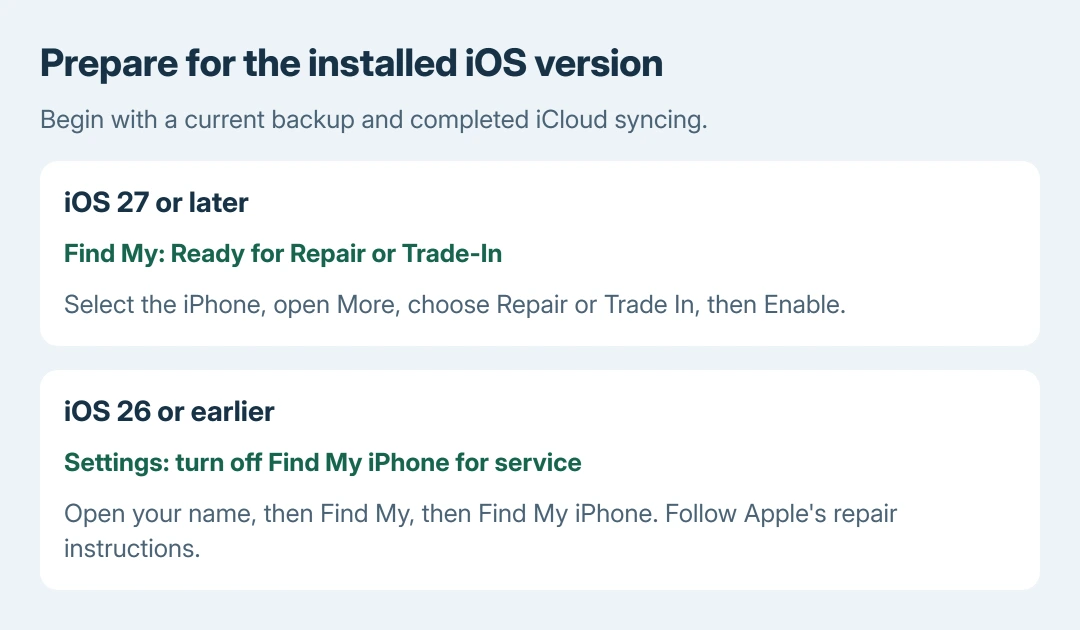
In iOS 27 or later, Apple's current instruction is Find My > Devices > the iPhone > More > Repair or Trade In > Enable, using Ready for Repair or Trade-In.
For iOS 26 or earlier, Apple directs turning off Settings > your name > Find My > Find My iPhone. Follow the instructions for the installed version instead of treating those routes as interchangeable.
Never hand over the device passcode or Apple Account password. Apple documents entering them personally, while remaining present, if a software-support step needs authentication. Bring identification and any requested proof of purchase.
For mail-in service, follow the shipment instructions supplied with the repair. Appointment preparation alone does not replace the separate packing and shipping requirements.
Decide whether a home replacement fits your experience
An iPhone battery is an internal repair, not a removable battery door. Apple's Self Service Repair program requires checking device and regional availability and reading the specific repair manual before ordering.
The service recommendation is ours: use a trained repair provider when the required tools or repair experience are missing. A generic opening video cannot establish the correct procedure for every iPhone generation.
After service, review Battery Health, charging and the repair record. Ask the provider about an unexpected warning or an unfinished repair before treating a replacement as complete.
The Short Version
Check Maximum Capacity and the service message, then obtain a model-specific estimate. Confirm AppleCare eligibility separately. Preserve a backup and use the repair-preparation route for the phone's iOS version before the appointment.

Isaac Smith is the founder and editor of PC Glance, a website that covers computers, laptops, and technology. He is a tech enthusiast and a computer geek who loves to share his insights and help his readers make smart choices when buying tech gadgets or laptops. He is always curious and updated about the latest tech trends.