
QWERTY explains why a computer keyboard is not in alphabetical order: computers inherited a familiar typewriter layout. Mechanical printing shaped its origins. Learned typing helped keep it in use.
Read the first six letters of the upper letter row: Q W E R T Y. That arrangement is expected. Letters appearing in a different order on screen from the ones pressed are a separate input-setting problem.
The layout came from mechanical typewriters
On early typewriters, pressing a key moved a metal typebar toward the paper. Bars could clash during typing. Rearranging the mechanism and its letter assignments addressed a problem that an alphabetical list did not solve.
The SFO Museum's typewriter collection describes the Sholes & Glidden layout as a response to those clashes. Its design served that machine's mechanics, rather than alphabetical lookup.
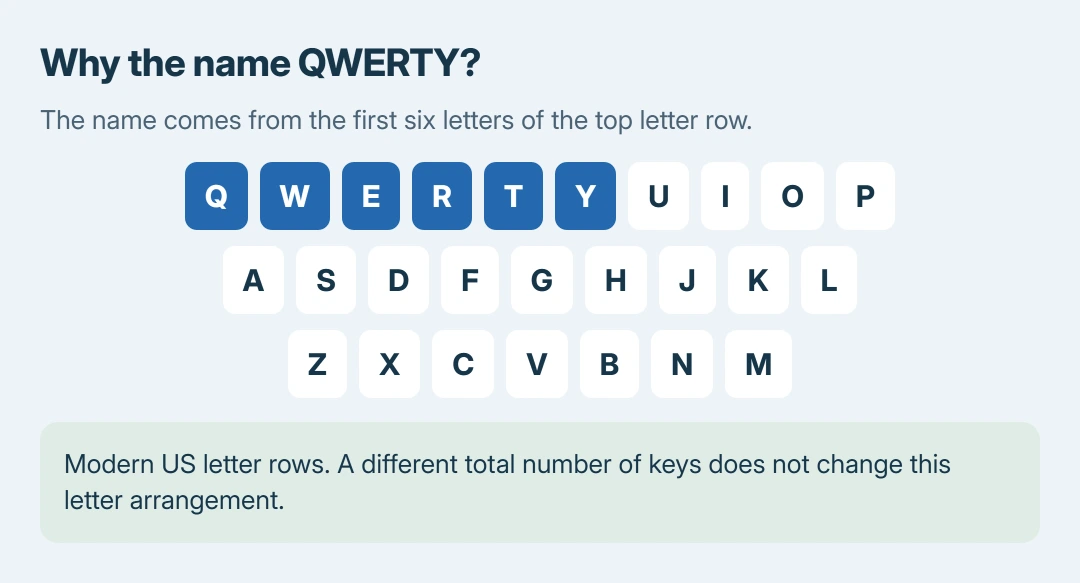
Status: QWERTY history checked against museum and engineering-history records October 28, 2026. The drawing shows modern US letter rows, not an original typewriter keyboard.
ASME's engineering landmark record also connects the Sholes & Glidden's QWERTY arrangement with reduced sticking. Remington manufactured the commercially successful machine.
That does not mean a modern keyboard needs its letters scattered to prevent a mechanical collision. There are no inked typebars swinging toward one shared printing point inside a laptop.
Why keep QWERTY on a computer?
Changing the letters would also change the movements a practiced typist has learned. Knowing the alphabet does not supply the same skill as entering words without looking at each key.
Once QWERTY was familiar on typewriters, retaining it let people use that typing experience on later keyboards. SFO Museum traces the same layout into computers, tablets and phones.
This is a historical explanation, not proof that QWERTY is the fastest possible arrangement. A layout can remain useful and familiar without winning every comparison against alternatives.
Alphabetical keys might make a letter easier to locate for a beginner. They would still require a QWERTY-trained person to learn different finger movements. Alphabetical order and practiced typing are different goals.
Does QWERTY specify the number of keys?
QWERTY describes the letter arrangement. It does not specify whether the keyboard has a number pad, a separate function row or a particular Enter-key shape.
Two keyboards can have the same QWERTY letters while differing in their total keys. The keyboard-size and key-count comparison explains those physical differences.
Likewise, changing what Windows types does not move the printed keycaps. Before buying a replacement board, distinguish its physical shape from the input layout selected in software.
Check Windows only when typed characters are wrong
Microsoft documents the distinction between an input layout and the language used for Windows menus in its keyboard-layout instructions.
Microsoft says Windows+Space cycles the layouts already installed. If the letters or punctuation have unexpectedly changed, select the layout matching the keyboard's printed legends. The Windows language controls cover that repair.
Our recommendation to keep a familiar, working layout is ours. Remapping the entire keyboard makes sense for a specific typing or accessibility need, rather than simply putting its letters in dictionary order.
If the correct layout is selected and an individual key still produces the wrong result, tell the keyboard maker which key and character are involved. The normal QWERTY order itself needs no repair.
The Short Version
Computer keyboards kept a familiar typewriter arrangement. Typebar clashes help explain its origin; learned typing helps explain its persistence. Wrong characters need an input-layout check. QWERTY itself is normal.

Isaac Smith is the founder and editor of PC Glance, a website that covers computers, laptops, and technology. He is a tech enthusiast and a computer geek who loves to share his insights and help his readers make smart choices when buying tech gadgets or laptops. He is always curious and updated about the latest tech trends.