
Switching an iPhone to another Apple ID means signing out of its current account and signing in with the other one. Check that important data has synced first, because the phone will then use a different iCloud library.
For a new email address, keep the existing account and update its primary address. Apple uses Apple Account as the current name for an Apple ID, which explains the wording in Settings.
Decide whether a different account is actually needed
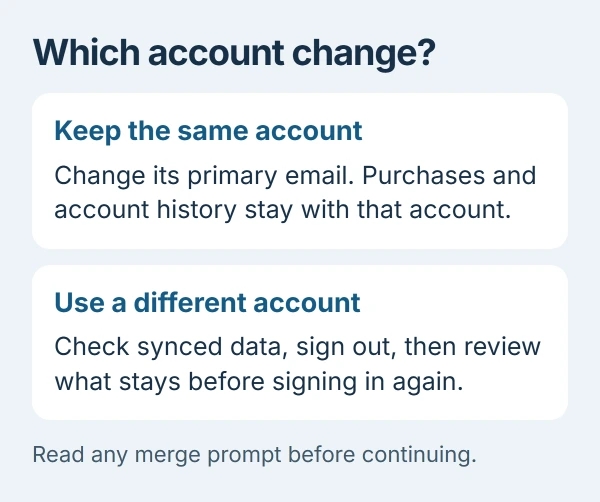
To keep the same purchases and account history under another email address, change the primary Apple Account email. That procedure does not require moving to a separate account.
For a different existing account, check its email or phone number and password before signing out. Keep access to its trusted phone number or device for verification.
Status: Apple's account-switching controls checked October 29, 2026. Sign-out choices differ on older iOS versions. No account or personal data was changed.
The instructions here are for a phone being kept. For a device going to someone else, use the pre-sale erase checklist. Leaving local data behind is unsuitable for that handover.
Finish syncing and preserve anything that matters
Apple says to make a current backup and confirm recent changes have reached iCloud before signing out. Check important content at iCloud.com or on another signed-in device, rather than assuming a sync switch means uploading has finished.
Its sign-out guidance also recommends separate copies of important iCloud information. Some content is not included in an iCloud backup, so confirm that the files needed afterward are accessible.
If a warning says unsynced information will be removed, stop there. Check the connection, available iCloud storage and the status under Settings > your name > iCloud, then resolve the warning or copy that content first.
Sign out and read the data-retention choice
On iOS 26 and later, open Settings, tap your name, scroll down and choose Sign Out. Select Sign Out But Don't Erase when keeping the phone and its local content.
Read the prompts, enter the requested device passcode or account password, then choose Confirm and Sign Out. Do not select the erase option as a routine account-switching step.
On iOS 18 and earlier, Apple's documented sign-out flow asks for the account password and Turn Off instead. Follow that version's prompts about retaining data; the newer option name will not appear there.
Signing out also disconnects services including iCloud, the App Store, iMessage and FaceTime. A paired Apple Watch is signed out too. Account changes therefore reach beyond the displayed name in Settings.
Sign in and avoid an unwanted data merge
Return to Settings > Apple Account, choose Sign in Manually, and enter the destination account's email or phone number and password. Complete any verification-code prompt with the code supplied to its trusted device or number.
Apple documents signing in from Settings separately from changing an account's primary email. Check that Settings now shows the intended account before using its cloud services.
Apple states that data left by a previous owner can merge with the incoming account's iCloud data. On a merge prompt, choose Go back if that combination is unwanted. Read the following removal screen before continuing.
The retained-data explanation covers this warning. Keeping files locally does not make an account switch a guaranteed transfer of every purchase, subscription or cloud item.
Resolve a blocked sign-out before changing anything else
For a restrictions message, Apple directs the account owner to Screen Time. Current instructions use Settings > Screen Time > Manage Screen Time > Change Screen Time Passcode > Turn Off Screen Time Passcode.
If a parent or guardian manages the device, they need to authorize the change through their controls. A grayed-out account entry has a separate Accounts restriction; follow Apple's exact restriction branch.
If account verification still fails, contact Apple Support with the displayed message. Keep the old account accessible until the needed information is confirmed under the new sign-in.
The Short Version
Changing an email preserves the account; switching accounts changes the sign-in and cloud library. Verify synced data first, read the non-erasing sign-out prompts, and inspect any merge warning before proceeding.

Isaac Smith is the founder and editor of PC Glance, a website that covers computers, laptops, and technology. He is a tech enthusiast and a computer geek who loves to share his insights and help his readers make smart choices when buying tech gadgets or laptops. He is always curious and updated about the latest tech trends.