
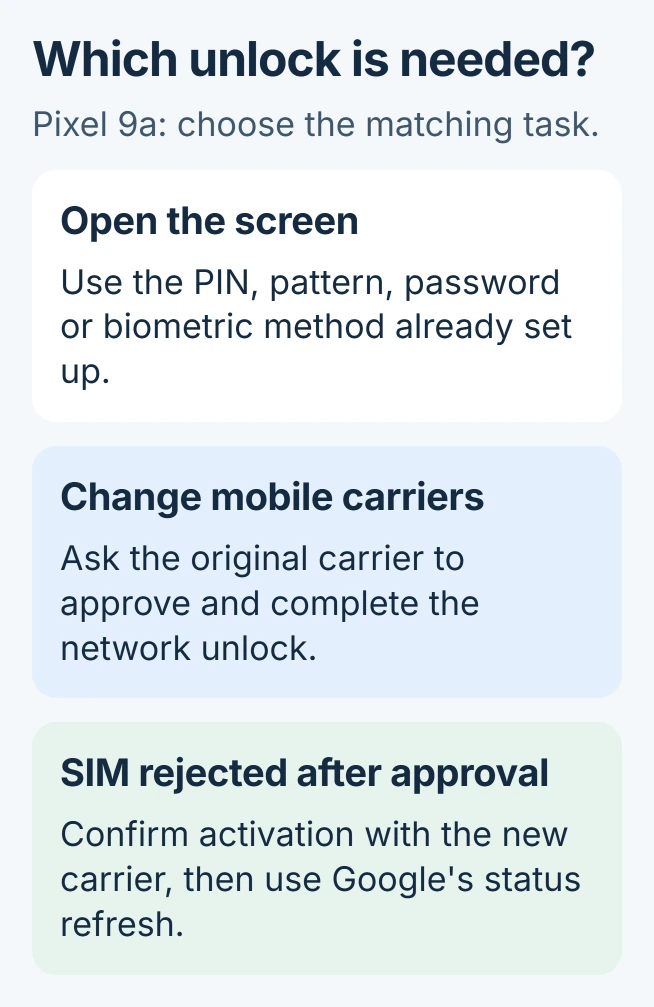
Unlocking a Google Pixel 9a for another carrier requires approval from the carrier that locked it. Opening the phone's screen uses its existing PIN, pattern, password or enrolled biometric method. Neither action performs the other.
For a new SIM that fails after carrier approval, Google supplies a separate SIM-status refresh. Confirm the approval before trying that procedure; it cannot grant an unlock the carrier has refused.
Identify which lock is stopping the phone
A PIN prompt on the Lock Screen concerns access to the phone. A carrier restriction concerns service from a different network. If the screen opens normally but a replacement SIM is rejected, begin with the original carrier.
Google says a carrier-supplied Pixel can remain restricted under that provider's terms. Its Pixel carrier instructions direct unlock requests to the mobile provider.
Status: Pixel screen-access and carrier-unlock instructions reviewed October 31, 2026. Eligibility belongs to the original carrier. No Pixel 9a unlock was performed.
Ask the provider to check the exact handset and confirm whether its restriction has been removed. Also have the new provider confirm that the phone and service plan are compatible before transferring service.
A secondhand phone may require the seller's help with the original carrier account. Obtain that assistance or discuss returning it when approval cannot be obtained. Possession of the phone does not guarantee unlock eligibility.
Refresh SIM status after the carrier confirms approval
Confirm both the old carrier's approval and the new carrier's activation. The refresh documented by Google addresses a replacement SIM still reported as unsupported or unactivated.
- Connect the Pixel to Wi-Fi and install available Android updates.
- Open the Phone app and enter the code shown here in its dial pad.
- Call the code, then wait about two minutes when the dialer screen returns.
- Check whether the phone now connects to the mobile network.
*#*#7465625#*#*The code refreshes status after approval. It is not a universal carrier-unlock code, and entering it repeatedly will not change a provider's eligibility decision.
If the restriction is gone but signal remains absent, the Pixel no-service checks address the connection itself. Give the new carrier the exact error rather than describing every failure as a locked phone.
Google lists a factory reset as a later troubleshooting option. Before considering it, review the Android backup coverage and verify account access. A reset deletes local data and still cannot substitute for carrier approval.
Open or change the existing screen lock
Wake the display and use the screen credential or biometric method already configured. When the phone requires its PIN, pattern or password, supply that credential instead of requesting a network unlock.
To change a known lock, open Settings > Security & privacy > Device unlock > Screen lock. Enter the current credential, choose the new lock type and complete the prompts.
Google states that the existing credential is required before changing an established lock. Its screen-lock guide covers the supported choices. Turning protection off is unnecessary for ordinary access.
If the credential is forgotten, Google's locked-Pixel recovery procedure requires a phone erasure followed by setup. Read its data-loss and account requirements before proceeding.
Google's device protection may require a previously synced Google Account during setup. Recover that account before erasing the phone if its password is unknown.
Saved backups can restore supported data. Local files missing from those backups will be lost.
Who should handle a remaining failure?
Use the original carrier for an unapproved network unlock, the new carrier for activation after approval, and Google Support for device access or hardware trouble. Keep the purchase record and the exact on-screen message available.
Our recommendation is to settle the lock type before erasing anything. A working screen with a rejected SIM provides a very different starting point from a phone whose screen credential is unknown.
The Short Version
Get carrier approval to change networks. Refresh SIM status only when an approved unlock has not taken effect. Screen access uses the established credential; forgotten credentials lead to Google's separate, data-erasing recovery process.

Isaac Smith is the founder and editor of PC Glance, a website that covers computers, laptops, and technology. He is a tech enthusiast and a computer geek who loves to share his insights and help his readers make smart choices when buying tech gadgets or laptops. He is always curious and updated about the latest tech trends.