
A dynamic link library (DLL) initialization routine failed is Windows error 1114. Record the app and any named file; that number does not tell you which component failed. For a 3D app, check its graphics setup first.
A Windows 11 owner resolved this error after repairing an older laptop's graphics-device setup. Other applications can fail for different reasons, so a missing-DLL download is not the starting point.
Identify the app that produces error 1114
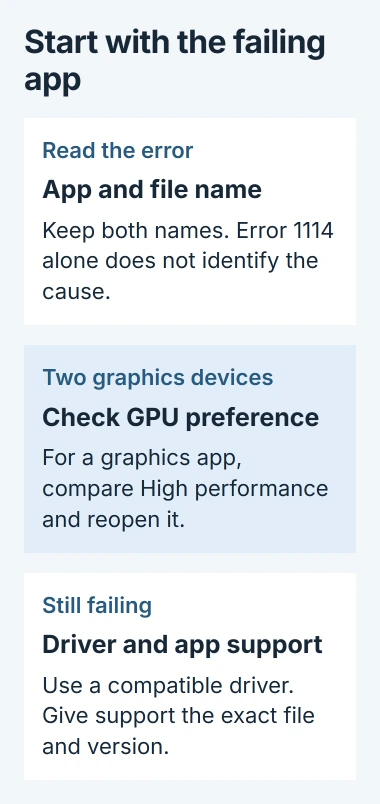
Keep the complete error text, including the window title and file path. Note whether it appears when launching an app, opening a project or loading a plug-in. Those actions can involve different components.
Microsoft says 1114, also written 0x45A, means ERROR_DLL_INIT_FAILED in its Windows error-code reference. The wording describes failed initialization, not necessarily a missing file.
Status: Windows error 1114 and current GPU controls checked November 2, 2026. The confirmed Windows 11 owner report is from 2022. No driver or application was changed here.
If the actual message says a Visual C++ DLL was not found, use that runtime-specific procedure. A Bad Image message instead needs the named-file repair checks.
For 1114, keep the named file with the application that installed it. Copying a similarly named DLL into Windows can mix incompatible versions without addressing why initialization failed.
For a graphics app, check its selected GPU
On a PC with two graphics devices, open Settings > System > Display > Graphics. Select the app, or add its executable through Add desktop app. Older layouts use Desktop app > Browse.
Expand that entry and set GPU preference to High performance. In layouts with an Options button, open it, choose High performance, then Save. Close and reopen the application before testing the same launch or project.
Autodesk documents both layouts in its graphics configuration instructions. Its guide explains that switching graphics devices can cause launch, display or stability problems.
Microsoft states that per-app graphics preferences are available. Record the original choice so it can be restored if the comparison changes nothing.
This is a targeted check for a graphics application on suitable hardware. A system with only one GPU has no second device to select. Skip this comparison when the listed choices point to the same adapter.
Check the driver that matches the installed hardware
Right-click Start, open Device Manager, and expand Display adapters. Note each adapter's name. On a laptop, start with the manufacturer's support page for that exact model and its supported Windows version.
Microsoft recommends Windows Update for driver updates and provides Device Manager alternatives. A manual package must match the hardware, Windows version and architecture.
Install the supported update, restart and retry the application. If a recent driver update triggered the error, inspect Properties > Driver > Roll Back Driver on the adapter instead. This requires administrator permission.
An unavailable rollback button means no usable previous driver is offered there. Ask the PC or graphics manufacturer for its supported package rather than choosing a random older download.
What the confirmed Windows 11 case does establish
One Sweet Home 3D owner reported error 1114 after moving an older dual-GPU laptop to Windows 11. They had disabled an AMD Radeon device because its driver caused crashes.
That graphics-device recovery was confirmed by an owner: they reinstalled the device, removed it again, let Windows recognize a basic adapter and disabled it. Their complete thread contains no later reversal.
That was a hardware-specific recovery on unsupported older graphics, not a reason to disable a working GPU on another computer. The useful point is that error 1114 can come from graphics initialization even when the application names a DLL.
If a plug-in or one application still fails, send its developer the file path, app version, GPU names and driver versions. Ask for the required runtime or plug-in build. Preserve projects before following any reinstall procedure.
The Short Version
Read the app and file names with error 1114. For a graphics app, check its GPU preference and compatible driver. If the failure persists, ask the developer which component or plug-in build the program requires.

Isaac Smith is the founder and editor of PC Glance, a website that covers computers, laptops, and technology. He is a tech enthusiast and a computer geek who loves to share his insights and help his readers make smart choices when buying tech gadgets or laptops. He is always curious and updated about the latest tech trends.