
A Bambu Studio launch failure on Windows 11 can involve a missing runtime, an empty setup window or an unfinished installation. Match the visible symptom before reinstalling: a DLL warning and a blank Home page require different repairs.
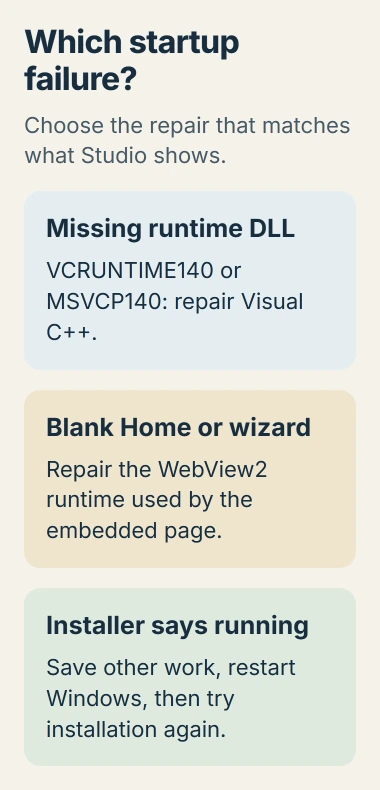
If the installer insists Studio is still running after it was closed, save other work and restart Windows first. Bambu Lab documents that restart for an older Studio process that did not exit properly.
Start with the message or window that appears
Try launching Studio without opening a project file. Record whether a DLL error appears, the program never displays a window, or the Home page and setup wizard remain blank. Keep the exact error text for the matching section.
The repairs for these startup symptoms are documented by the vendor: see Bambu Lab's installation troubleshooting. They do not establish a Windows 11 incompatibility.
Status: Bambu Lab startup guidance checked November 2, 2026. A saved owner report includes a failed repeat repair. Studio was not installed or launched here.
Confirm the installer came from the official Bambu Studio download route. Handy is the phone app; an unofficial Handy-for-Windows package is not the desktop installer this guide covers.
Repair Visual C++ when the error names a runtime DLL
Bambu identifies VCRUNTIME140.dll and MSVCP140.dll warnings as failures of the Visual C++ runtime installation. Its documented repair is to install that runtime again, using the installer in Studio's plugin subfolder.
Open the Studio installation folder and inspect plugin for the Visual C++ installer. Run the supplied package and complete its installation or repair. Restart if requested, then try Studio again before opening a model.
For an updated package, Bambu also directs users to Microsoft's supported Visual C++ downloads. Microsoft says the package architecture must match the application.
Use the X64 package for the 64-bit Windows Studio application. Download the redistributable package from Microsoft rather than obtaining a loose DLL from an unrelated download site. Different runtime generations may coexist on the PC.
Bambu also lists a runtime reinstall and graphics-driver update for LoadLibrary failed with error 126. If the runtime step does not resolve that specific error, obtain the display driver from the computer or GPU maker, then restart.
Restore the browser component for a blank Home page
The Home page and setup wizard use Microsoft's embedded browser component. Bambu says a failed Edge Runtime installation can leave them blank, and recommends reinstalling the runtime supplied in Studio's plugin directory.
Close Studio, run that runtime installer and reopen Studio when it finishes. An alternate official source is Microsoft's WebView2 distribution page, which links the Evergreen Runtime installers.
Microsoft states that the Evergreen Bootstrapper downloads the runtime for the device's architecture. Follow its installation prompts. A successful result is a populated Home page or usable setup wizard, rather than an empty pane.
If the runtime installer reports an existing-version problem, Bambu's next suggestion is repairing Edge. Close Edge, then open Settings > Apps > Installed apps, find Microsoft Edge and choose Modify > Repair.
Microsoft's Edge repair instructions require an internet connection and administrative rights. If Modify is unavailable on a managed PC, contact its administrator.
One owner reported that Edge reinstallation helped, then returned six days later to say the same Studio failure had returned and the repair no longer worked. That report does not establish a lasting cure for every blank-window fault.
Give support the failed stage when the repair does not hold
In that same Studio issue, deleting configuration files had already failed. Preserve custom presets and configuration instead of treating their removal as a guaranteed next step.
Bambu asks for application logs and configuration with a support ticket. Include the Studio version, Windows version, GPU, exact message and which runtime installer failed. Follow support's collection instructions for the installed release.
If Studio opens normally but only a project fails, report that file separately. A Windows application architecture error is also distinct from a blank embedded Home page.
The Short Version
Restart for an installer blocked by a lingering Studio process. Repair Visual C++ for missing-DLL warnings and WebView2 for a blank Home or wizard. Give Bambu Support the error and failed stage if the repair does not last.

Isaac Smith is the founder and editor of PC Glance, a website that covers computers, laptops, and technology. He is a tech enthusiast and a computer geek who loves to share his insights and help his readers make smart choices when buying tech gadgets or laptops. He is always curious and updated about the latest tech trends.