
Custom-building a laptop starts with a model designed for the choices you want. Use a manufacturer's configurator for a machine assembled to order, or a supported DIY edition if you want to install its remaining components yourself.
Start with the base model and its documentation before buying separate parts. A checkout option does not establish that the same component can be changed after delivery.
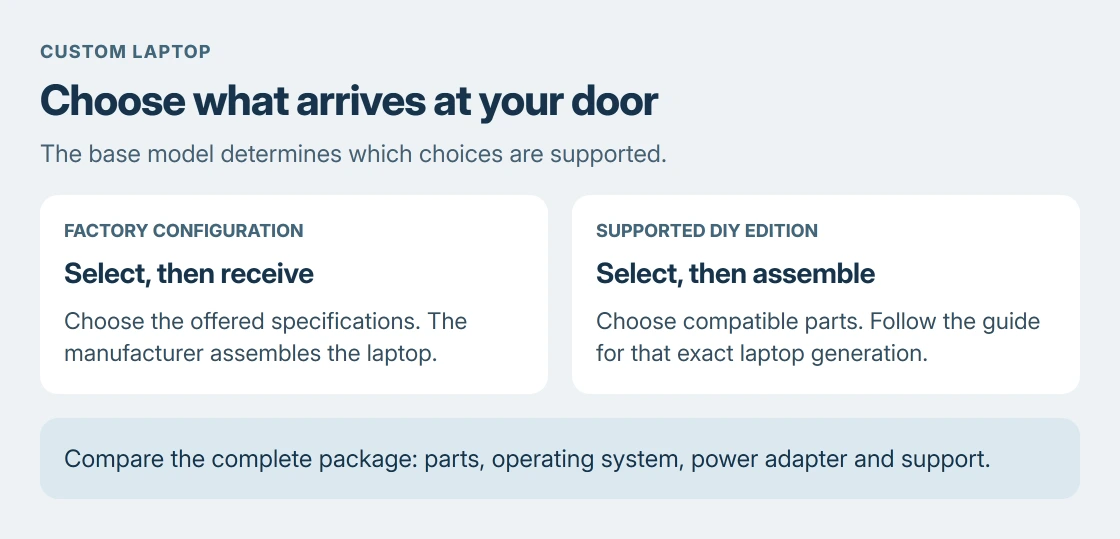
Choose between factory assembly and a DIY edition
For a laptop that arrives assembled, open the maker's store and look for a model marked customizable. Lenovo says its configuration process starts with a base model, followed by available processor, memory, storage and other choices.
A DIY edition has a different handover. Framework supplies assembly instructions for specific laptop generations, so the manual needs to match the hardware being ordered.
Status: Lenovo's configuration guidance and Framework's model-specific assembly and Windows instructions reviewed 24 October 2026. No laptop was ordered or assembled.
Choose factory assembly if selecting specifications is the goal. Choose DIY after reading what arrives installed, what must be added and which tools are required.
Compare the completed package, including its operating system and power adapter.
Turn the configurator into a complete specification
Open the customizable model and work through its available options. Record the final processor, graphics, RAM, storage, screen, keyboard layout and operating system before placing the order.
Use your applications' requirements to decide which selections matter. Check that the screen and ports suit the equipment you intend to connect. Recheck the summary after a change; that configuration is what gets built.
For an existing computer, Microsoft documents checking its processor and installed memory through Settings > System > About in its device-information instructions.
Our hardware lookup methods help record a fuller comparison. Use those details to explain what the replacement must improve, rather than ordering a more expensive configuration without a specific need.
Can existing memory and storage go into a DIY laptop?
Only use parts that meet the selected model's requirements. Framework's Laptop 13 AMD Ryzen AI 300 Series quick-start guide requires DDR5 memory and explicitly excludes DDR4. That requirement belongs to this model, not every Framework generation.
Check the drive requirements separately, including its physical format and interface. Similar-looking parts and an unused module from another machine are insufficient evidence of compatibility.
Read the full assembly guide for that generation+DIY+Edition+Quick+Start+Guide/404). Its illustrated sequence covers memory, SSD, input-cover connections, bezel, fasteners and Expansion Cards.
Follow the model's sequence rather than applying those instructions to another laptop. Framework warns against forcing a bezel that will not seat. Stop at unexpected resistance and ask support before damaging a connector or display.
Plan Windows and its drivers before the first start
Assembly finishes the hardware, but a DIY package can still need an operating system. Check the order's software line and license conditions before assuming Windows is included.
Framework's installation sequence is documented by the vendor on its Windows 11 guide. It includes preparing installation media, obtaining setup Wi-Fi drivers and installing the model's Driver Bundle afterward.
Use that current installation page for networking instructions. The older assembly guide still describes a network-requirement workaround; the newer Windows guide provides a Wi-Fi driver package and an Install Driver route during setup.
Download the bundle for the actual mainboard through Framework's downloads list. A Windows desktop appearing does not establish that every device has its driver yet.
Check the finished package before committing money
Compare the complete custom order with a ready-made machine that meets the same requirements. Include parts supplied separately, software, delivery and the support terms shown for the order. DIY does not automatically mean cheaper.
A refurbished laptop comparison also needs its battery, license and return conditions checked. Keep the comparison about the machine being delivered, rather than its advertised starting price.
If a required component is unavailable or its compatibility is unclear, ask the manufacturer with the proposed configuration attached. Resolve that uncertainty before purchasing the parts.
The Short Version
Pick an assembled custom order or a documented DIY edition first. Confirm the exact model's compatible parts, check everything included in the total, and prepare its operating-system and driver instructions before assembly.

Isaac Smith is the founder and editor of PC Glance, a website that covers computers, laptops, and technology. He is a tech enthusiast and a computer geek who loves to share his insights and help his readers make smart choices when buying tech gadgets or laptops. He is always curious and updated about the latest tech trends.