
To send files with WeTransfer, upload at wetransfer.com, choose a link transfer and share its completed download link. A sender account is required, including on the free plan. Verify your email to create an account when prompted.
The link is useful when a message cannot carry the file as an attachment. It still requires a complete upload, and its download window has an expiry date.
Prepare the files and check whether a folder needs a ZIP
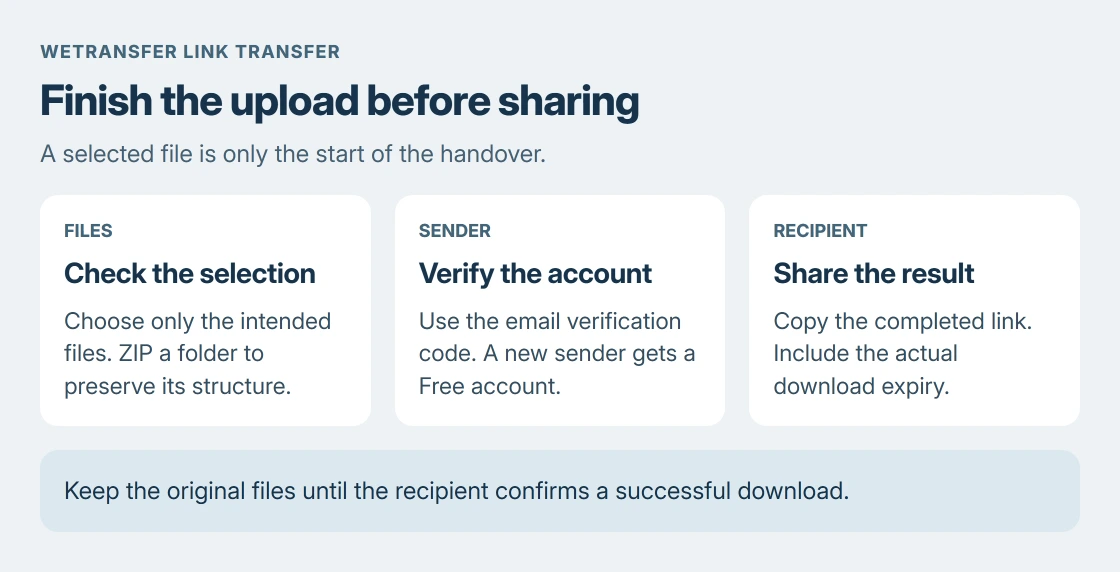
Collect only the files intended for the recipient. Check the selection before uploading, especially when similar filenames refer to different revisions.
WeTransfer's sending instructions cover files and folders. For a folder whose internal arrangement must survive, create a ZIP first. Otherwise its upload process can flatten the folder contents.
Status: WeTransfer's sender-account, browser-upload and expiry guidance read 24 October 2026. This article describes the website; no private files were transferred.
Microsoft documents the Windows route in its ZIP instructions: right-click the folder, then choose Show more options > Send to > Compressed (zipped) folder.
The archive guide explains unpacking at the receiving end. Compression is not a promise of a smaller video or photo collection; already-compressed files can remain much the same size.
Microsoft says zipping encrypted files can leave them unencrypted when extracted. Do not use an ordinary ZIP as a substitute for the protection a sensitive handover requires.
Upload through the browser and choose a link transfer
Open wetransfer.com on the laptop or desktop and use the + control to add files. Select the prepared archive if sending a packaged folder.
Open the ellipsis menu at the lower left of the transfer window and select its link-transfer option. This produces a link for you to distribute, rather than asking WeTransfer to email the recipient.
On a phone's browser, the documented route starts with Upload files and offers Get a link. Select the files from the phone's file picker or gallery, then review the chosen items.
Check the size allowance and expiry displayed for your account before sending. The controls and available allowances depend on the current plan; a paid feature is not required merely because a subscription offer appears.
Verify the sender email when prompted
The account requirement is documented by the vendor. Enter an address whose inbox you can open, retrieve the verification code, return to the transfer window and complete Verify and Send.
If that address has no account, verification creates a Free account. If it already has one, the process signs into that account. A link transfer therefore does not provide an account-free sending route.
A missing code needs a spelling check and a look in the spam folder. WeTransfer identifies noreply@wetransfer.com as the sending address to allow. Correct the address before starting another upload to a different account.
Share the completed link with its expiry
Allow the upload to finish, then copy the generated link into your message. Send it only to the intended recipients. A link transfer does not automatically email them for you.
WeTransfer's current availability page gives Free and Starter uploads a window of up to three days. Read the actual expiry for this transfer and include it in the message, rather than promising an old seven-day allowance.
Ask the recipient to download while the link is active. Their successful download confirms delivery more usefully than opening the link while signed into the sender account.
If the transfer stalls before producing a link, the upload-speed checks address that stage. A missing email and an incomplete upload need different checks.
What if the link is forwarded or expires?
WeTransfer says an exposed link can be used by someone who receives it from a recipient. Review the access controls available for the transfer before sending confidential material. Keep the link out of public posts.
An expired link needs the sender's attention. Keep the original files until delivery is confirmed so they can be uploaded again. Recovery depends on eligible paid plans and whether it was enabled when the transfer was created.
For an unresolved verification, upload or download error, use WeTransfer support with the error and the stage that failed. Share private transfer details through its support process rather than a public comment.
The Short Version
Prepare the selected files, choose the link option and complete sender verification. Wait for the finished upload, then send the link and its real expiry. Keep your originals until the recipient confirms the download.

Isaac Smith is the founder and editor of PC Glance, a website that covers computers, laptops, and technology. He is a tech enthusiast and a computer geek who loves to share his insights and help his readers make smart choices when buying tech gadgets or laptops. He is always curious and updated about the latest tech trends.