
Changing an Apple Account email updates the existing account. It does not require creating a second account or abandoning purchases. On a trusted iPhone, open Settings > your name > Sign-In & Security, then tap the primary email address.
Decide whether the old address should stay associated with the account before choosing the removal option. Changing the primary address and removing an address are different actions.
Choose whether to keep the old address
An old address can remain useful for sign-in even when it is no longer primary. Apple says any email address associated with the account can be used to sign in.
The primary address receives account communications and can be visible to people collaborating through Apple services. Use an address whose inbox you control and intend to keep.
Status: Apple's primary-email instructions checked 22 October 2026, including the separate iCloud-only route. No account settings were changed.
Have access to the replacement inbox before starting. Apple's primary-email guide includes verifying a new address as part of the change.
Change the primary email on a trusted device
On an iPhone or iPad already signed in, open Settings, tap your name, then choose Sign-In & Security. Tap the primary email address.
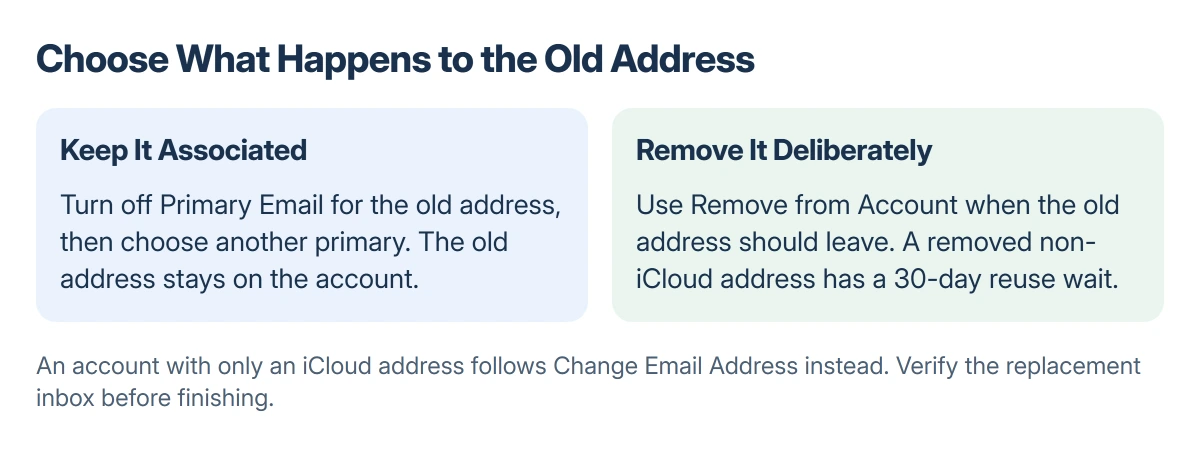
To keep that address associated with the account, turn off Primary Email rather than removing the address. Choose another associated address as primary, or add and verify a replacement when offered.
To remove the old address completely, select Remove from Account and follow the prompts to supply the replacement primary address. Read the confirmation so the address being removed is the intended one.
On Mac, start in System Settings > your name > Sign-In & Security, then select the primary email. Apple recommends making this change from a trusted device when possible.
After completing the prompts, return to Sign-In & Security and check which address is marked primary. Verify that the replacement inbox can receive Apple's verification message before treating the change as finished.
Apple states that changing the primary email does not remove contacts, purchases or other account information. Replacing an old inbox address does not require a second Apple Account.
If the only address is an iCloud address
An account with only an iCloud email address follows a different route. The option is Change Email Address, rather than Remove from Account.
Apple documents this route on iOS or iPadOS 18.1 and later, or macOS 26.4 and later. Follow the onscreen change procedure instead of searching for a removal button that does not apply.
The new iCloud address replaces the old one. Apple's guide says iCloud Mail and existing messages remain available. Confirm the exact new address before sharing it with contacts.
Address already in use, or no trusted device?
An email already associated with another Apple Account cannot simply become this account's primary address. Check which account currently holds it instead of making another account to work around the message.
Removing a non-iCloud address does not make it immediately available for another account. Apple specifies a 30-day wait. Once that period ends, someone else may associate it with an Apple Account and Apple communication services.
Tell contacts who use that old address for Messages or FaceTime when you remove it. Retaining an address on your own account and releasing it are different privacy decisions.
Without a trusted device, try account.apple.com > Sign-In and Security > Email & Phone Numbers. The site may direct you to a trusted device to finish.
Changing the address does not solve a separate Apple Account sign-in loop. If authentication itself fails, resolve that before attempting more account changes.
An email change also does not change the account's store country. For a move abroad, the Apple Account region requirements are a separate procedure.
The Short Version
Use Sign-In & Security on a trusted device. Keep the old address associated by turning off its Primary Email status, or deliberately remove it when it should leave the account.
An iCloud-only account uses Change Email Address. Verify the replacement inbox and the final primary-address entry.
Where to Next
If verification or address eligibility still blocks the change, contact Apple with the exact message and the address type involved. Do not send a password or verification code to anyone offering to perform the change for you.

Isaac Smith is the founder and editor of PC Glance, a website that covers computers, laptops, and technology. He is a tech enthusiast and a computer geek who loves to share his insights and help his readers make smart choices when buying tech gadgets or laptops. He is always curious and updated about the latest tech trends.