

Classic Outlook can keep showing a message in search after it has been moved, or fail to refresh a category or read status. Microsoft identifies this as a Server Assisted Search bug affecting online mailboxes.
Check that this is a stale-result problem before rebuilding the Windows index. Microsoft's temporary workaround changes the search method; it is not a general cure for missing mail.
Check whether the result is stale
Search within the affected folder, then move one result to another folder. Check the destination directly. If the message moved but remains in the old search, that matches Microsoft's published reproduction.
The same issue can leave category or read-status changes absent from the results. A search that has never found the message, or a scope that searches the wrong folders, needs a different check.
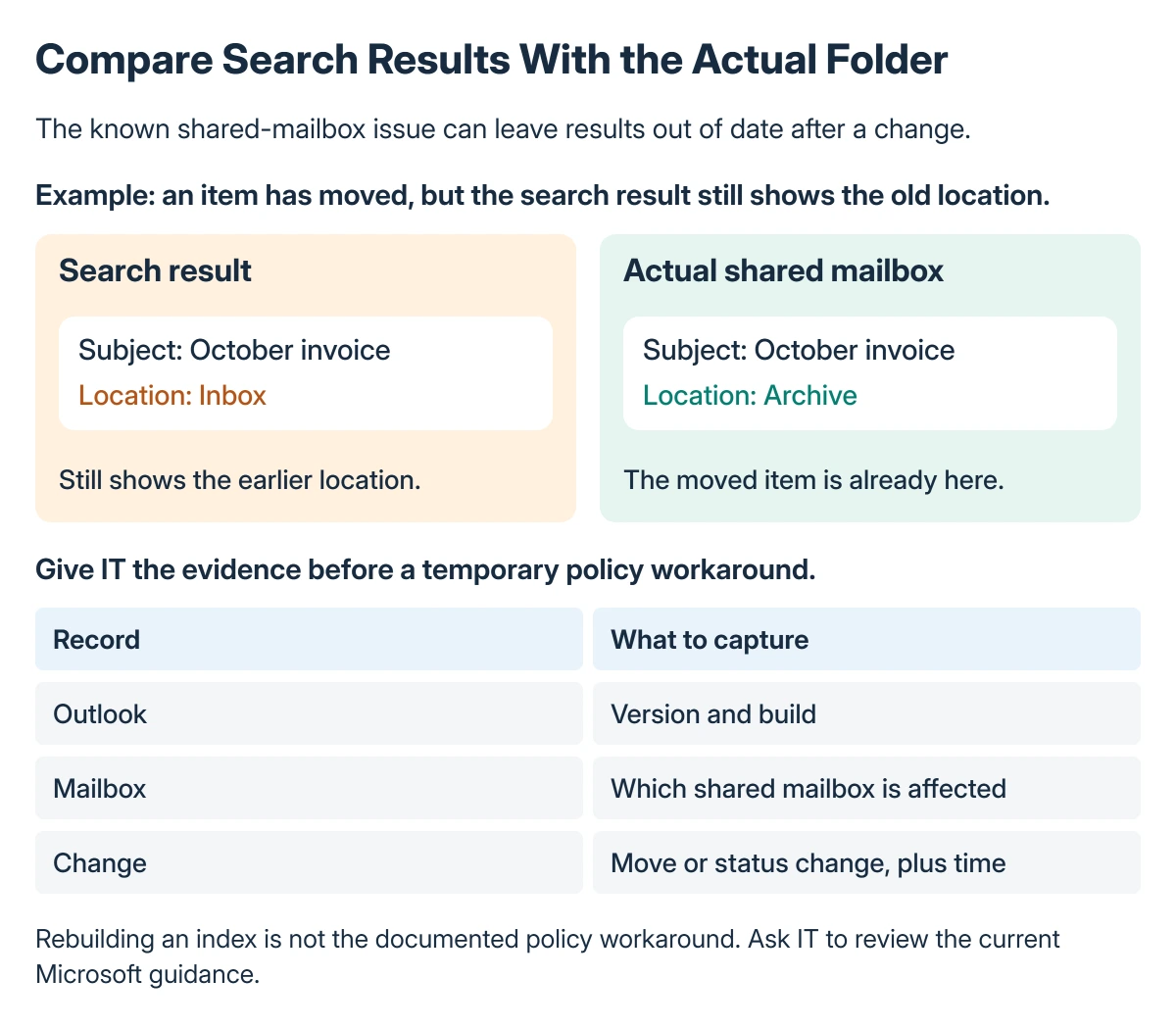
Status: Microsoft's shared-mailbox search notice checked 22 October 2026. It still lists a fix in progress and a temporary registry workaround. No mailbox was tested.
Microsoft says the issue can also be reproduced with one mailbox in online mode in its search-issue notice. The title's shared-mailbox wording is not its only possible setting.
For missing items rather than stale ones, use the Outlook search checks to distinguish the app, search scope and local indexing state first.
Use the temporary search policy only for this case
Microsoft documents DisableServerAssistedSearch as the workaround. Setting it to 1 makes classic Outlook fall back to Windows Desktop Search.
For a work mailbox, give the notice to IT before changing policy settings. A managed device may already have an organization-defined value that should be handled through its management system.
Before an authorized manual edit, close Outlook, back up the relevant registry branch and record whether the value already exists and what it contains. Keep that record so the temporary change can be reversed accurately.
The documented location is:
HKEY_CURRENT_USER\software\policies\Microsoft\office\16.0\outlook\searchThe entry is a DWORD named DisableServerAssistedSearch, with its data set to 1. Ask IT to create any missing policy keys rather than putting the value in a similarly named branch.
This is a user-policy change, not an instruction to delete the Outlook profile or rebuild every mailbox. Keep the edit limited to the value in Microsoft's notice.
Reopen Outlook and check the same action
Start classic Outlook again and repeat the folder search and move. Confirm the message's actual folder before judging the search display, so a failed move is not mistaken for a stale result.
The fallback uses a different search engine. If it returns incomplete results, check the local index and available mailbox data instead of assuming the original server-search bug explains that too.
Keep the before-and-after result for IT: whether moving, categorizing or marking an item now updates the search, and whether ordinary searches still find the expected mail.
Know when to remove the workaround
Microsoft states that a hotfix is in progress and gives no release date. The notice must be checked again before treating a particular Office build as the permanent repair.
Once Microsoft publishes a resolution and IT confirms the affected installation is updated, restore the policy's previous state as directed. Do not clear unrelated search settings while removing one temporary workaround.
If Outlook cannot connect or several users cannot open their mail, check Outlook's service-status troubleshooting before applying a policy intended for a specific search symptom.
An unresolved case belongs with the organization's Microsoft 365 support team. Include the Outlook build, mailbox mode, exact search scope and the action that leaves the display out of date.
The Short Version
First confirm that a moved or changed item remains stale in search. Microsoft's workaround sets DisableServerAssistedSearch to 1 at the documented user-policy key, switching to Windows Desktop Search.
Have IT manage the change, retain the previous value and check Microsoft's notice for the eventual hotfix.
Where to Next
Report the repeatable action and its result to IT. A matching symptom is more useful than a broad report that Outlook search is broken.

Isaac Smith is the founder and editor of PC Glance, a website that covers computers, laptops, and technology. He is a tech enthusiast and a computer geek who loves to share his insights and help his readers make smart choices when buying tech gadgets or laptops. He is always curious and updated about the latest tech trends.