

FaceTime on Android works through an invitation link in a web browser. An Apple participant creates the call link, and the Android participant opens it in the latest Chrome or Microsoft Edge.
Joining from Android requires neither an installed FaceTime app nor an Apple Account login. The host still has to admit the waiting guest.
Get the link from the Apple participant
On an iPhone using Apple's current guide, open FaceTime > New Call > Create Link. Send that link through Messages, Mail or another available sharing option.
Apple documents link creation in the FaceTime link instructions. An older FaceTime layout may show Create Link directly when the app opens.
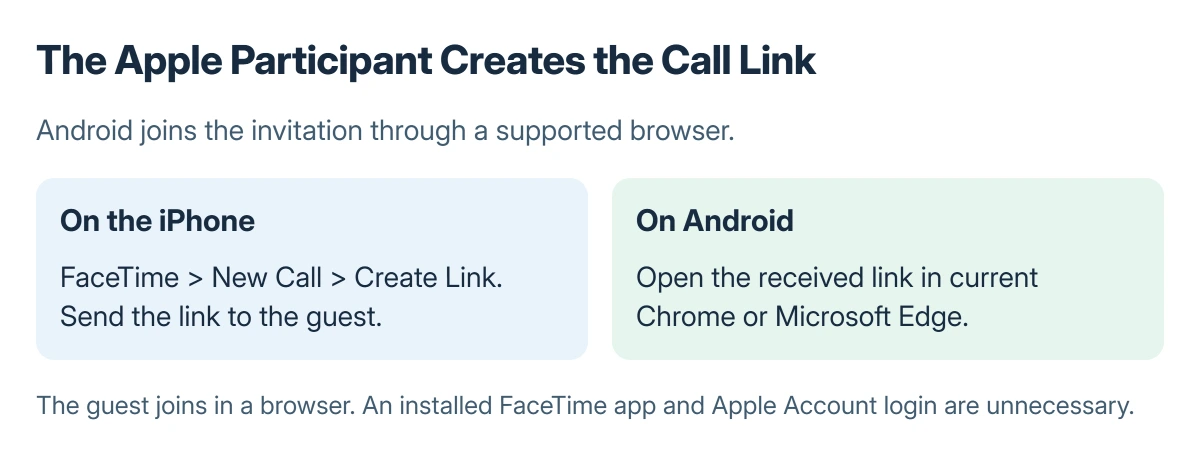
Status: browser participation documented by Apple, checked 23 October 2026. Android joins an Apple-created link; no live call was made for this guide.
Treat the link as an invitation to that conversation. Share it only with intended participants, and ask the host for a fresh copy if the message or address is incomplete.
Open the link and wait for admission
Open the invitation in Chrome or Edge. Enter the name that should appear in the call and select Continue. Allow camera and microphone access when the browser requests them.
Select Join, then wait for the host to let you in. Apple says that admission is required; remaining in the waiting screen does not mean the camera or microphone is broken.
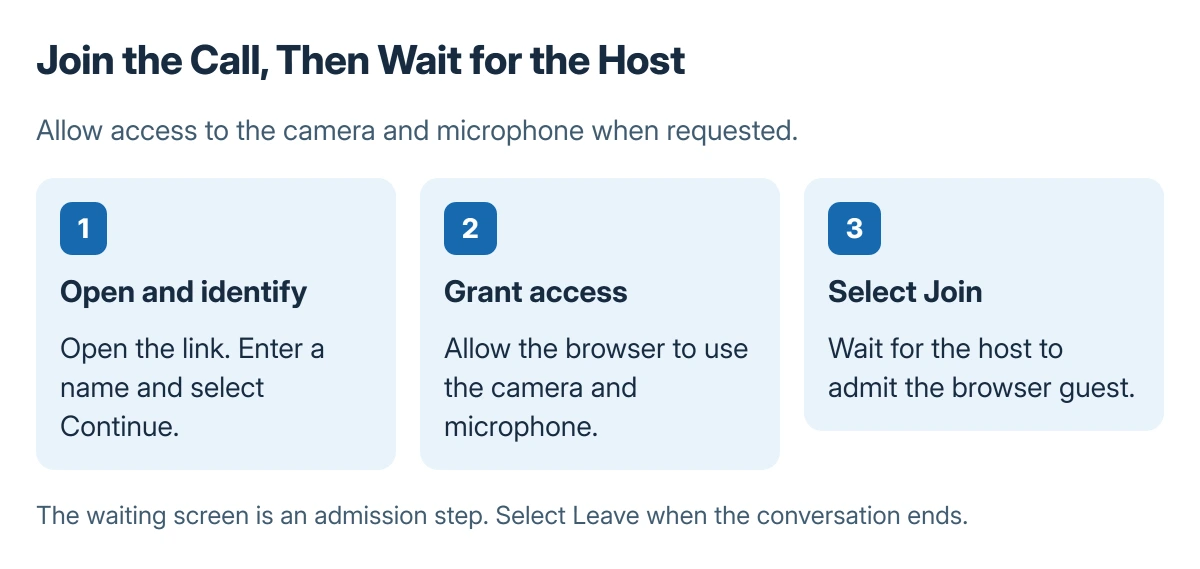
After joining, use the microphone and camera controls as needed. Select Leave to exit. Before discussing a browser failure, check that an ordinary website opens on the same connection.
Know which FaceTime features the browser lacks
Apple states that SharePlay and screen sharing are unavailable on FaceTime on the web. Joining successfully will not add those controls to an Android browser.
A contact shortcut launching a different app needs the FaceTime contact-button checks. An Android connection that fails in other apps needs the Wi-Fi connection checks instead.
For a link that keeps failing, update the browser, have the host verify that the call is active, and check browser site permissions. Bring the exact error and both device versions to Apple Support if it remains unresolved.
The Short Version
Ask an Apple participant for a FaceTime link. Open it in current Chrome or Edge, enter a name, grant camera and microphone access, and choose Join. Wait for the host; web guests cannot use screen sharing or SharePlay.
Where to Next
Agree on another calling service when the conversation requires a feature unavailable to the browser guest.
For ordinary phone audio, an iPhone can add and merge carrier calls when the line supports it. That feature has different limits from FaceTime.

Isaac Smith is the founder and editor of PC Glance, a website that covers computers, laptops, and technology. He is a tech enthusiast and a computer geek who loves to share his insights and help his readers make smart choices when buying tech gadgets or laptops. He is always curious and updated about the latest tech trends.