
A horizontal line in Word can be a paragraph border or a drawn shape. Typing three hyphens on an empty line and pressing Enter normally creates the automatic border when AutoFormat is enabled.
That difference explains why some lines cannot be selected and deleted like a picture. Remove a paragraph border with the Borders menu; remove a drawn line by selecting the shape.
Create an automatic paragraph line
In Word for Windows, put the cursor on an empty paragraph, type three hyphens, and press Enter. Check that the line appears across the available paragraph or column width.
Microsoft says this shortcut creates an empty paragraph with a bottom border. Its horizontal line instructions distinguish that border from a shape drawn over the page.
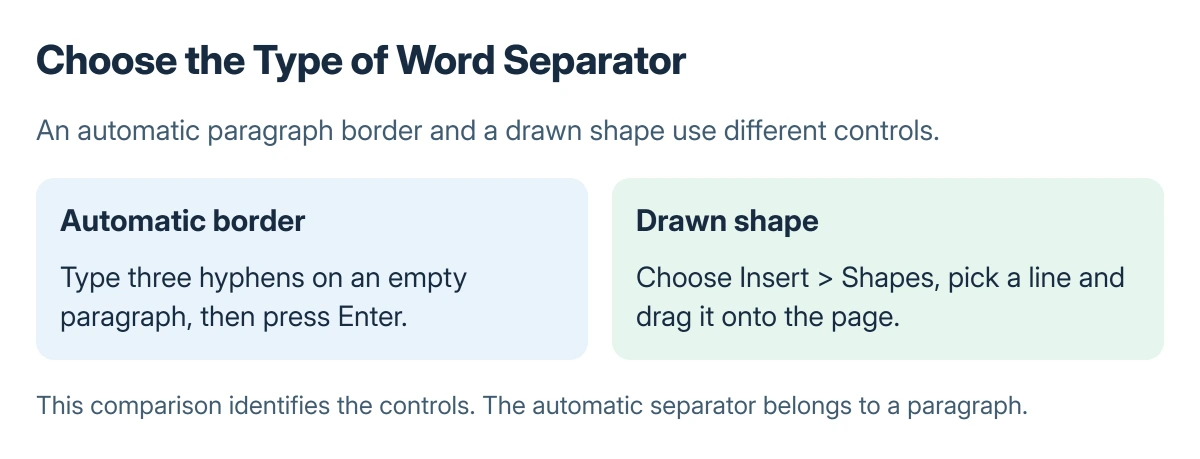
Status: Word for Windows border shortcuts and removal documented by Microsoft, checked 23 October 2026. These control diagrams do not reproduce a Word screenshot.
To cancel the automatic change immediately and retain the typed characters, press Backspace. For a finished border, use Home > Paragraph > Borders > Borders and Shading to adjust its style, color or width.
Remove the border when Delete does nothing
Place the cursor in the paragraph immediately before the unwanted line. On Home, open the arrow beside Borders, then choose No Border.
Microsoft documents that removal route for an automatic horizontal border. Clicking the visible mark repeatedly will not select a drawing object because there is no separate shape in this case.
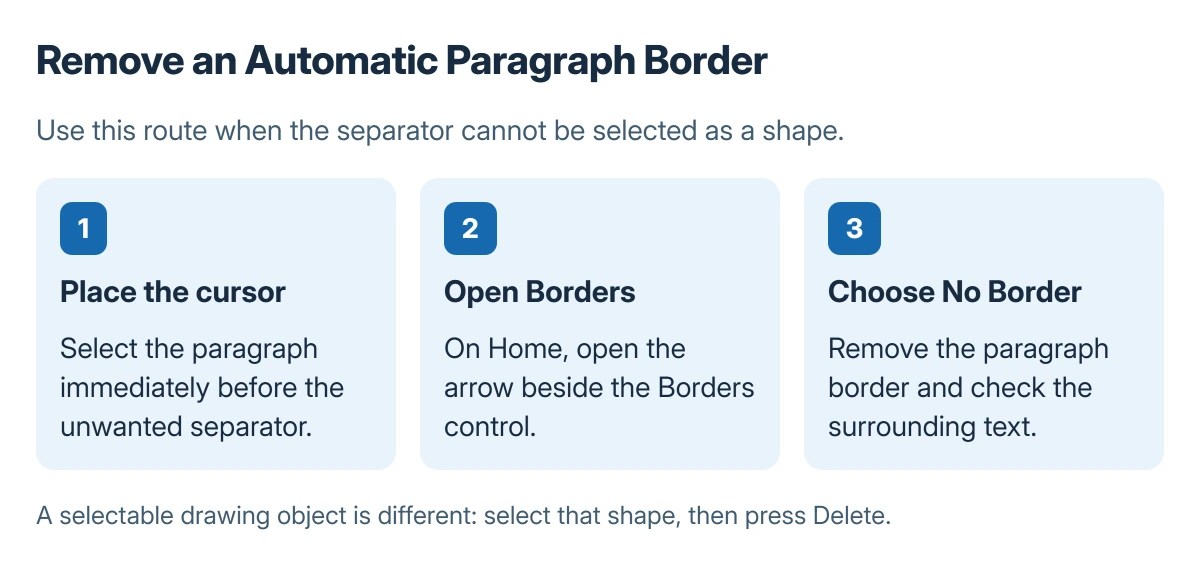
If a line does show shape selection handles, select it and press Delete instead. That is the separate method for a drawing object.
Use a drawn line or stop automatic lines
Choose Insert > Shapes, select a line from the Lines group, then drag it onto the page. Microsoft states that holding Shift while drawing keeps it horizontal or vertical.
To stop three-character shortcuts becoming borders, open File > Options > Proofing > AutoCorrect Options > AutoFormat As You Type and clear Border Lines. This changes future automatic conversion.
Large gaps in text may need the paragraph spacing controls. A blank-page problem instead needs the page and formatting-mark checks, because borders and page breaks are different things.
If an unfamiliar line remains, identify whether it belongs to the paragraph, a shape, or a page element before removing more content. Word support can use a sample copy with private text removed.
The Short Version
Three hyphens and Enter create an automatic paragraph border. Remove it with No Border in the preceding paragraph. Drawn lines use Insert and Shapes and can be selected and deleted separately.
Where to Next
Check the document's print preview after changing the line. Confirm that the intended separator has gone without disturbing the surrounding text.

Isaac Smith is the founder and editor of PC Glance, a website that covers computers, laptops, and technology. He is a tech enthusiast and a computer geek who loves to share his insights and help his readers make smart choices when buying tech gadgets or laptops. He is always curious and updated about the latest tech trends.