
Free Wi-Fi comes from a network owner offering internet access, such as a public library, a city hotspot or a business's guest network. Ask for the official network name, connect to it, then complete any sign-in or terms page.
A network without a padlock is not automatically free to use. Check the provider's access rules before joining, especially when a welcome page offers a paid pass.
Find a network that actually offers free access
Start with your local library's website or ask its staff about guest Wi-Fi. Check a city's official hotspot map where one exists. For a cafe, hotel or other business, ask whether access requires a purchase, room booking or account.
New York City provides a concrete US example: NYC311 lists free library Wi-Fi during regular service hours. LinkNYC also supplies free access near its kiosks. Those services are local, rather than nationwide networks.
Status: LinkNYC, NYC311, Apple and Google connection instructions reviewed 23 October 2026. Availability and access conditions depend on the location; no hotspot was tested.
At a location with several similar names, use the exact name supplied by staff or the provider. A strong signal only tells you that the wireless connection is nearby, rather than who operates it.
Join the network from your device's Wi-Fi settings
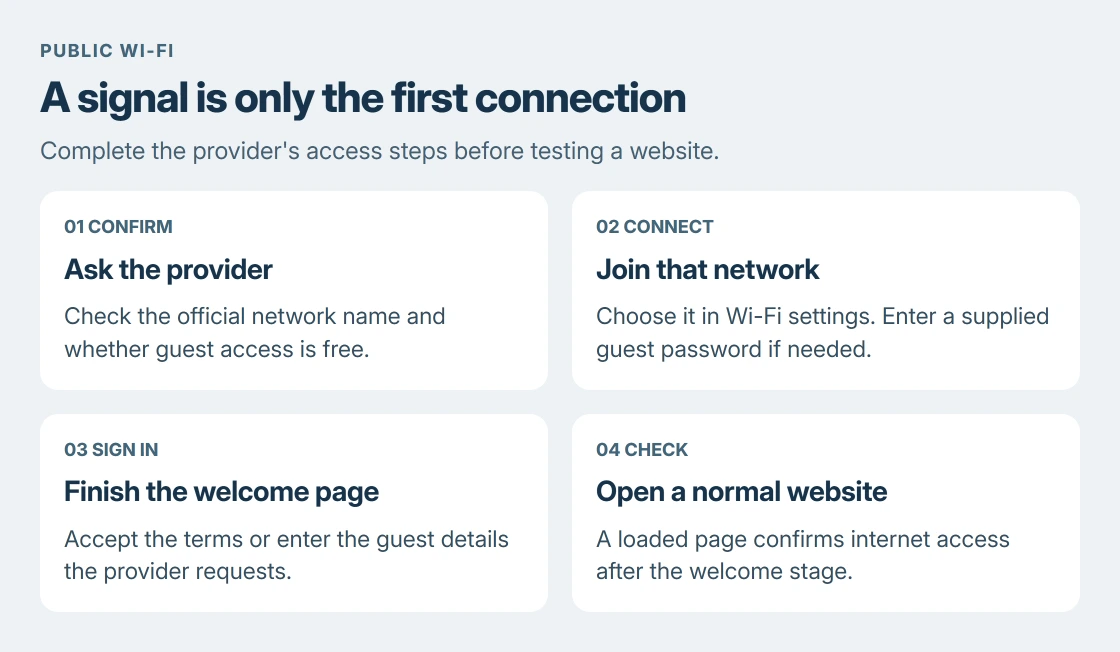
On Windows 11, select the network area beside the clock, open the available Wi-Fi networks, choose the confirmed name and select Connect. Enter the guest password if the provider supplies one.
On an iPhone or iPad, open Settings > Wi-Fi and tap the network. On Android, open Settings and search for Wi-Fi if your manufacturer's connection menu uses a different name.
Google's steps for a Chromebook start with selecting the time, opening network settings and selecting the network. For an open network, choose Connect; a secured network also asks for its password.
For LinkNYC's public service, its instructions specify LinkNYC Free Wi-Fi. The welcome process requests an email address and Connect. Use the instructions at the particular hotspot rather than assuming every free service has the same login.
Finish the welcome page before testing the internet
Public Wi-Fi can connect at the wireless level while withholding internet access until its welcome page is complete. The page may request acceptance of terms, a guest code or an email address.
Google says a Chromebook joining a public network receives a prompt to open the sign-in page. Follow that prompt rather than treating the Wi-Fi icon alone as proof that the internet works.
For an iPhone or iPad, Apple's captive-network instructions give a second route: open the network's information panel and choose Join Network. Finish the welcome page and try a normal website.
Apple says canceling the login can disconnect the device from that network. Selecting a without-internet option also does not complete the provider's sign-in. Return to the welcome page if the device joins but websites remain unavailable.
Our Wi-Fi and internet checks explain that difference when the signal looks healthy but a page will not load.
Check the access conditions before entering details
Read the welcome page for session limits, account requirements or charges. An airport or hotel can offer both a free tier and a paid tier on the same network. Choose the access the provider actually describes as free.
For websites you use over public Wi-Fi, keep HTTPS enabled and do not continue through a certificate warning. LinkNYC explains that its public network relies on secure website connections to protect information in transit.
When finished, turn off automatic connection for that hotspot if you do not want the device to join it on a later visit. This is particularly useful for a network used only once while traveling.
When free access is unavailable
Ask the venue's staff or hotspot provider if the welcome page fails after joining the correct network. They can check a guest-code problem or local outage; changing a laptop driver cannot grant access the provider has withheld.
A phone hotspot uses the phone's mobile plan, so it is not automatically a free source of data. Likewise, installing a Wi-Fi router at home still requires an internet connection to supply online access.
The Short Version
Find an authorized free hotspot, verify its name and join it. Complete its welcome page, check any access limits, then confirm that a website loads. A Wi-Fi signal alone does not establish free internet access.
Where to Next
For a particular town or venue, check its official access page before traveling there. Opening hours, guest requirements and hotspot coverage decide whether that connection will be useful.

Isaac Smith is the founder and editor of PC Glance, a website that covers computers, laptops, and technology. He is a tech enthusiast and a computer geek who loves to share his insights and help his readers make smart choices when buying tech gadgets or laptops. He is always curious and updated about the latest tech trends.