
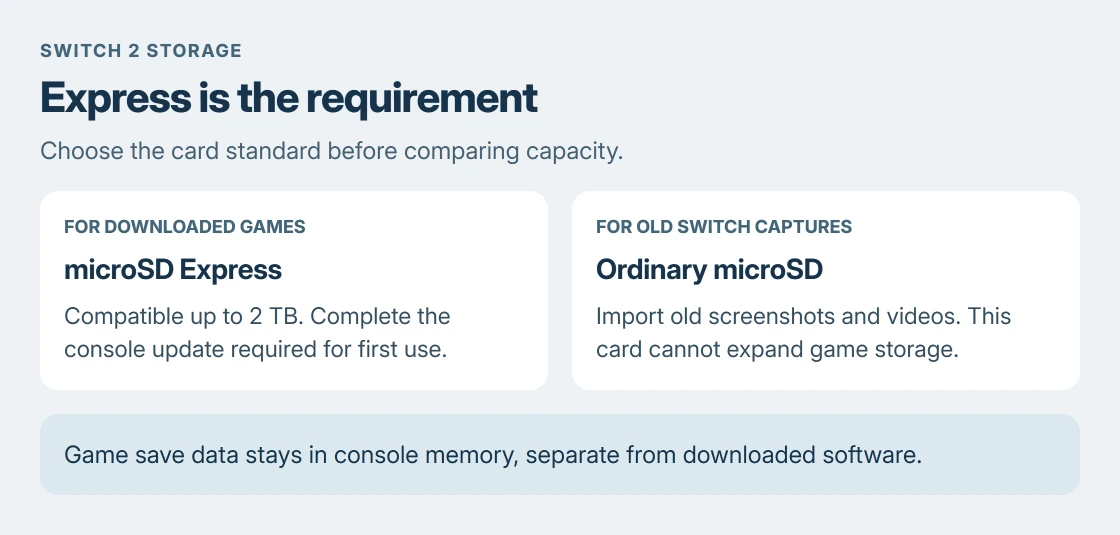
Nintendo Switch 2 needs a microSD Express card for extra game storage. An ordinary microSD, microSDHC or microSDXC card from the original Switch cannot do that job, even when its capacity looks right.
Check the card's specification for microSD Express before comparing capacities. Nintendo supports cards up to 2 TB, and the console needs an internet system update the first time it uses one.
Check the Express standard before the capacity
Nintendo says Switch 2 is compatible with microSD Express cards. The important distinction is the card standard, rather than the brand, color or game artwork on its packaging.
Its microSD Express FAQ confirms that any card meeting that standard, up to the supported capacity, can be used. Licensed artwork is optional; the card standard decides compatibility.
Status: Nintendo's card compatibility, storage and software-moving instructions checked 23 October 2026. This guide does not claim a card speed or console test.
A label such as microSDXC, U3, A2 or V30 does not by itself establish Express compatibility. Read the complete product specification. A fast conventional card is still the wrong type if it lacks Express support.
Formatting cannot turn one card standard into another. Our SD card formatting guide explains what formatting changes; it cannot add the hardware interface Switch 2 requires.
Choose enough space for the games you keep installed
Open System Settings > Data Management and check the console's available space. Then check the download sizes of the games you intend to install. A collection of small downloads needs less room than several large releases.
Compare the games' requirements with available capacities. Leave room for later downloads and updates. There is no reliable games-per-card count because game sizes differ.
The supported 2 TB limit is a compatibility ceiling, rather than a recommendation to buy the largest card. Choose capacity for your collection after confirming the Express standard.
Keep game saves separate from downloaded software
Nintendo states that game save data stays in the console's system memory. The Express card can hold downloadable software, DLC, software update data, screenshots and captured videos. It is not a backup of your game progress.
For installed software, use System Settings > Data Management > Move Data Between Console/microSD Express Card. Select the data and confirm with OK, following the console's prompts.
Nintendo's moving instructions exclude save data and some update data. Moving a game therefore does not promise to remove every related file from system memory.
An old Switch card has one limited use
An ordinary card from the original Switch can be used to import that console's screenshots and videos. It cannot become Switch 2 game storage by copying its old game folders or changing its format.
The import option is Import From a Nintendo Switch Console's microSD Card. Use Nintendo's console instructions for that import, then use an Express card for expanding the new console's storage.
If a computer cannot read the old card during a separate file-copy task, our card reader checks distinguish a reader connection problem from a card problem. That is separate from Switch 2 compatibility.
When an Express card is not recognized
Restart the console and complete any requested system update. If the card remains absent, fully turn the console off before removing and reinserting it. Sleep mode leaves it powered.
These recognition checks are documented by Nintendo. Recheck the actual card specification if the console still rejects it; the word Express must describe the card itself.
Contact Nintendo support or the card manufacturer's support with the exact error and card model if a compatible card still fails. Do not erase a card containing needed files just to see whether the error disappears.
The Short Version
Choose microSD Express, with a capacity of up to 2 TB. Ordinary Switch cards cannot expand Switch 2 game storage. Update the console for first use, and remember that game saves stay in system memory.
Where to Next
Check the card's full model number against its manufacturer's specification before ordering. Similar product names can describe different card standards.

Isaac Smith is the founder and editor of PC Glance, a website that covers computers, laptops, and technology. He is a tech enthusiast and a computer geek who loves to share his insights and help his readers make smart choices when buying tech gadgets or laptops. He is always curious and updated about the latest tech trends.