
Microsoft still provides a Windows 10 ISO download. On a Windows PC, select ISO file in its Media Creation Tool. If the direct disc-image form appears instead, choose the edition, language and architecture there.
Downloading an ISO saves installation files. It does not install Windows, supply a license or extend Windows 10's support. Decide whether the goal is a saved image or a bootable USB before choosing the download option.
Check the target PC before choosing the image
Record its Windows edition, display language and system type. On Windows 10, Settings > System > About identifies the edition and whether the installation is 32-bit or 64-bit.
Microsoft says to match the edition when reinstalling with an existing digital license on its activation page. A Home license does not become Pro because a multi-edition ISO contains both.
Status: Windows 10 download forms, media instructions and activation rules checked 24 October 2026. The tool was not run, no ISO was downloaded and no USB was written.
Check the PC manufacturer's driver support as well. An installer being available does not establish that a newer laptop has Windows 10 drivers.
Save an ISO with the Media Creation Tool
Use Microsoft's Windows 10 download page. Under the installation-media section, download the tool rather than choosing an unrelated Windows repair or driver utility.
The official page documents this sequence:
- Run the downloaded Media Creation Tool. Approve the administrator prompt and accept the terms if continuing.
- Select Create installation media for another PC.
- Choose the required language, edition and architecture. Check the choices against the target computer.
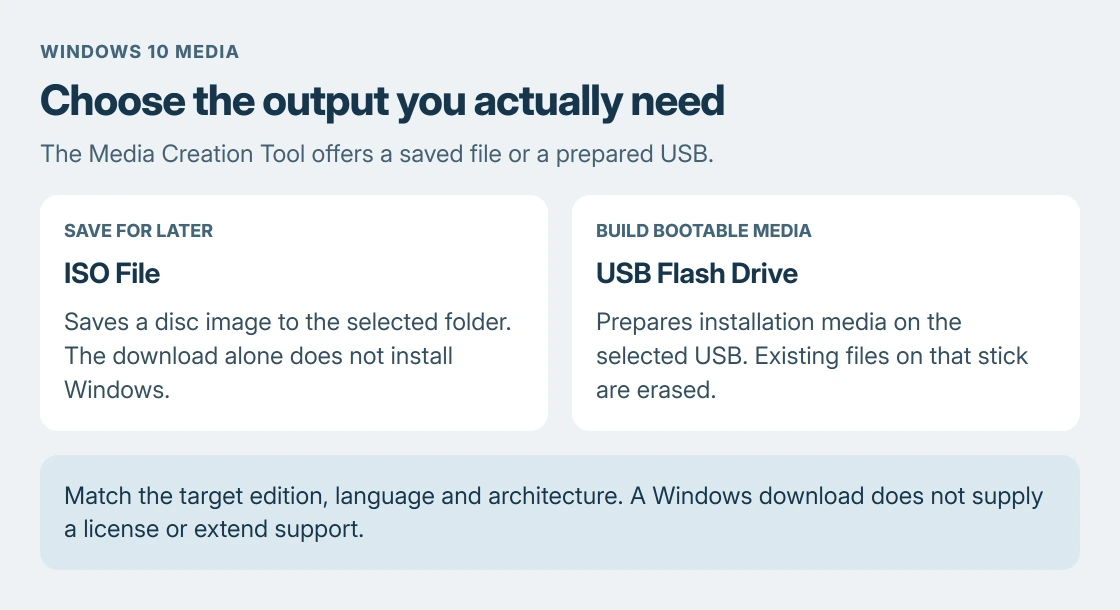
- Select ISO file when asked which media to use.
- Choose where to save it and allow the download to finish.
Microsoft documents the ISO option for saved installation media; it is distinct from the USB option in the same tool. The completed result should be a file ending in .iso at the chosen location.
Keep that file if the immediate goal is an image for later use. Starting setup is a separate action and can change the installed operating system.
Use the direct ISO form when Microsoft offers it
The Windows 10 disc-image page provides a direct-download route for systems that cannot use the Media Creation Tool. A browser may be routed to the appropriate form for its operating system.
Choose the Windows 10 multi-edition image, confirm its language, then select the required architecture. Microsoft states that the generated download links last 24 hours. Return to the form for a fresh link if one has expired.
The page also supplies SHA-256 verification values. To check a downloaded image in PowerShell, substitute its actual path:
Get-FileHash -Algorithm SHA256 -LiteralPath 'C:\Users\Sam\Downloads\Windows10.iso'Compare the result with Microsoft's value for that exact language and architecture. A mismatch means the file has not passed that check. Download again from Microsoft before using it.
Choose USB media only when a bootable stick is needed
Microsoft's installation-media instructions specify a blank USB with at least 8 GB of space. Its contents are erased when the tool creates the media.
Select USB flash drive in the Media Creation Tool for that job. Merely copying the saved ISO onto a USB stick does not perform the tool's bootable-media creation process.
A machine-specific recovery USB is another option with a different purpose. The recovery-drive guide explains that choice and why it still needs a separate backup of personal files.
If setup starts but cannot prepare the target disk, use the Windows partition-error checks. Obtaining another copy of the same image does not settle a conflicting disk layout.
Check support and licensing before installation
Ordinary Windows 10 support ended in October 2025. Reinstalling it does not reset that date. Check whether the device has an applicable Extended Security Updates arrangement before relying on it online.
Back up files before an installation, and stop if the edition or target disk is uncertain. For a download form that keeps failing, contact Microsoft; for missing model-specific drivers, contact the computer maker.
The Short Version
Use Microsoft's tool and choose ISO file to save an image, or USB flash drive to build installation media. Match the target edition, language and architecture. A download is separate from licensing, installation and ongoing support.

Isaac Smith is the founder and editor of PC Glance, a website that covers computers, laptops, and technology. He is a tech enthusiast and a computer geek who loves to share his insights and help his readers make smart choices when buying tech gadgets or laptops. He is always curious and updated about the latest tech trends.