
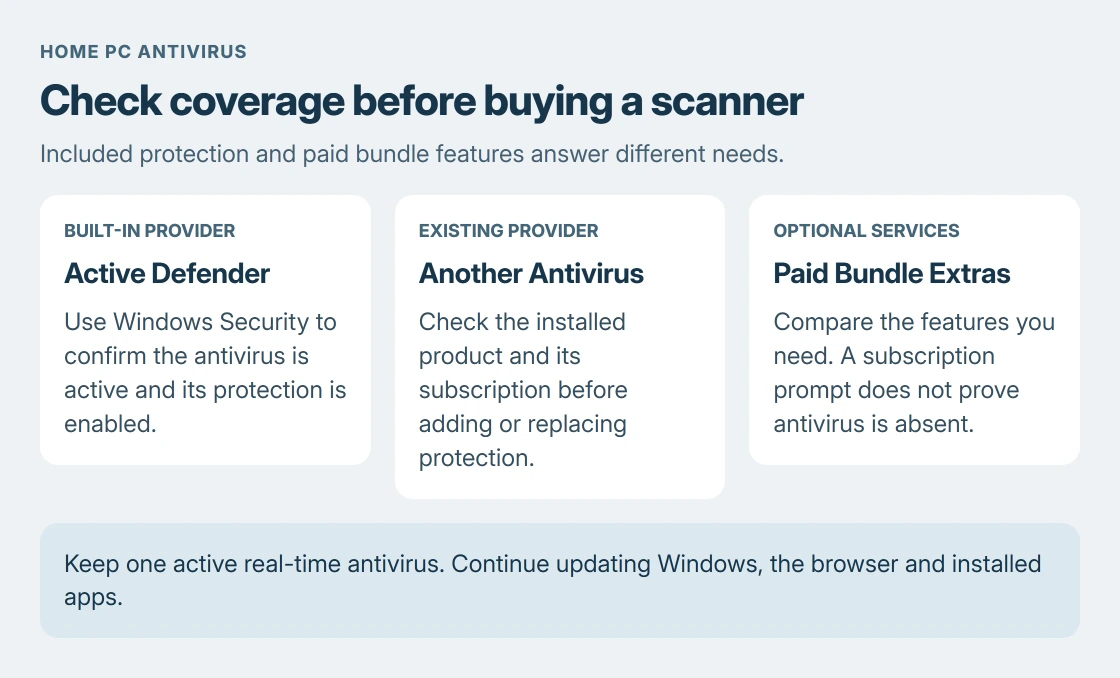
Windows Defender can serve as the only real-time antivirus on a supported, updated home PC. Check that Windows Security reports active protection before paying for another scanner. Choose paid extras only for services you need.
The built-in Microsoft Defender Antivirus and the separate Microsoft Defender subscription app share a name. Buying the latter is not a requirement for using Windows' included antivirus.
Start with the protection Windows already includes
Open Windows Security from Start and select Virus & threat protection. Read its current status and any requested action. A shortcut on the desktop is not evidence that a scanner is protecting the PC.
Microsoft documents the included antivirus in its Windows Security guide. It checks files for threats in the background; the same app also brings together other Windows security controls.
Status: Microsoft's Windows Security and antivirus guidance reviewed 24 October 2026. This is a home-PC buying decision, with no malware detection or product comparison test claimed.
When Defender is the active provider, open Manage settings and confirm Real-time protection is on. Run Quick scan if a check is needed. A clean result describes that scan, not a guarantee about every future download.
If a warning disagrees with the reported protection state, use the Defender status checks. Check the actual provider before treating every notification as either harmless or proof of an infection.
Keep one active antivirus rather than stacking two
An existing third-party security suite changes this decision. Check which product Windows identifies and whether its subscription is still active before removing it or buying a replacement.
Microsoft says another real-time antivirus is unnecessary alongside its security software in the antivirus FAQ. It warns that simultaneous real-time products can affect performance and cause errors.
That is different from a scanner run only when requested. Microsoft's FAQ permits its on-demand tools alongside a real-time product. A second continuous scanner is not the same arrangement.
For that occasional second opinion, choose an ESET scan scope and read its results without treating it as another continuous scanner.
On a work-managed computer, leave the organization's security software in place and ask IT about its requirements. A recommendation for a home PC does not override an employer's protection policy.
Separate antivirus coverage from Windows updates
Keep Windows, the browser and installed apps updated. Microsoft lists these alongside an updated antivirus in its unwanted-software prevention advice.
Windows 10's normal support finished on October 14, 2025. A working antivirus cannot replace security fixes for the operating system. Check the PC's current update eligibility if it remains on Windows 10.
Download software from its official publisher or the Microsoft Store. Disabling protection or excluding the Downloads folder to make an installer run removes checks exactly where newly downloaded files arrive.
When is a paid security package useful?
Some paid packages combine antivirus with services such as a password manager or support. Compare the features of the actual plan rather than assuming a price means better malware detection.
Microsoft states that its separate Microsoft Defender app is included in Microsoft 365 Personal and Family. Its page distinguishes that app from Windows' built-in antivirus.
So a subscription prompt from that app does not establish that Windows lacks antivirus protection. Return to Windows Security to check the included provider. Choose any paid bundle for benefits the household will use.
No detection percentages or fastest-product ranking are claimed here. Those need a current comparative test, with a named test date and product version, rather than an assumption from included features.
When Defender is busy, broken or reporting a threat
Sustained CPU use is a troubleshooting question before it is a buying decision. The Defender performance procedure explains how to identify what is triggering scans.
For a detected threat, follow Windows Security's action and inspect its result. If protection cannot be restored or a threat returns, contact Microsoft support. Managed PCs should go to their administrator with the exact alert.
The Short Version
Defender can be the sole antivirus on an updated home PC. Confirm active protection, avoid competing real-time scanners and judge paid extras separately. Windows updates and careful downloads still matter whichever antivirus is chosen.

Isaac Smith is the founder and editor of PC Glance, a website that covers computers, laptops, and technology. He is a tech enthusiast and a computer geek who loves to share his insights and help his readers make smart choices when buying tech gadgets or laptops. He is always curious and updated about the latest tech trends.