
Missing temperatures in Open Hardware Monitor can reflect limited permissions or unsupported hardware. Extract the complete download and run its executable with administrator rights before treating an absent sensor as a cooling fault.
The original project still lists version 0.9.6, released in December 2020. Its hardware list and Windows support information need checking against the PC being monitored.
Check the original project's requirements
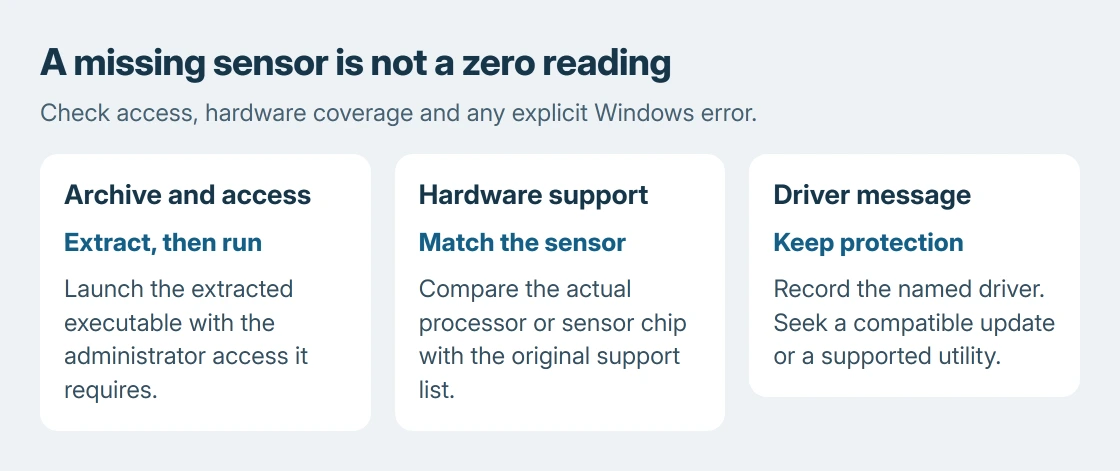
The setup documented by the vendor requires .NET Framework 4.5 or later, an extracted ZIP and OpenHardwareMonitor.exe launched with administrator rights.
Right-click the downloaded archive in File Explorer and choose Extract All. Open the extracted directory, locate the executable, and choose Run as administrator from its context menu. Approve only the copy obtained through the project.
Status: Original Open Hardware Monitor requirements and Microsoft driver guidance reviewed October 25, 2026. No monitoring tool was executed and no temperature was measured.
Its download page says that most hardware sensors cannot be accessed without administrator rights. An open application window alone therefore does not establish that it has the access needed for every reading.
The homepage's OS list ends with Windows 10. That list does not promise Windows 11 compatibility. Similarly named forks and separate projects have their own release histories.
Read the component and sensor name together
Expand the hardware entries to locate their temperature, load, clock or fan readings. Keep the component name with the value when recording it. A drive temperature and a CPU core temperature describe different parts.
The project's hardware documentation lists supported CPU families, motherboard sensor chips, GPUs and drive information. Matching that list matters more than seeing a processor brand alone.
If the CPU branch appears but lacks temperatures, that is a missing measurement. It does not mean the CPU is at zero degrees. A fan absent from the tree likewise does not establish that the physical fan has stopped.
Controlling a supported desktop fan is another task. Pair its RPM reading before setting a curve when using Fan Control.
Our Windows temperature guide explains why a firmware thermal-zone value is not automatically a processor-core reading. Compare like measurements before judging a change.
Stop at a Windows driver-block message
If Windows reports that a driver cannot load, note the driver filename and company name in the message. Microsoft says Memory integrity can block an incompatible driver in its driver-loading guidance.
Microsoft recommends looking for a compatible update through Windows Update or the manufacturer's site. Check the actual named driver instead of assuming that every missing sensor has this cause.
The recommendation to retain Memory integrity is ours. Use the PC maker's supported utility if no compatible monitoring driver is available. A temperature reading does not justify weakening that protection.
The old release date is relevant to that decision, but it is not proof that Windows blocked anything on this PC. An explicit Windows error and a hardware-support gap are different reasons to stop using a reading.
Use missing data to choose the next tool
If access changes nothing and the sensor is unsupported, switch to the computer or motherboard maker's monitoring software. Give the original project the hardware model and missing-reading details when requesting support.
For a loud laptop, the fan-load checks can identify the application creating heat without requiring a temperature sensor. Monitoring by itself does not remove that workload or fix airflow.
A machine that repeatedly shuts down, smells burnt or has a physically damaged fan needs the manufacturer's repair advice. Record the symptom rather than waiting for an unsupported utility to produce a reassuring number.
The Short Version
Extract the archive and use the access the original project specifies. Match readings to their components and check hardware support for missing sensors. Keep Windows protection enabled when a compatible monitoring driver is unavailable.

Isaac Smith is the founder and editor of PC Glance, a website that covers computers, laptops, and technology. He is a tech enthusiast and a computer geek who loves to share his insights and help his readers make smart choices when buying tech gadgets or laptops. He is always curious and updated about the latest tech trends.