
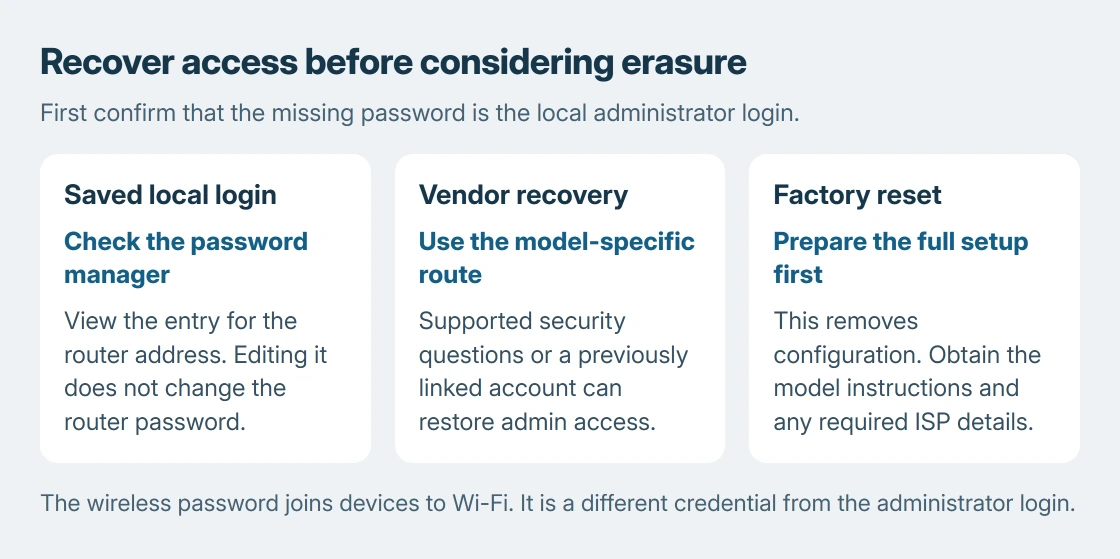
A forgotten router admin password does not always require a factory reset. Check the saved login or the maker's password-recovery option first. Those routes can restore access while keeping the wireless network and other settings.
The admin password protects the router's settings page. The Wi-Fi password joins devices to the network. A browser account, a manufacturer cloud account and the local router login can also have different credentials.
Is the missing password for Wi-Fi or administration?
If the only task is joining another device, read the saved wireless password on a connected device. The Windows Wi-Fi password guide covers that lookup without reconfiguring the router.
For a failed settings login, check the password manager used when the router was configured. Match the saved entry to the router's actual local address or manufacturer login name, not to an unrelated online account.
Status: NETGEAR password recovery, TP-Link xDSL recovery and Microsoft Password Manager instructions checked October 25, 2026. No router login, password or reset was attempted.
Check a stored login before starting recovery
On a personal Edge profile, open Settings > Passwords and autofill > Microsoft Password Manager. Microsoft documents viewing the saved password with the entry's eye control; Windows can request the device PIN.
Changing an entry in that password manager does not change the router's password. Microsoft says the stored value must match the password set on the destination. Use it to recover a remembered login, not to reconfigure the router.
Use NETGEAR's recovery screen when it is available
For supported Nighthawk or Orbi models, use NETGEAR's admin-password recovery. Connect the computer to that router's network first.
Open routerlogin.net for Nighthawk, or orbilogin.com for Orbi. NETGEAR says entering incorrect credentials three times brings up Router Password Reset on the supported interface.
Enter the router's serial number and select CONTINUE. Answer the two security questions chosen during setup. Choose a replacement admin password and security questions, then select NEXT to save them.
Sign in again with the new admin password. The successful result is access to the settings page with the existing configuration still present. These recovery steps are not a Wi-Fi-password change.
Older interfaces and other models can differ. If the screen does not appear or the answers are unavailable, consult that model's manual.
Recovery must have been configured where the model requires it. It cannot be enabled from outside a locked settings page.
On supported TP-Link xDSL models, try the linked account
TP-Link describes a separate route for the xDSL modem routers listed in its forgotten administrator-password guidance. A modem router already bound to a TP-Link ID can use that account to log in.
Use that option only when the model supports it and the router was previously bound. A TP-Link ID created after the lockout does not automatically become the local router's administrator account.
This is a model-specific alternative, not the NETGEAR security-question procedure. The router administration guide covers reaching the local page when the page itself will not open.
Prepare for erasure only when recovery cannot work
A factory reset removes configuration, not just a forgotten password. NETGEAR lists the wireless name, passwords and security settings among the personalized settings it deletes. The router then needs initial setup again.
Before proceeding, obtain the exact model's reset instructions and the information needed to restore service. For an ISP-managed box, ask the provider first, especially when internet or telephone settings are provisioned by them.
The decision rule is ours: if the setup information is missing, stop before pressing Reset. Give support the model and failed recovery stage. A working internet connection should not be sacrificed merely to test an unknown button sequence.
A UniFi Travel Router that cannot operate needs its model-specific recovery route, a different job from replacing forgotten login credentials.
If only a known wireless password needs replacing, use the Wi-Fi password-change procedure. It changes that network credential without treating an accessible router as a forgotten-admin-password case.
The Short Version
Identify the missing credential and check a saved router login. NETGEAR can use its reset screen and security questions; listed TP-Link xDSL models can use a previously linked account.
Prepare full setup details before any factory reset.

Isaac Smith is the founder and editor of PC Glance, a website that covers computers, laptops, and technology. He is a tech enthusiast and a computer geek who loves to share his insights and help his readers make smart choices when buying tech gadgets or laptops. He is always curious and updated about the latest tech trends.