

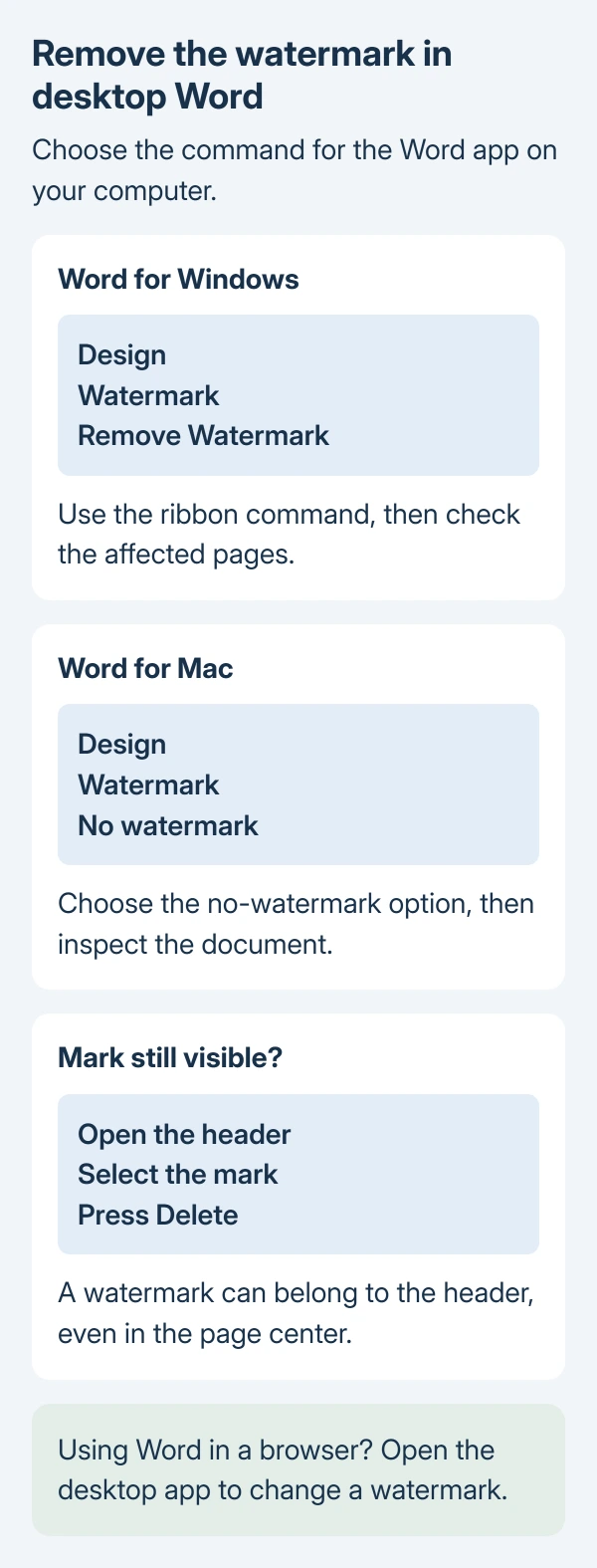
Remove a watermark in Word for Windows with Design > Watermark > Remove Watermark. On a Mac, open Design > Watermark and select No watermark.
A mark that remains may need selecting from the header, even when it sits across the middle of the page.
Word for the web preserves watermarks but does not provide the same editing controls. Use the desktop app to make this change.
Use the watermark command for your Word edition
Keep a separate copy of the Word document when the marked original must remain. Confirm the copy's name before changing its layout, especially with AutoSave enabled.
Microsoft documents separate watermark removal choices for Windows and macOS. Use the command for the app actually open on the computer.
Status: Windows, Mac and browser watermark controls checked against Microsoft support on October 29, 2026. Header selection is documented; no document was changed.
- Windows: Select Design > Watermark, then Remove Watermark.
- Mac: Select Design > Watermark. In the Insert Watermark box, choose No watermark.
Inspect the pages that carried the mark. If it has disappeared, save the document. If it remains, work on the object itself using the header method.
Select a stubborn watermark through the header
Microsoft states that a watermark is usually part of the header. Its visible position in the page center does not make it ordinary body text.
- Double-click the page's top to open its header.
- Point at the watermark. Windows shows a four-way arrow.
- Select the mark and press Delete.
- Check other pages and repeat for remaining watermarks.
On a Mac, open the header in the same way, click the mark and press Delete. Confirm that the watermark is selected before pressing the key. Selecting surrounding text would remove a different part of the document.
Delete only the selected watermark. Keep letterheads, dates and other header content unless they are also intended for removal.
Open the desktop app when using Word in a browser
Microsoft's watermark guide says the browser can display existing watermarks but cannot change them or add new ones.
At the top of the ribbon, choose Editing > Open in Desktop App, as Microsoft's desktop handoff instructions show. Then make the change in Word for Windows or Mac.
If desktop Word is unavailable, ask the document owner to provide an edited copy. A missing web control is different from a damaged document and does not call for a repair installation.
Check what remains before deleting more content
A horizontal rule across the page can instead be a paragraph border. Use the Word line-removal controls for that object; it is not removed through the watermark menu.
Our final check is to inspect the document's first page and each page that previously showed the mark. Confirm that surrounding text and header information still appear correctly before sharing the file.
For a work document showing a watermark with the viewer's details, ask its administrator. Microsoft says organization-controlled dynamic watermarks cannot be removed or modified by the viewer.
If the mark cannot be selected in desktop Word, send Microsoft Support a sample with private material removed. Include the Word version and whether the standard command or header selection failed.
The Short Version
Use your desktop edition's watermark command first. A stubborn mark usually needs selection through the header. Browser Word cannot make this change, so open the desktop app or request an edited copy from the owner.

Isaac Smith is the founder and editor of PC Glance, a website that covers computers, laptops, and technology. He is a tech enthusiast and a computer geek who loves to share his insights and help his readers make smart choices when buying tech gadgets or laptops. He is always curious and updated about the latest tech trends.