

Repeated PC restarts should not be the normal way to connect Proton VPN. If a restart restores it only temporarily, check the Windows app for updates first, then compare servers and protocols while the failure is still present.
Proton has published reconnection fixes, but the symptom does not identify one universal cause. Keep a VPN connection failure separate from internet access deliberately blocked by Advanced kill switch.
Install the current Windows app update
In Proton VPN, open Settings > Support > About. Select Update when offered. The Windows controls are documented by the vendor; follow its update instructions to finish installation.
Proton's Windows release notes list 5.1.9, released October 29, 2026, with improved recovery after temporary service disruptions and fixes involving split tunneling during reconnection.
Status: Proton's Windows release notes and connection guidance checked October 31, 2026. Version 5.1.9 improves recovery, but no universal fix for restart-only connections is documented.
Version 5.1.5 also fixed an IPv6 reconnection problem and DNS rules left active after a crash. These are reasons to update an older client, not proof that every PC with this symptom has the same fault.
Finish the update's instructions, then attempt the connection again. Check it after the event that normally triggers failure, such as waking the computer, rather than judging it only immediately after a reboot.
Try another server, then change the protocol
Proton recommends another server when a server is unavailable. Select a different available server within the plan's controls and reconnect. A working replacement narrows the problem without changing Windows networking settings.
Next, open Proton VPN's Settings, then Protocol under Connections. Its protocol instructions recommend Smart Protocol, which chooses a suitable connection method automatically.
If Smart is already selected and connection still fails, test another protocol offered by the app. Record the original choice first. A protocol that works on one network can behave differently on another.
Our comparison changes one choice at a time and retries without restarting Windows between attempts. Otherwise, a reboot can hide which change actually helped. Return a failed experiment to its previous setting.
Check whether the kill switch explains the lost internet
Proton documents that Advanced kill switch blocks internet access whenever the VPN is disconnected. It remains active across restarts. No browser access during that state can be expected behavior rather than another network fault.
Inspect Settings > Connection > Kill switch, or the app's quick-setting control. If you deliberately need an ordinary internet connection for a test, turn the advanced option off and apply the change.
Traffic during that test is outside the VPN. Pause private work first, then restore the intended protection afterward. Turning off this setting can explain a blocked browser; it does not repair a tunnel that cannot connect.
If the browser remains offline without that block, compare another trusted connection, such as a phone hotspot. Report whether the VPN failure follows the PC or occurs only on the original network.
Keep Proton's app separate from Windows VPN profiles
Microsoft says a personal VPN provider can supply its own app or configuration in its Windows VPN guidance. Proton's app has its own protocol and protection controls.
The Windows Add VPN procedure configures a separate built-in client. Creating an arbitrary profile there does not reset Proton's application or supply its missing connection details.
An L2TP connection failure also has different requirements. Its registry changes are not a general repair for Proton VPN's Windows app.
Send a report before the next restart hides the failure
Open Settings > Support > Report an issue in Proton VPN. Follow the connection suggestions, then choose Contact us if the problem continues. The form can include error logs through Send error logs.
Include the app and Windows versions, the failed protocol, whether another network worked, and what happened before the failure. State whether restarting the app alone helps or whether only restarting the PC restores access.
We could not verify an owner-confirmed cure that applies to every restart-only case. If the current app and connection comparisons fail, Proton support needs that session's error details instead of another unsupported Windows reset.
The Short Version
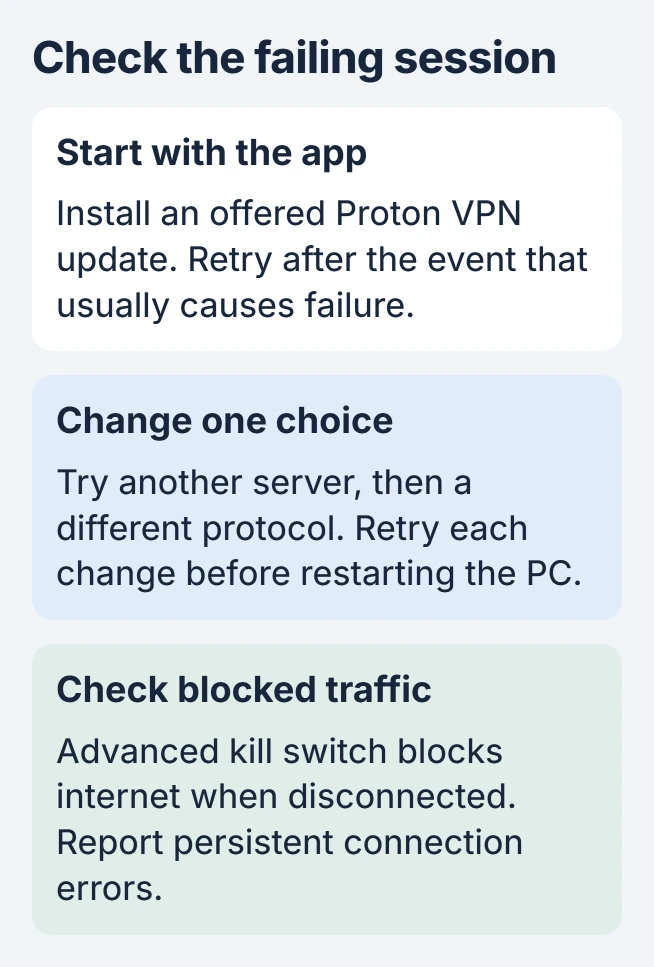
Update Proton VPN, compare servers and protocols, and distinguish a failed tunnel from Advanced kill switch blocking traffic. A recurring failure needs a report from the affected session, with the restart behavior described precisely.

Isaac Smith is the founder and editor of PC Glance, a website that covers computers, laptops, and technology. He is a tech enthusiast and a computer geek who loves to share his insights and help his readers make smart choices when buying tech gadgets or laptops. He is always curious and updated about the latest tech trends.