
Zoom on the Samsung Galaxy A16 5G is digital, up to 10x. The phone has no optical telephoto lens; use the rear camera in Photo mode and select a larger zoom value to enlarge a distant subject.
A larger number changes the framing, but it does not add a telephoto camera. Start near 1x and increase only as much as the picture needs; inspect the saved detail before assuming the enlarged preview will produce a sharp photo.
Check which rear cameras the A16 5G has
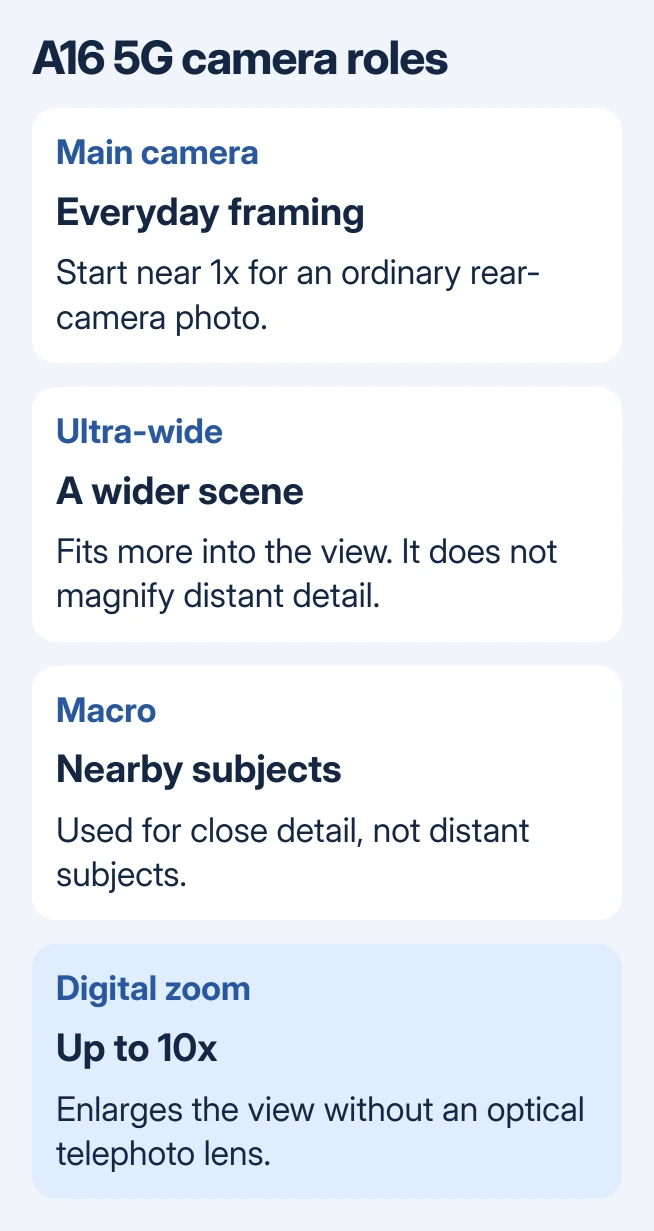
Samsung says its A16 5G camera system contains a wide main camera, an ultra-wide camera and a macro camera. It lists the rear zoom as digital, up to 10x.
None of those is a telephoto lens for bringing distant subjects closer optically. Ultra-wide captures a wider view, while macro is for a nearby subject. Three camera circles do not mean three optical magnification levels.
Status: Galaxy A16 5G camera specification and Samsung's Android 17 family manual checked October 31, 2026. Digital zoom is supported; no phone photography or image-quality test was performed.
Check Settings > About phone if the model is uncertain. The instructions here concern the A16 5G. Samsung's S-series telephoto controls and advertised optical zoom levels do not describe this phone's hardware.
Select zoom inside the Camera preview
- Open Camera and choose Photo.
- Switch from the selfie camera to the rear camera.
- Select the zoom control and choose an available value.
- Tap the subject to focus, steady the phone, and take the picture.
Samsung states that rear-camera zoom is selected with the preview's icon. The exact shortcuts depend on the shooting mode and software, so use the values actually offered on the phone.
Open the saved picture in Gallery and enlarge the important detail. A readable sign or a clear face in the saved image is a better check than the small live preview. Return to a smaller zoom value if detail has become soft.
Get a closer composition without relying on maximum zoom
Digital magnification enlarges part of the captured view. It cannot provide the same extra optical information as a dedicated telephoto camera. The maximum available setting is a framing limit, not a promise of equal detail at every value.
For a stationary subject that is safe to approach, move closer and use less zoom. For a distant subject that cannot be approached, take a wider version as well so there is a less magnified photo to compare.
The phone-camera basics explain framing, focus and reviewing a saved photo. Those checks help distinguish missed focus from softness introduced by heavy magnification.
Our practical check is to compare the same subject near 1x and at the desired larger value, without changing position. This does not measure the camera's resolution, but it shows whether extra magnification helps that particular picture.
Recognize a camera fault separately from a missing lens
A normal preview with no optical telephoto option matches this model's hardware. Installing another camera app or resetting Camera cannot add a physical lens.
If the app cannot access the camera at all, Google says to review its Android permission controls. On Galaxy, start at Settings > Apps > Camera > Permissions and inspect the available permissions.
A black preview or a Camera failed warning needs the Samsung camera repair checks. Use that fault procedure when taking an ordinary photo fails, rather than because a larger zoom looks softer.
For unresponsive Photo controls, give Samsung Support the model number, installed software and whether ordinary pictures save. An absent telephoto lens is a hardware limit, so it does not justify a camera repair by itself.
The Short Version
The A16 5G enlarges distant subjects digitally, up to its supported 10x limit. Choose zoom in Camera and inspect the saved image. Use less magnification when detail suffers, and troubleshoot only when the camera itself fails to operate.

Isaac Smith is the founder and editor of PC Glance, a website that covers computers, laptops, and technology. He is a tech enthusiast and a computer geek who loves to share his insights and help his readers make smart choices when buying tech gadgets or laptops. He is always curious and updated about the latest tech trends.