
A laptop headphone jack can fail through poor contact, incorrect output selection or missing plug detection. Check the headphones on another device first, then reconnect them firmly to the laptop's headphone socket.
If the same headphones work elsewhere and the laptop speakers still play, concentrate on the wired connection and jack detection. This guide covers Windows laptops with a 3.5 mm socket.
Check the plug and the socket being used
Remove any extension cable or splitter for the first check. Connect the headphones directly to the laptop's headphone or combined headset socket, rather than a separate microphone input.
Microsoft documents checking cables and the correct jack in its Windows sound troubleshooting guide. Some machines label headphone and microphone sockets separately.
Status: Windows wired-output checks and Dell's Inspiron detection guidance reviewed November 1, 2026. No jack, headset or driver was tested on a physical laptop.
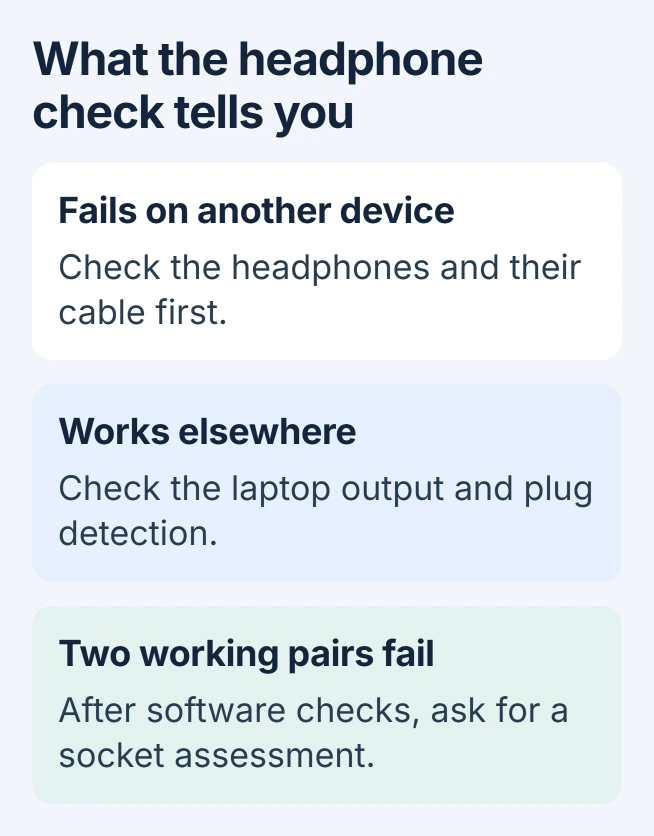
Try a second pair that works on another device if available. One failing pair does not establish a broken laptop socket. Stop forcing a plug that will not seat normally, especially if a piece is stuck inside.
Select the laptop's wired audio output
Open Settings > System > Sound. Under Output, select the built-in audio device serving the jack, which may be labeled Speakers, Headphones or Realtek. Raise its volume and play a familiar sound at a comfortable level.
Microsoft says choosing the correct output is the first check in its wired-headphone audio instructions.
A monitor, Bluetooth headset or USB dock can be selected instead. The exact device label depends on the driver; analog headphones need not create an entry bearing their own brand or model name.
For a disabled playback entry, use the older Sound dialog's device controls. If the speakers also fail, the general Windows no-sound checks cover the wider audio failure.
Dell Inspiron: check detection after Windows starts
Dell describes an Inspiron-specific pattern: headphones work when connected before startup, but are ignored when inserted after Windows loads. Its Realtek headset guidance identifies the Waves startup application.
Dell states that Waves MaxxAudio Service Application must load for that detection path. In Task Manager > Startup apps on Windows 11, check whether that existing entry is disabled and enable it if so. Windows 10 calls the section Startup.
Restart with the headphones unplugged. Once sound plays through the speakers, insert the headphones and answer the Waves device-type prompt. Select the type actually connected and confirm with OK.
Check whether audio moves to the headphones and still switches correctly after reconnecting them. This procedure applies to the Dell models and audio package described; installing Waves on a different laptop is not a general jack repair.
Restore the manufacturer's audio package when detection fails
Check the laptop maker's support page using the exact model or service identifier. Install its supported audio driver and any audio application it specifies, then restart and repeat the connection check.
Microsoft's audio driver instructions note that a newer manufacturer driver can exist even when Device Manager reports the best driver is installed.
For a fault that started with a new driver, open Device Manager > Sound, video and game controllers, then the audio device's Properties. On the Driver tab, use Roll Back Driver if available and restart.
Microsoft includes rollback for post-update sound failures in its main troubleshooting page. If the button is unavailable, obtain the appropriate package from the laptop maker rather than a general driver-download site.
When the port needs a service assessment
Contact the manufacturer if two working headphone pairs fail after the software checks. Report the speaker behavior, whether connecting before startup helps, and whether plugging in produces a detection prompt.
A loose socket, intermittent sound as the plug moves, or visible damage also needs inspection. Those symptoms warrant checking the connector; they do not identify a specific replacement component without examining the laptop.
The Short Version
Check the headphones elsewhere, confirm the socket and output, then check model-specific detection. Dell Inspiron systems using Waves need its startup component. Ask for service when working pairs still fail after those checks.

Isaac Smith is the founder and editor of PC Glance, a website that covers computers, laptops, and technology. He is a tech enthusiast and a computer geek who loves to share his insights and help his readers make smart choices when buying tech gadgets or laptops. He is always curious and updated about the latest tech trends.