
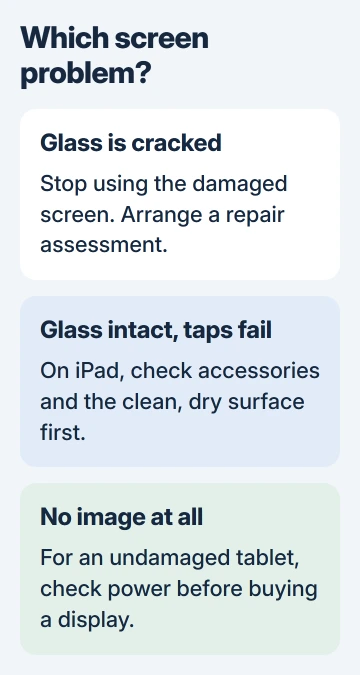
A cracked tablet screen needs physical repair; restarting cannot mend the glass. An intact screen that ignores taps may need accessory or software checks. Establish which problem is present before buying a display or erasing the tablet.
For broken glass, stop using the screen and arrange an assessment. Keep a damaged or swollen tablet out of use rather than charging it to see whether the picture returns.
Treat cracked glass as a repair job
Apple says not to use an iPad with a cracked screen in its safety guidance. It also advises stopping use when damage to the device or battery is suspected.
Do not press on the crack or push a raised screen back into its frame. A raised panel needs a technician's assessment; appearance alone cannot establish whether the battery or another part has moved.
Status: Tablet repair advice checked November 3, 2026 against Apple display and service documentation and Samsung's repair portal. No tablet was opened or repaired.
A crack in an added protector is different from damage to the tablet's own glass. If the layers are unclear or fragments are loose, let the repairer identify the damaged part instead of peeling glass away to check.
Tell the repairer whether the tablet was dropped, whether an image still appears and whether touch worked afterward. Those details help them assess more than the visible crack.
For intact glass, check the touch fault first
On an iPad with intermittent touch and no physical damage, disconnect USB-C or Lightning accessories. Apple also recommends a clean, dry screen, removing a case or screen protector, and restarting in its touchscreen instructions.
If touch returns after unplugging a charger, Apple directs the next check toward a different outlet, cable or charger. A display purchase is premature when the failure follows a charging accessory.
For halos, color changes or persistent patches on an iPad Pro, use the model-specific display checks. Those distinguish screen characteristics from defects without repeating the repair process here.
A completely dark Galaxy Tab needs the Samsung tablet power checks when the device is undamaged. A dark screen by itself does not prove that its display panel needs replacing.
Get a quote for the exact tablet and damaged part
Provide the model number, not just a screen measurement or the name Galaxy Tab or iPad. Different generations can require different parts and procedures even when the front looks similar.
Apple offers assessment through its iPad service page. Its estimate depends on the selected model and service, with the final fee established after inspection. Ask what the quote includes before accepting it.
For Samsung, use the repair request or service-center search with the tablet's model. Do not apply a Galaxy phone's advertised screen price to a Galaxy tablet.
Ask whether the work replaces the display assembly, another component or the device, and what repair warranty applies. Compare the complete quote with the cost of a suitable replacement tablet and its remaining useful life.
Check the repair route before buying a screen kit
Apple states that nongenuine displays can affect touch, Apple Pencil, brightness and color in its iPad display guidance. A replacement that lights up still needs its other functions checked.
Self-service instructions are model-specific. Apple documents safety, tools and a dedicated cover-glass and display procedure in its iPad A16 repair manual. That method cannot be assumed to fit every tablet.
Read the complete manual and tool requirements before purchasing parts. For someone without the required equipment or repair experience, a trained repair provider is the practical next step.
Prepare the data before handing it over
Check that an existing backup is available. If the tablet is safe to operate, save a current backup before handing it over. Ask the provider about preserving data when the screen cannot be used safely.
Apple's service preparation instructions warn that the returned device may have been erased. Follow the current preparation steps for the installed iPadOS version and the chosen service method.
Keep account passwords and security details private. Apple says neither it nor its authorized providers asks for them; if a technician needs an action performed on the device, complete it yourself while present.
The Short Version
Cracked glass needs a repair assessment. Intact glass with missed touches deserves accessory checks first. Identify the exact model, confirm the complete repair quote and protect the data before service.

Isaac Smith is the founder and editor of PC Glance, a website that covers computers, laptops, and technology. He is a tech enthusiast and a computer geek who loves to share his insights and help his readers make smart choices when buying tech gadgets or laptops. He is always curious and updated about the latest tech trends.