
Pending updates in Windows 10 can show you the same waiting message try after try. Nothing seems to move.
I'll help you finish the download, installation, or restart that is waiting, starting with the particular message Windows displays beside your update.
Read the pending message before changing anything
Open Settings > Update & Security > Windows Update and read the update's status, following the Windows 10 route Microsoft documents in its update FAQ.
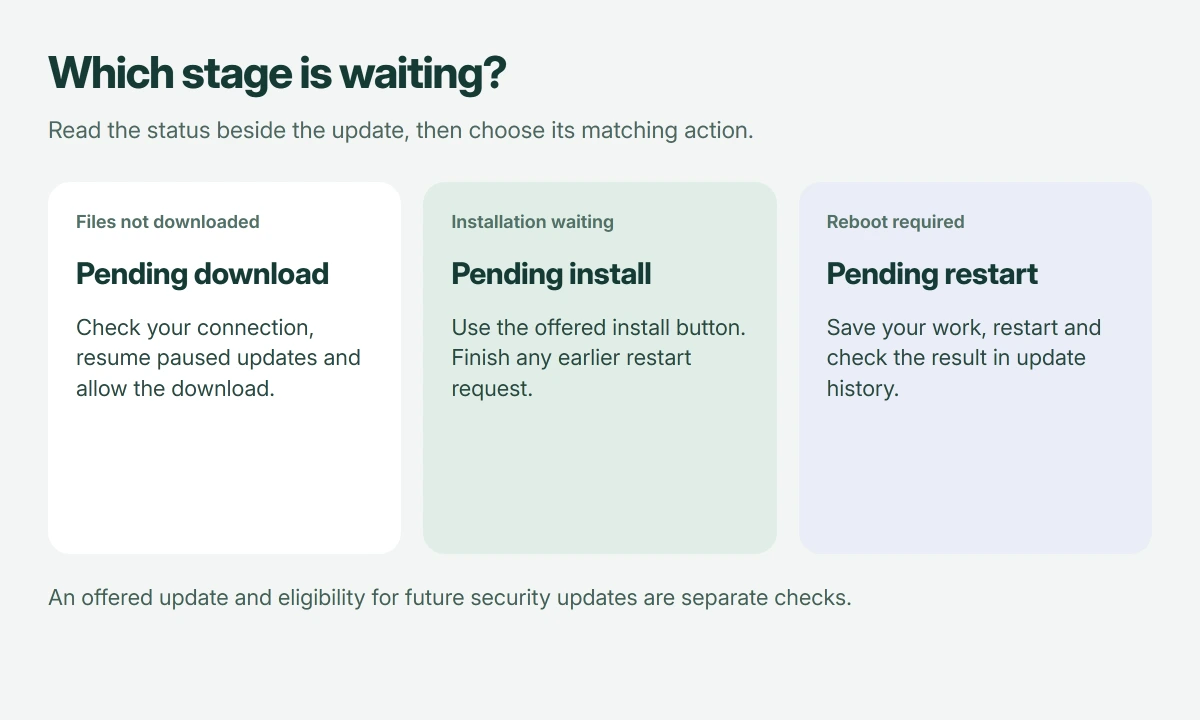
Pending download means the files still need downloading. Pending install means installation is waiting. Pending restart means Windows needs a reboot to finish applying changes.
Status: Windows 10 update controls and support limits reviewed 18 October 2026. This covers offered updates without claiming a local installation test.
I would copy the KB number and status before doing anything else, so you can check that particular item afterward rather than judging the entire queue from one percentage.
If an error code is already displayed, our stalled-update repair guide handles failed attempts, whereas an ordinary waiting state doesn't automatically mean the update files are damaged.
Pending download: allow Windows to fetch the files
Keep power and internet connected. Select Check for updates, then use Download or Download and install if offered. Let that operation finish.
For paused updates, select Resume updates. Repeatedly checking while the pause remains enabled won't move the waiting download along.
A mobile hotspot can explain another delay. Microsoft says some updates wait on metered networks in its metered-connection guidance.
Use an unmetered connection when you can. Alternatively, open Windows Update's Advanced options and enable Download updates over metered connections, accepting any data charges your plan imposes.
Keep that setting deliberate. If you enabled it only for this download, turn it off afterward to restore the data limit you intended.
Pending install: use the offered installation control
Choose Install now or Download and install when Windows provides that button for the waiting update. Some items install automatically after other queued work finishes, so watch whether the status changes.
If another item requests a restart, complete that request before chasing the next waiting package. A queue can contain updates at different stages.
If Windows specifically asks for more storage, follow that message using Microsoft's update troubleshooting instructions for freeing drive space before retrying installation.
For that situation, our Windows cleanup walkthrough explains the storage tools. Don't delete your update folders merely because the word pending appears.
Pending restart: finish the reboot you have postponed
Save your documents and close your apps. On the update page, select Restart now, or use Update and restart from the Start menu's power choices when it appears.
Microsoft states that many updates require restarting to apply them. Closing your laptop lid doesn't perform that restart, even if you leave it closed overnight.
If you need the computer now, use Schedule the restart when available and choose a practical time. Keep the laptop powered for the installation.
I would let the update screen finish without forcing the machine off. A changing progress display needs time; an identical error returning after every attempt needs repair instead.
Check completion, then check support separately
Return to Windows Update after signing in. Open View update history and find the KB you recorded, checking whether Windows reports successful installation or a failure.
A completed old update doesn't establish current security coverage. Microsoft ended standard Windows 10 support on October 14, 2025; subsequent security updates depend on eligibility, such as ESU or a separately supported edition.
Microsoft's Windows 10 lifecycle page explains the available support paths. If no newer update is offered, check that eligibility before treating the empty queue as a download fault.
The Short Version
Match the pending stage to its action: allow downloading, start installation, or restart. Verify the result in update history, then check your Windows 10 support eligibility separately.
Where to Next
Which pending message is still there? Tell me the KB number and whether the wording changes after restarting. Please include any error code, because that changes the next repair.

Isaac Smith is the founder and editor of PC Glance, a website that covers computers, laptops, and technology. He is a tech enthusiast and a computer geek who loves to share his insights and help his readers make smart choices when buying tech gadgets or laptops. He is always curious and updated about the latest tech trends.