
On your Pixel, the Maps dot keeps jumping across the street even though you're standing still. The phone seems unable to place you while you haven't moved.
I found a useful comparison from a Pixel 11 Pro owner: their dot settled when they switched off Location Accuracy. I'll show you how to try that same check, and when to put the setting back.
Match the stationary-dot problem first
This is for a blue dot that wanders or jumps while you stay in one spot. In the Google Pixel discussion, the asker describes that behavior on a European Pixel 11 Pro with the October 2026 update.
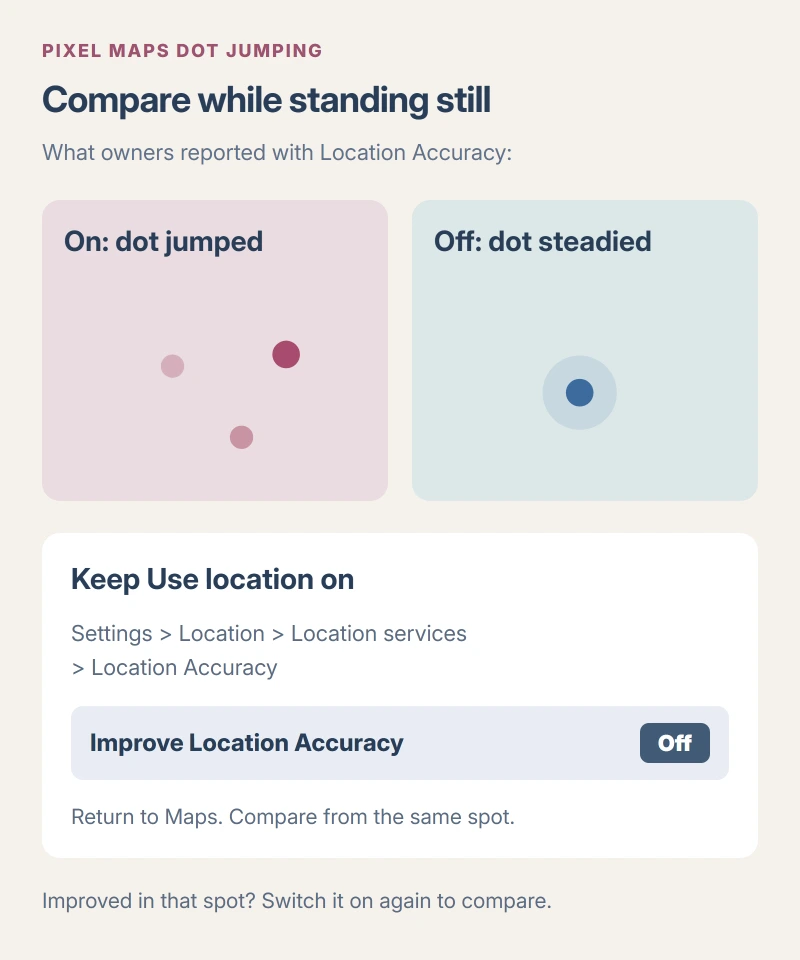
They tried the setting repeatedly. Turning Location Accuracy off steadied the dot, and switching it on brought the jumping back. One owner reported the same improvement on a Pixel 11 Pro XL on October 16.
Status: checked 17 October 2026. Pixel 11 Pro and Pro XL owner reports support this stationary-dot workaround. No Pixel was tested here.
Driving was still an open question. The owner hadn't checked whether delayed turns or the wrong heading improved, so try this while stopped rather than adjusting settings on the road.
Change Location Accuracy, then watch the dot
For the stationary check, keep Use location on. That is your phone's main location switch, and Google's Pixel location instructions distinguish it from the accuracy setting we're changing.
Open Settings > Location > Location services > Location Accuracy. Turn Improve Location Accuracy off, then return to Google Maps without changing your position.
Watch where the dot settles. If it becomes steady and matches your actual spot, turn the setting on again and compare. The useful result is a repeatable difference, rather than a single lucky jump into place.
I would change just that switch for this comparison. Leave Wi-Fi scanning, Bluetooth scanning and airplane mode alone so you can tell which change affected the dot.
Does it still jump with the switch off? Put it back on. Your result still helps. Tell support that the dot kept moving in the same spot with either setting, rather than simply saying the workaround failed.
Why switching it off can also make location worse
Google says Location Accuracy combines satellite, wireless and sensor information to help place your device. Those extra sources are especially useful inside buildings or where the satellite view is obstructed.
Google states that turning it off leaves GPS and device sensors, when available. Apps can take longer to locate you or place you less accurately, particularly indoors. Finding a lost device can also be affected.
That is the tradeoff behind this test. Put location quality first. Keep this switch off only while it helps your particular symptom, and restore it if your location becomes less accurate in another place.
The owner report doesn't establish why the extra information caused jumping on their phone.
If the comparison does not help
Send Google your model, update details and the result with each switch position. I would include whether you're indoors or outdoors and whether the dot moves while you're completely still.
Google adds a way to report it. Open Settings > About phone > Send feedback about this device and describe your comparison there, rather than assuming the GPS hardware is broken.
A separate owner in the thread reported a warm phone and trouble in Lyft's driver app, without confirming this workaround. If your phone is hot too, use the Android overheating steps before continuing the comparison.
For a phone that also refuses to join a wireless network, our Android Wi-Fi connection guide helps check the phone and router separately. A jumping dot by itself doesn't establish a connection failure.
The Short Version
Compare the Maps dot while stationary with Location Accuracy on and off. Leave the main location switch enabled, and return to your original setting if the comparison gives you no improvement.
Where to Next
Does your dot settle with the switch off, then start jumping again when you turn it on? Let me know which Pixel you have and whether you tried it inside or outside. That makes your result easier to compare with the owners' reports.

Isaac Smith is the founder and editor of PC Glance, a website that covers computers, laptops, and technology. He is a tech enthusiast and a computer geek who loves to share his insights and help his readers make smart choices when buying tech gadgets or laptops. He is always curious and updated about the latest tech trends.