
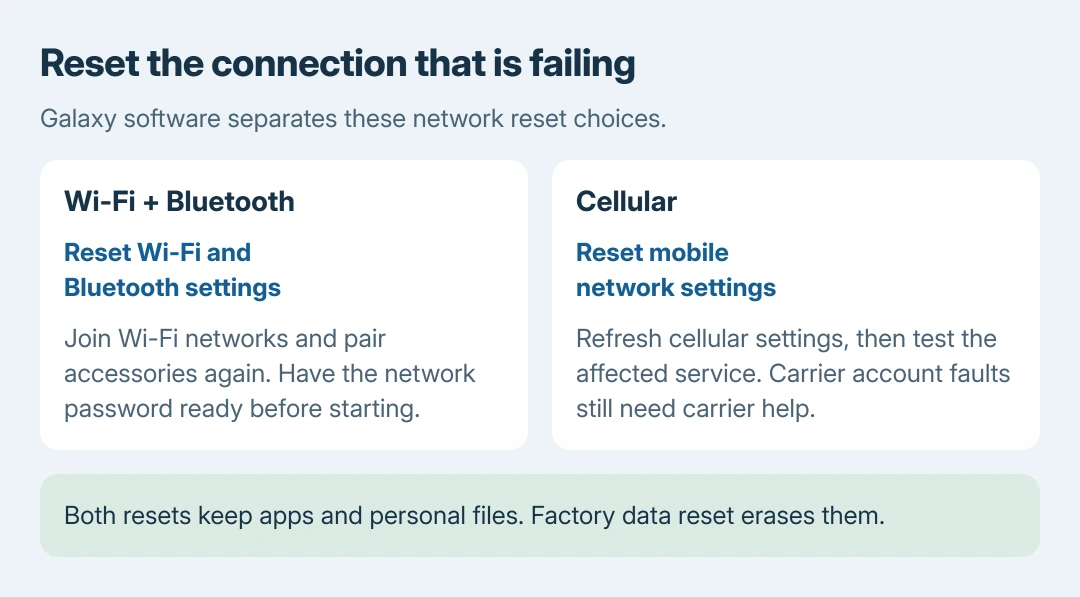
Resetting network settings on Samsung starts in Settings > General management > Reset. Galaxy software separates Reset mobile network settings from Reset Wi-Fi and Bluetooth settings. Choose the reset for the failing connection.
Both leave apps and personal files in place. The Wi-Fi and Bluetooth reset means joining saved networks and pairing accessories again, so have the needed Wi-Fi password ready before confirming.
Choose the reset for the affected connection
Open Settings > General management > Reset and read the full option name. Samsung documents the separate choices in its Galaxy reset instructions.
Use Reset Wi-Fi and Bluetooth settings for those wireless connections. Use Reset mobile network settings for the cellular connection. They are separate entries on the current reset screen.
Status: Samsung's current Galaxy reset and connection guidance checked October 26, 2026, alongside Google's Wi-Fi checks. No phone, network or pairing was reset here.
Factory data reset erases personal data and is a different command. For a broader settings problem, the Samsung settings-versus-factory reset comparison explains that choice separately.
Rebuild Wi-Fi and Bluetooth connections
Keep the current Wi-Fi password accessible outside the phone. Be ready to put Bluetooth accessories into pairing mode again. Samsung says these connections must be re-established after this reset.
- Select Reset Wi-Fi and Bluetooth settings from the Reset menu.
- Read its summary, then tap Reset settings.
- Enter the requested screen-lock credentials if prompted and complete any confirmation shown.
- Open Settings > Connections > Wi-Fi. Choose the network and supply its password.
- Return to Connections > Bluetooth, put the accessory in pairing mode and select it to reconnect.
Samsung's connection troubleshooting documents both the reset choice and Bluetooth re-pairing. Accessory-specific setup can still require the maker's app or pairing procedure.
Check the original symptom: open the affected site or play audio through the accessory. The useful result is that connection working again, rather than merely finishing the reset screen.
If the accessory still will not appear, verify that it is ready to pair and check its manufacturer's instructions. Resetting the phone does not itself put headphones, a watch or a car system into pairing mode.
Reset the cellular connection separately
For a mobile-network problem, return to Settings > General management > Reset. Select Reset mobile network settings, review the information and tap Reset settings. Confirm Reset when asked.
Check the same service that failed. For an internet problem, briefly switch Wi-Fi off and try loading a webpage over the cellular plan. For a call problem, make an ordinary test call.
Those comparison checks are ours. They prevent a working Wi-Fi connection from masking cellular data that still fails. Check that the plan includes the service being tested before treating a reset as the expected fix.
For a SIM or account problem that persists, contact the carrier with the exact status or error. Repeating a settings reset cannot establish whether the carrier has activated, suspended or restricted the line.
The menu differs, or the reset did not help
If only a combined Reset network settings option appears, read the connection types listed on that phone before continuing. Older Galaxy software can combine Wi-Fi, Bluetooth and cellular settings rather than offering the newer split.
For Wi-Fi that still fails, use the Android Wi-Fi connection comparisons. A phone failing on every network and several devices failing on one router call for different next steps.
Google says to check signal strength and the router in its Android connection guide. If only the phone keeps failing, give Samsung Support its model, version, connection and reset tried.
The Short Version
Choose the reset for the failed connection. Keep its credentials ready, reconnect afterward and test the original problem. Use the result to decide between Samsung, accessory support and the carrier.

Isaac Smith is the founder and editor of PC Glance, a website that covers computers, laptops, and technology. He is a tech enthusiast and a computer geek who loves to share his insights and help his readers make smart choices when buying tech gadgets or laptops. He is always curious and updated about the latest tech trends.