
The iPhone name changes in Settings > General > About > Name. Replace the existing text with a recognizable device label, then return to About to confirm the new name.
This is the device identifier used by services such as AirDrop and Personal Hotspot. It is separate from the name on an Apple Account or the name Siri uses for a person.
Edit the device name in About
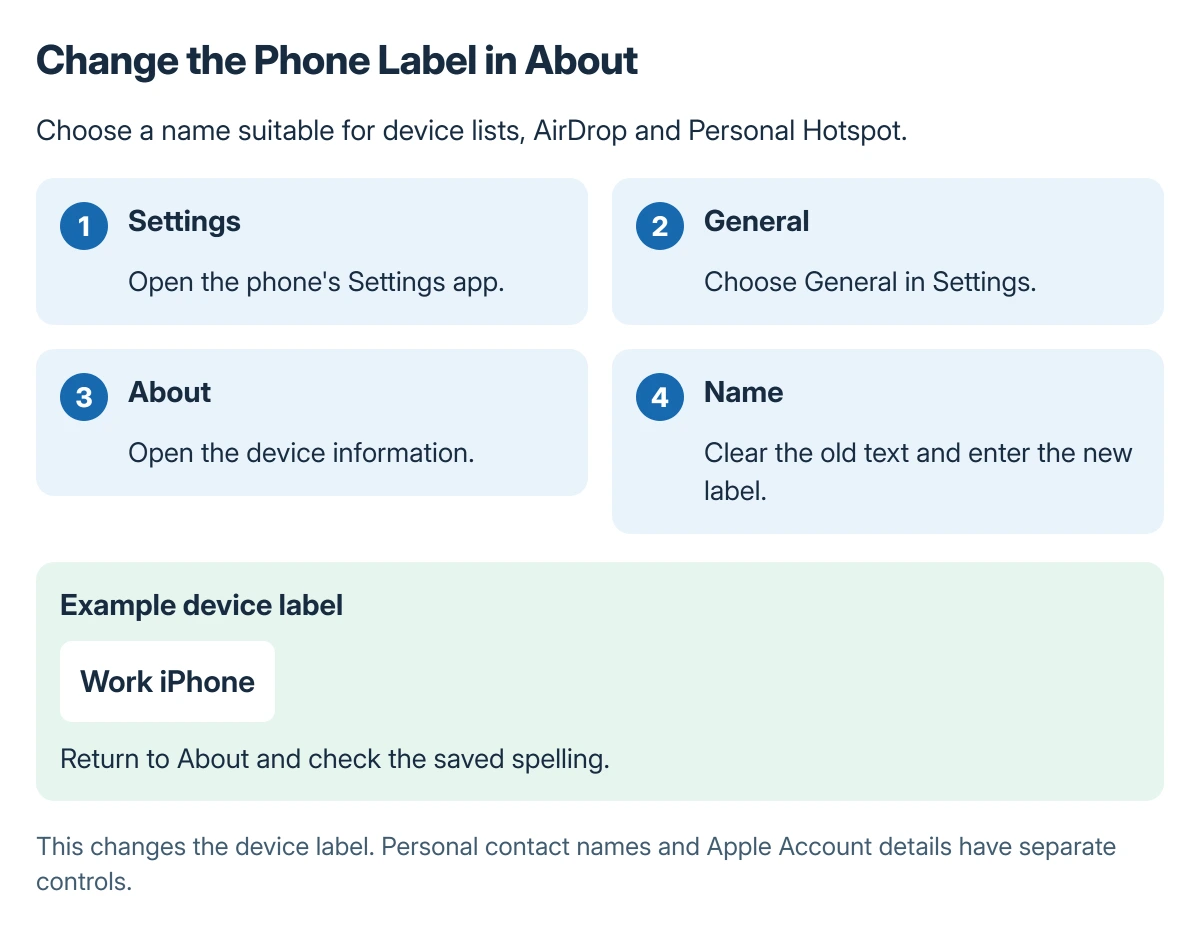
Open Settings, tap General, choose About, then tap Name. Apple documents that route in its iPhone naming instructions.
Clear the old label and enter the replacement. Choose wording that distinguishes this phone from other devices, such as a first name and model or a simple work/personal label.
Status: Apple's iPhone rename procedure and the services using that device name checked 22 October 2026. The phone and its account settings were not changed for a test.
Return to About and inspect the value beside Name. Check the spelling there before looking for the device on a computer or another Apple device.
Know where this label is used
Apple says the iPhone name is used by iCloud, AirDrop, Bluetooth, Personal Hotspot and the computer connected to the phone. A neutral label avoids unnecessarily displaying a full personal name in those contexts.
Renaming a phone does not turn on a service or repair its connection. If the hotspot control is unavailable, use the Personal Hotspot checks after confirming the device name.
Apple states that the computer also uses this name. When making an iPhone backup on a computer, verify the selected device and backup details instead of relying only on a familiar label.
Keep device names separate from personal names
Changing About > Name changes the phone's label. It does not edit the personal contact card used when Siri addresses its owner.
For a wrong greeting, the Siri name and contact-card guide handles that separate problem. Editing the device label repeatedly will not replace a mistaken personal contact card.
The Apple Account email setting is another distinct item. Use those controls for a different sign-in address. The hardware label stays a separate choice.
When another screen still shows the old label
Reopen About first. If the new label is there, inspect the actual service where the older name appears and confirm it refers to this phone rather than a different saved device.
If the Name field will not retain an edit, ask Apple Support about the iOS version and what happens after leaving the field. A work-managed phone may require the organization's administrator to explain its naming rules.
The Short Version
Edit Settings > General > About > Name and check the saved value. Pick a clear device label that is suitable for nearby-device and hotspot lists.
Use personal contact or Apple Account controls for those identities. The device-name field does not change every name associated with the phone.
Where to Next
Check the name in the one place it matters, such as a backup device selector or Personal Hotspot list. Confirm the device itself before acting on an entry that still carries an older label.

Isaac Smith is the founder and editor of PC Glance, a website that covers computers, laptops, and technology. He is a tech enthusiast and a computer geek who loves to share his insights and help his readers make smart choices when buying tech gadgets or laptops. He is always curious and updated about the latest tech trends.