
Monitoring air quality at home with a phone needs an indoor sensor that supplies the readings. For an Airthings View Plus, pair it in the Airthings app, connect it to 2.4 GHz Wi-Fi, and leave it in one room while its measurements develop.
Pair the indoor monitor through its phone app
This setup uses View Plus, whose sensors include particulate matter, carbon dioxide, airborne chemicals, radon, temperature, humidity and air pressure.
Other monitors measure different combinations. Check the exact model before expecting a particular reading.
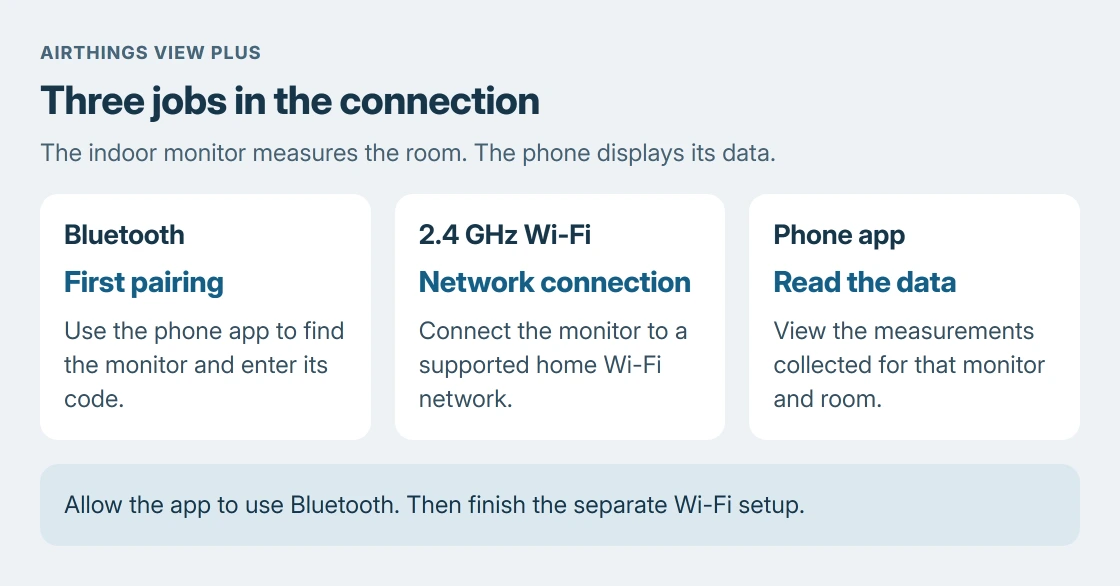
Turn on the phone's Bluetooth and open the Airthings app. Sign in, tap +, then Add device. Select the monitor, name it and its home, and choose Get pairing code. Enter the six-digit code shown on the monitor.
Status: View Plus phone pairing, placement, sensor timing and Wi-Fi requirements checked 24 October 2026. No monitor was paired, room measured or air-quality result produced here.
That sequence is documented by the vendor. Finish its Wi-Fi step after pairing. Bluetooth discovery and connection to the home network are separate parts of setup.
On iPhone, Apple documents app access under Settings > Privacy & Security > Bluetooth in its Bluetooth privacy instructions. Allow Airthings there if permission was refused during setup.
Bluetooth also needs to be enabled in the phone's main Settings. The iPhone Bluetooth controls explain why the Settings switch and Control Center button behave differently.
Connect View Plus to a compatible home network
View Plus supports 2.4 GHz Wi-Fi. Airthings says it does not support 5 GHz or networks that require a captive-portal sign-in, such as a browser page accepting hotel terms.
If a combined-band router will not connect it, consult the router's instructions for a separate 2.4 GHz network name. The home Wi-Fi setup guide covers the network and credentials separately from the internet subscription.
For repeated connection failures, Airthings' Wi-Fi troubleshooting page specifies WPA2-AES and warns against WPA3-only mode. Ask the router maker about a compatible device network before altering the main network.
Keep the phone online and close to the powered monitor during setup. Once connected, check that the app's device settings show the intended Wi-Fi network. An app that opens successfully does not by itself confirm the monitor has joined.
Leave the sensor where the household spends time
Use a stable shelf or table near breathing height in the room being monitored. Keep the unit indoors, out of direct sunlight, away from water and heavy dust, with its air openings unobstructed.
Airthings' placement instructions recommend measuring in one location for at least 30 days. Moving it repeatedly changes the room being measured and makes a continuous record harder to interpret.
The recommendation to name the device after its room is ours. A bedroom label makes the app's history easier to understand, especially after another sensor is added. Do not treat one room's reading as a measurement of every room.
Give each sensor its own settling time
Airthings' calibration page says CO2 and VOC readings need seven days before they are actionable. PM, temperature, humidity and air pressure do not need that calibration period.
Radon needs a longer view. Airthings recommends at least 30 days, ideally two months, for a more useful long-term average. A first-day value is not a completed long-term assessment.
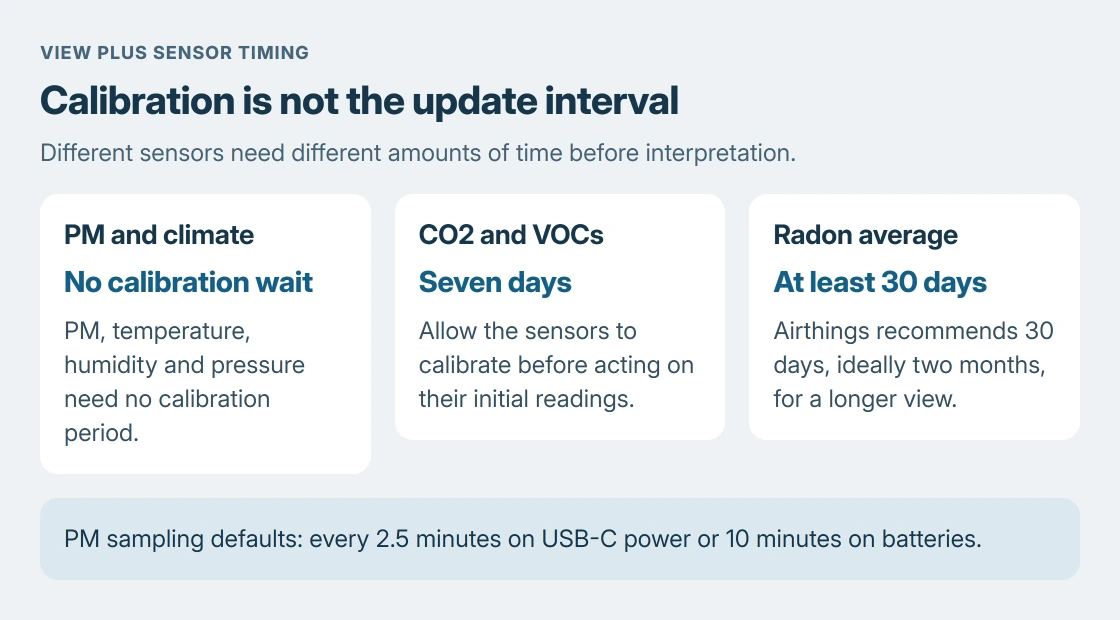
Sampling frequency is different from calibration. The View Plus starter guide gives PM sampling every 2.5 minutes on USB-C power, or every 10 minutes on batteries by default.
An optional hourly setting changes update behavior again. Read the configured sampling interval before assuming an unchanged number means the phone has stopped receiving data.
Use the readings within the monitor's limits
In the app, open Settings > Devices > your View Plus > Display to select the values shown on the unit, then save. That changes the display selection, not which pollutants its hardware can detect.
View Plus does not replace smoke or carbon-monoxide alarms. Airthings states that it does not specifically detect those hazards or provide the audible emergency warning those alarms require. Keep the appropriate dedicated alarms in use.
If the monitor stays offline or produces no readings after setup and calibration, give Airthings Support its model, app version and connection state.
Avoid repeatedly resetting it while trying to build a measurement history.
The Short Version
Pair View Plus inside Airthings, finish its 2.4 GHz Wi-Fi setup, and leave it in a suitable room. Distinguish calibration from sampling intervals. Read the sensors it actually contains, and keep separate smoke and carbon-monoxide alarms.

Isaac Smith is the founder and editor of PC Glance, a website that covers computers, laptops, and technology. He is a tech enthusiast and a computer geek who loves to share his insights and help his readers make smart choices when buying tech gadgets or laptops. He is always curious and updated about the latest tech trends.