
Starting a group chat on iPhone takes a new message addressed to every intended participant. Open Messages, tap Compose, add the recipients in To, then type and send the first message. Check the selected numbers before sending.
The participants and available service determine whether it becomes an iMessage, RCS, MMS or SMS conversation. A green message can be a working group; its color alone does not identify a sending failure.
Address a new message to the complete group
In the Messages conversation list, tap the Compose button. Apple's current iPhone guide places it along the layout's lower edge. Older layouts can place it near the top.
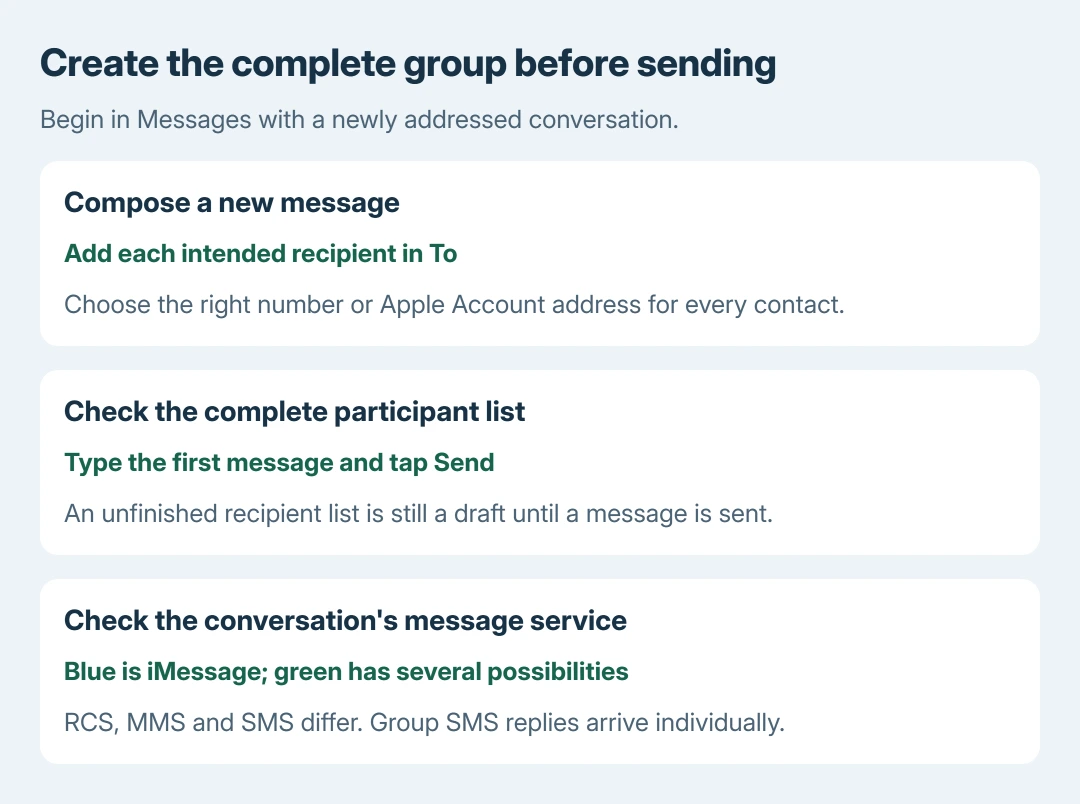
Tap To and enter each recipient's contact name, phone number or Apple Account address. Use the add-contact button to select saved contacts. Include each intended person before moving to the text field.
Status: Apple's Messages group-creation and message-type instructions reviewed October 28, 2026. The current guide uses iOS 27. No messages were sent here.
Apple documents these group conversation steps. When a contact has several numbers or addresses, choose the one that person actually uses for Messages.
Tap the text field, enter a short first message and tap Send. The sent conversation should appear in the Messages list. Open its participant details to confirm the intended recipients.
Sending the first message creates the conversation; selecting names without sending leaves an unfinished draft. Our recommendation is to use a simple greeting before sharing a photo or other private material with the group.
Check which message service the group can use
Apple says Messages selects the service according to recipients, settings, network access and the carrier plan. There is no separate switch for forcing every new group to use iMessage.
| Message service | What to expect |
|---|---|
| iMessage | Blue bubbles when all recipients use iMessage. Replies remain in the group. |
| RCS | Green bubbles, with supported carrier messaging and richer group features. |
| MMS | Green bubbles with carrier-supported group replies and media. |
| SMS | Green bubbles; replies to a group SMS arrive individually. |
Apple's group-message reference distinguishes these services. Green does not necessarily mean SMS: RCS and MMS use green bubbles too.
If participants receive separate replies instead of one shared discussion, check the service and carrier support before repeatedly recreating the chat. Group SMS does not provide the same reply behavior as group MMS or iMessage.
Keep an existing private chat separate
Do not assume an existing conversation with one person can simply become the new group. Apple states that adding someone to a conversation with only one other person requires starting a new group conversation.
Use Compose and address a fresh message to the complete participant list. The existing conversation remains a separate thread. This also gives a clear place to verify all the chosen addresses before sending.
An old thread with a missing text field needs the group participation checks. That symptom does not establish that the new-message procedure is broken.
Why won't the first message send?
Confirm the recipients and try an ordinary one-to-one message. Mixed-device groups also need carrier support. Ask the carrier about unavailable RCS or group MMS features; their availability varies.
If only a particular existing conversation misbehaves, report its message type and visible error to Apple Support. If carrier messages fail across conversations, contact the carrier with the same details.
Once a group works, leaving or silencing it depends on the conversation's service and participants. Starting a group does not guarantee that every group-management control will be available.
The Short Version
Compose a new message, verify every recipient and send the first text. Check the actual service when replies separate or features differ. Use a fresh conversation when adding people to an existing private chat.

Isaac Smith is the founder and editor of PC Glance, a website that covers computers, laptops, and technology. He is a tech enthusiast and a computer geek who loves to share his insights and help his readers make smart choices when buying tech gadgets or laptops. He is always curious and updated about the latest tech trends.