
An Outlook password reset for a personal Outlook.com, Hotmail or Live address uses Microsoft account recovery. Select Forgot password? at Microsoft's sign-in screen, verify the recovery email or phone, then create a replacement password.
An employer's mailbox has its own recovery rules. Identify the mailbox's provider and account type before trying to reset a password stored by the Outlook app.
Start recovery for the personal Microsoft account
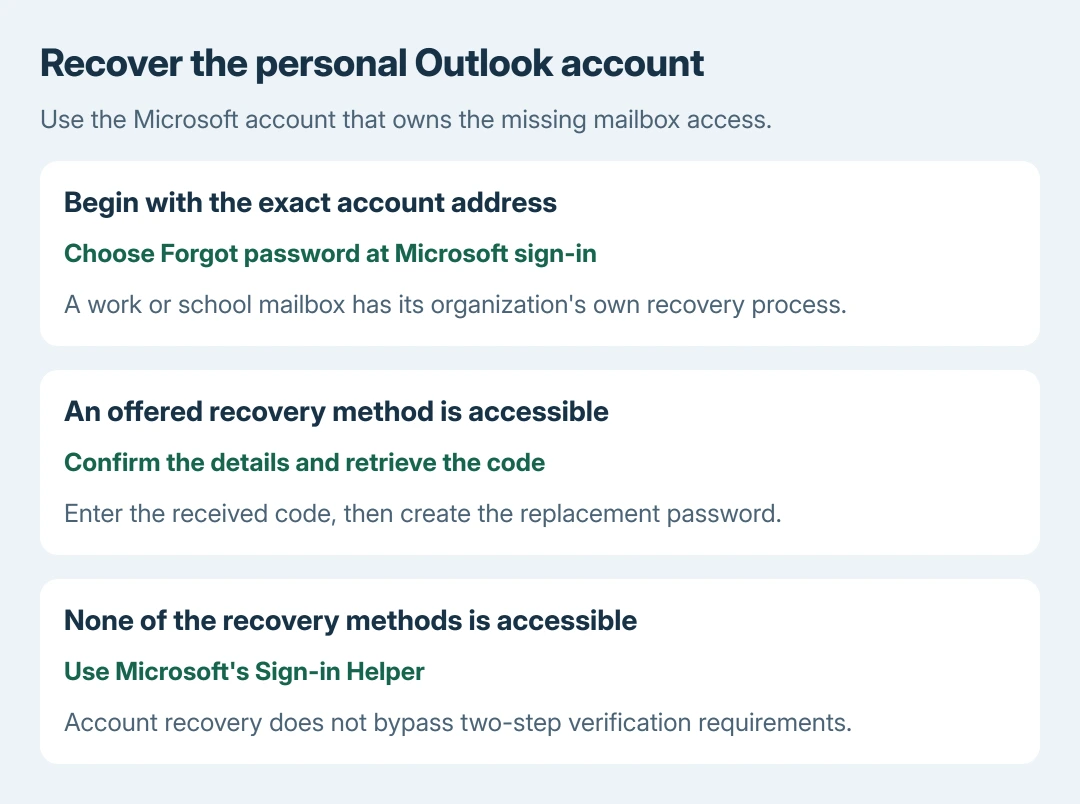
Open Microsoft's forgotten-password instructions and use their Reset password link. Enter the exact email address of the account to recover and select Next.
Alternatively, at the Microsoft password prompt, choose the forgotten-password option. Microsoft documents both ways of beginning the same identity-verification process.
Status: Microsoft personal-account reset and recovery-form guidance checked October 28, 2026. No sign-in, verification-code request or password change was performed.
Microsoft says an Outlook.com password is also the Microsoft account password. Replacing it affects that account's other Microsoft services, not just mail.
If the password is already known, use the deliberate Outlook password-change procedure instead. A recovery request is for regaining access, rather than editing a working credential.
Verify a recovery method and replace the password
Choose an offered recovery email address or phone number that is still accessible. Select Next. Complete the requested confirmation of the partially hidden address or phone digits, then choose Get code.
Open the selected recovery inbox or phone, retrieve Microsoft's code and enter it on the recovery page. Select Next, enter the replacement password when offered and finish the displayed confirmation steps.
The account recovery screen can ask for only part of a registered detail. Match what its prompt requests; entering a new email address here does not register that address as an existing recovery method.
After Microsoft accepts the reset, sign in to the intended mailbox with the replacement. Complete any further security check it requests. Resetting a password does not remove two-step verification.
Missing recovery access needs the sign-in helper
If none of the listed recovery options is accessible or recognizable, return to Microsoft's reset help and use Sign-in Helper. Do not keep requesting codes to a number or inbox that cannot be reached.
Microsoft's account recovery-form guidance recommends the helper before completing a recovery form. When that form is appropriate, provide a working contact email for its response.
For an Outlook.com or Hotmail account, gather previous contacts and exact message subject lines. Submit from a familiar device and usual location when possible. These details help Microsoft verify the account; acceptance is not guaranteed.
Microsoft states that its recovery form cannot solve a two-step-verification account when all alternate verification methods are inaccessible. Support agents cannot bypass the verification or change account details for the caller.
Complete Outlook's next sign-in
Once web sign-in succeeds, reopen Outlook and complete its sign-in prompt for that mailbox. Confirm mail access before changing any other account settings.
A password window that disappears before entry needs the Outlook authentication-window checks. Repeating a successful account reset does not repair the app's window.
A work mailbox needs its organization's recovery
For an employer or school address, use its supplied reset page or IT desk. The personal Microsoft recovery form does not recover an organization's separate account.
A Gmail or other provider's account likewise uses that provider's recovery process, even when its messages are read through Outlook.
If the personal reset still fails, continue through Microsoft's Sign-in Helper with the exact error and account type. Never share the password or received verification code with someone offering to complete it for you.
The Short Version
Recover a personal Outlook mailbox through its Microsoft account, verify a registered method and set the replacement. Missing recovery access needs Microsoft's helper. Work accounts and app authentication faults have different next steps.

Isaac Smith is the founder and editor of PC Glance, a website that covers computers, laptops, and technology. He is a tech enthusiast and a computer geek who loves to share his insights and help his readers make smart choices when buying tech gadgets or laptops. He is always curious and updated about the latest tech trends.