

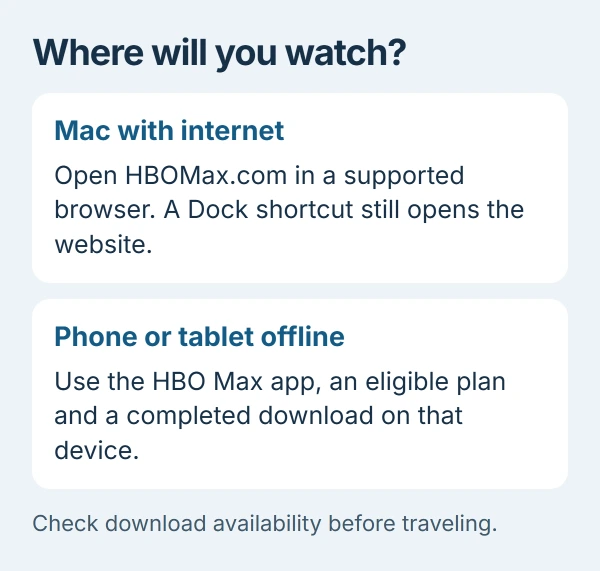
HBO Max does not offer offline downloads on a Mac; its website is for streaming. For a trip without internet, download shows in the phone or tablet app using a plan that includes downloads.
Choose the device before looking for a download button
The computer download restriction is documented by the vendor, HBO Max, in its HBO Max download rules. A missing download button on a Mac is therefore expected, even with a plan that includes mobile downloads.
On a connected Mac, open HBOMax.com and choose Sign In. HBO Max's supported-device instructions list current Safari, Chrome and Firefox among its browser options.
Status: HBO Max's US device and download rules checked October 29, 2026. Plan names vary by region. No subscription or playback session was tested.
For an outdated Safari installation, update Safari through macOS. Updating the browser addresses compatibility; it does not change which devices HBO Max allows to download titles.
Prepare a phone or tablet for offline watching
Install HBO Max from the device's official app store. Its mobile list includes iPhone, iPad, Android phones and tablets, and supported Amazon Fire tablets.
The US download page requires Standard or Premium. Check the plan in your region before changing a subscription; a download-capable plan still needs an eligible device and title.
- Sign in to the mobile app while connected to the internet.
- Open an eligible movie or episode and select its Download icon.
- Wait for completion, then locate it in Downloads on that device.
Unwatched downloads normally expire after 30 days, or when the title leaves the service. Starting playback gives 48 hours to finish. Renew expired titles online while a connection is still available.
Give the Mac website its own Dock icon
On macOS Sonoma 14 or later, Apple documents turning a webpage into a Safari web app. Open the HBO Max website in Safari, select File > Add to Dock, name it, then click Add.
Apple says this opens the website in an independent, simplified window. The Dock icon is a shortcut to that web experience, so it should not be mistaken for an offline video library.
The feature is optional. A regular browser tab remains the service's documented Mac streaming route, and Chrome installation on Mac is another option when that browser is preferred.
Handle a streaming failure separately
If the website will not play while online, HBO Max recommends trying Safari > File > New Private Window, signing in there and testing the same title. A working private session directs attention to browser extensions or stored website data.
Its browser troubleshooting page also suggests comparing another supported browser. Report persistent playback or mobile-download errors to HBO Max with the device, app or browser version, and exact message.
There is no supported Mac download switch to repair. Plan offline viewing around a supported mobile device, with the title already available in its Downloads list.
The Short Version
Mac playback uses the website and an internet connection. A Safari Dock shortcut keeps that website convenient to open. Offline titles belong in the supported mobile app, subject to the account's plan and download expiry.

Isaac Smith is the founder and editor of PC Glance, a website that covers computers, laptops, and technology. He is a tech enthusiast and a computer geek who loves to share his insights and help his readers make smart choices when buying tech gadgets or laptops. He is always curious and updated about the latest tech trends.