
Samsung visual voicemail can show an empty list while the carrier still holds the recordings. Call the mailbox first: a message present there points to app retrieval; a missing recording needs a carrier check.
The app also matters. Samsung's voicemail app, a carrier app and Phone by Google do not share one universal settings menu, so follow the instructions for the app and network actually in use.
Check whether the carrier still has the message
Use the carrier's documented voicemail access method. Samsung's Galaxy call-settings guidance explains the usual Phone dial-pad route, but the access number and available options depend on the carrier.
If the mailbox has never been activated, complete the Android voicemail setup first. Ask someone to leave a short test recording, then compare the dial-in mailbox with the visual list.
Status: Samsung, Google and T-Mobile voicemail guidance reviewed November 1, 2026. Procedures depend on the app and carrier; no handset or mailbox was tested.
If the caller cannot leave a recording or the mailbox rejects access, give the carrier that exact result. Clearing the app cannot create a missing mailbox or correct its account activation.
A recording exists but the app does not download it
For T-Mobile Visual Voicemail, T-Mobile's download troubleshooting starts with a phone restart and a mailbox check. Then turn Wi-Fi off to use the carrier network and retry the app.
Make sure cellular internet works. When it fails in other apps too, follow the Samsung cellular connection checks before treating voicemail as the only broken service.
Update the T-Mobile app through Google Play, then synchronize its inbox. T-Mobile documents Menu > Refresh in its Visual Voicemail app instructions.
Check whether the new test message appears and plays. On a different carrier, use its supported voicemail app and refresh instructions; installing T-Mobile's app is not a fix for another network.
Clear temporary app files before considering a reset
Samsung states that Settings > Apps > the app > Storage > Clear cache removes temporary app files in its app-cache instructions. Select the voicemail app actually displaying the error, then reopen it and check the recording.
Treat Clear data and reinstallation separately. Samsung says clearing data removes the app's saved information and settings. T-Mobile specifically warns that its data reset can delete older messages and recordings held only in the app.
Export needed recordings and check that the saved audio plays. If export fails, ask the carrier how to preserve it before a reset. A recording visible in the app is not proof of a recoverable server copy.
Only continue with a data reset when the carrier's procedure calls for it and the needed audio is preserved. That is a later troubleshooting step, not a requirement for every empty inbox.
Check app conflicts and transcription separately
Google states in its voicemail instructions that Phone by Google switches off its visual list when a carrier voicemail app is used. Check the intended app instead of expecting both lists to remain active.
If audio plays but written text is missing, check transcription eligibility with the carrier. Google documents device, carrier and language limits. Playable audio without text points to transcription support, rather than a lost recording.
Samsung Direct voicemail is another feature. Samsung says it requires a supported Galaxy on Android 16 with One UI 8.5 or later, and the phone must be powered on with a mobile-network connection.
Its Direct voicemail guide also warns that nearly full internal storage can stop the feature. Apply those requirements only when Direct voicemail is the feature being used.
Report the failed part of the service
Contact the carrier if dial-in audio works but its supported app still cannot retrieve the new message. Include the model and software version, name the app, copy the error and describe the result with Wi-Fi disabled.
For Samsung Direct voicemail or an app that keeps closing after its update, send the same details to Samsung. Avoid a factory reset simply because the visual list is empty; first establish which service is failing.
The Short Version
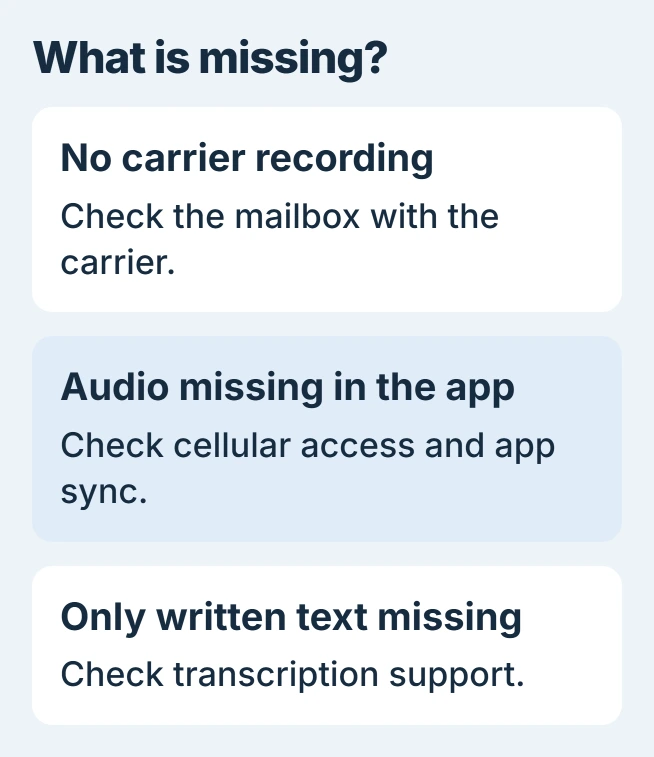
Compare a fresh recording in the carrier mailbox with the app. Check cellular access, update and sync using the carrier's instructions, and preserve recordings before clearing app data. Missing transcription has its own eligibility rules.

Isaac Smith is the founder and editor of PC Glance, a website that covers computers, laptops, and technology. He is a tech enthusiast and a computer geek who loves to share his insights and help his readers make smart choices when buying tech gadgets or laptops. He is always curious and updated about the latest tech trends.