
Finding a dead Apple Watch starts with its last reported location in Find My. Select the watch under Devices and read the map's timestamp. That records where it was, without confirming that it is still there.
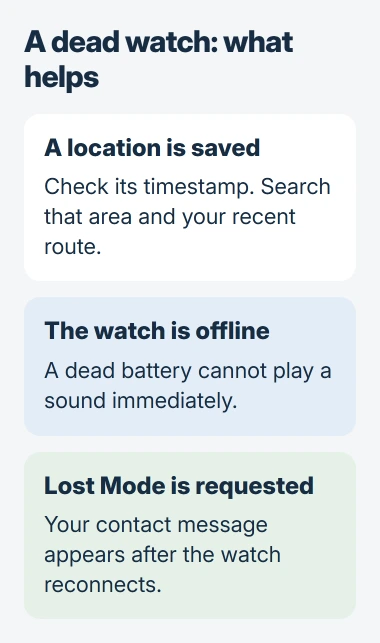
An exhausted battery cannot power a sound to guide the search. Use the available location to retrace your steps, then mark the watch as lost so its contact message can appear when it reconnects.
Read the location and its time together
On the paired iPhone, open Find My > Devices and select the Apple Watch. Apple documents this map view in its missing-watch instructions. Check that the selected entry belongs to the missing watch.
Look for the displayed location and when it was updated. If available, Directions opens a route in Maps. Search the last place you remember wearing or charging the watch as well as the area shown.
Status: Find My's location limits and the Apple Watch Lost Mode route reviewed November 2, 2026. No missing watch was tracked or recovered here.
Apple says device locations can stay visible in the Find My app for up to seven days after the last report. Its location-availability page gives a shorter limit for iCloud.com: up to 24 hours.
Those are retention limits, not a guarantee that a watch uploaded a useful location. No location found can mean there is no location left to display. Refreshing cannot recover a report that Find My never received.
Use the website if the paired iPhone is unavailable
Visit icloud.com/find and sign in using the watch's Apple Account. Select the watch from Devices. A browser provides another way to inspect the entry, but its shorter location history can matter for a depleted watch.
If the watch disappeared from the app after changing phones rather than being physically lost, review the watch handover to a new iPhone. Account or pairing trouble calls for a different check from searching a room.
Do not treat a missing web-map pin as proof that the watch has been erased. Compare the app and the correct account before drawing that conclusion.
Queue Lost Mode with a useful contact message
In Find My, select the watch and tap its More button. Under Lost Apple Watch, choose Lost Mode, then Continue. Enter a reachable phone number and a short message, following Next through to Activate.
On the website, select the watch and choose Lost Watch. Follow the prompts for the contact number and message. Apple sends an email confirming the request.
Apple states that an offline watch displays the contact information after coming online again. Making the request does not restore battery power or guarantee that the finder will charge it.
Keep the watch associated with its Apple Account while searching. Activation Lock requires those account credentials before someone else can erase it and pair it with another iPhone.
Can a watch be found without Find My?
Find My needs to be set up while the watch is still available. Apple says no other Apple service can track it if that preparation was absent. Enabling Find My afterward cannot add a location history to the lost watch.
If theft is suspected, report it to local law enforcement and provide the serial number if requested. For a misplaced watch, contact the venue's lost-property desk and check bags, clothing and charging locations along the last known route.
Once recovered, a watch that stays dark needs the charging and startup checks. Enter its passcode after choosing Unlock to end Lost Mode when the watch is working again.
The Short Version
Check the watch's last location and timestamp, then search that area and your recent route. Add a Lost Mode message. A dead battery prevents an immediate sound, and refreshing cannot recreate a location Find My never received.

Isaac Smith is the founder and editor of PC Glance, a website that covers computers, laptops, and technology. He is a tech enthusiast and a computer geek who loves to share his insights and help his readers make smart choices when buying tech gadgets or laptops. He is always curious and updated about the latest tech trends.