
Blink Home Monitor app setup needs a supported phone or tablet and the account's registered email and mobile number. Use Blink's official store links, then sign in to reach existing cameras.
A new account is for a new Blink system. Creating another one does not recover cameras from an account whose password was forgotten.
Check the device before downloading Blink
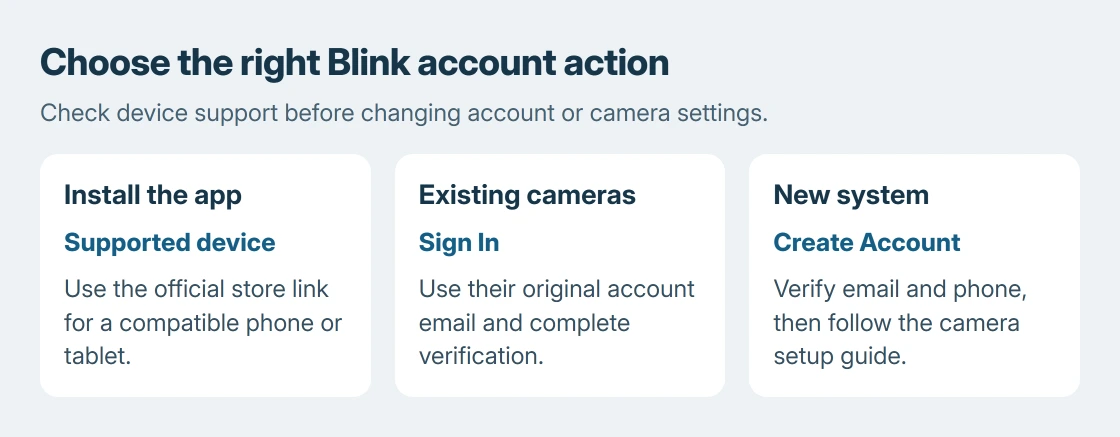
The mobile platforms documented by the vendor are iOS 17 or later, Android 10 or later and Fire OS 8. Use the store link for the device actually in hand.
Those requirements list mobile devices. A Windows download for another product named Blink is not evidence that it manages Amazon's cameras. Check the app's publisher and arrive through Blink Support's own links.
Status: Blink's app requirements and account instructions checked October 25, 2026. No account was accessed and no camera connection was tested.
If the store cannot offer the current app, check the device's OS version first. Google says app updates are available through Google Play. Repeated downloads cannot change an unsupported OS.
Which account contains the existing cameras?
Open Blink and select Sign In. Enter the registered email, continue, then enter the password. Use Forgot your password? when necessary instead of creating a replacement account.
Blink's account access instructions require the verification code sent through the offered method. Enter it and choose Verify. Complete any additional security prompt before checking the camera list.
On a replacement Android phone, a restored app icon is only the installation. Our Android backup guide explains why app restoration does not establish that every app's data or login has returned.
If the expected cameras are absent, check that the email belongs to their original Blink account. The choice to resolve login before changing camera hardware is ours. It avoids adding a second setup job.
Create an account only for a new system
Tap Create Account, check the country selection, then supply a valid email and create the password. Verify the emailed code. Add the phone number requested for multi-factor authentication and complete that verification too.
Follow the location setup and save the address. Blink then offers Amazon-account linking; its instructions allow Skip at that stage. This linking choice is separate from verifying the Blink account itself.
Reaching the signed-in app confirms account setup, not camera installation. Follow the instructions for the exact camera and Sync Module next. Different Blink products do not all have the same hardware requirements.
Resolve a missing code or failed sign-in
Blink says to wait 90 seconds before choosing Resend Code when a sign-in code does not arrive. Check whether the phone has blocked the message. For email, inspect the spam folder and confirm the address was entered correctly.
Its login troubleshooting page says five unsuccessful attempts cause a 10-minute lock. Stop guessing during that lock and use the password-reset route.
An inaccessible verification number needs Blink Support. Blink requires being physically near the devices for assistance with that case. Keep the registered email available, without sharing the password.
For a new camera that will not join Wi-Fi after login, check Blink's network requirements: 2.4 GHz, at least 2 Mbps upload per device, and no browser-based network login.
Once phone access works, repeated old alerts on a watch are a different problem. The Blink Apple Watch notification guide addresses that symptom without changing the camera account.
The Short Version
Install Blink through its official mobile-store links. Sign in for existing cameras, create an account for a new system, and complete verification. Recover access through Blink Support when the registered phone number is unavailable.

Isaac Smith is the founder and editor of PC Glance, a website that covers computers, laptops, and technology. He is a tech enthusiast and a computer geek who loves to share his insights and help his readers make smart choices when buying tech gadgets or laptops. He is always curious and updated about the latest tech trends.