
Holding a Samsung phone's Side button can open Bixby because that button has an assistant action assigned. Bixby handles spoken requests, but it does not have to occupy the power shortcut.
Choose whether to set it up or change the long press to Power off menu.
Choose what holding the Side button should do
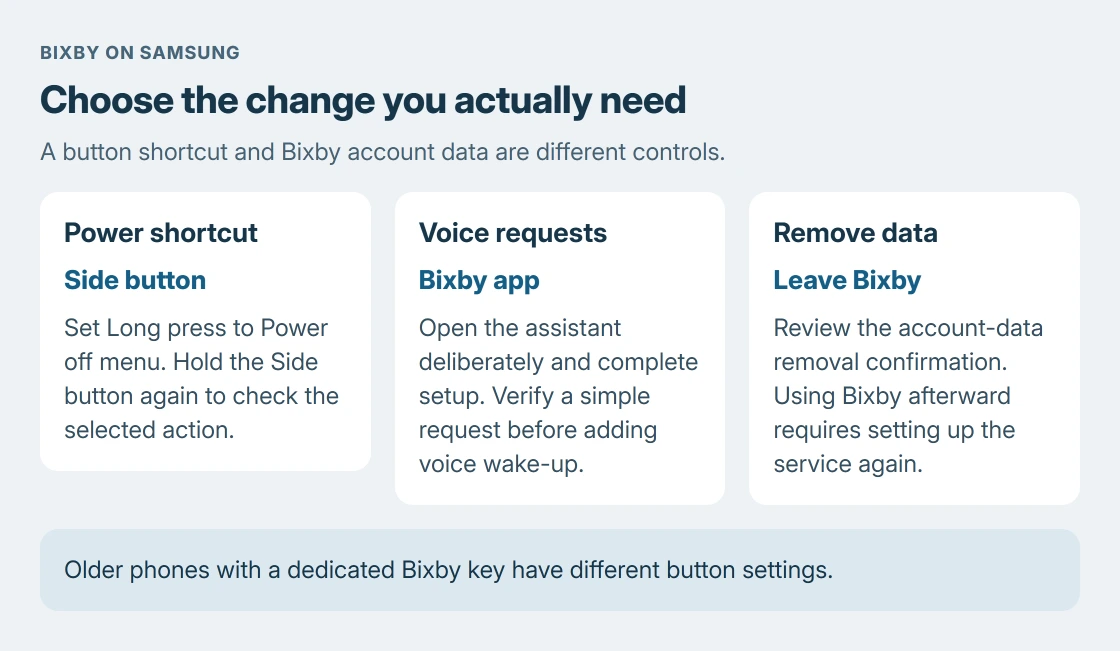
Open Settings > Advanced features > Side button > Long press. Select Power off menu if the goal is to turn off or restart the phone. This change is documented by Samsung.
Hold Side again to check the result. The power controls should replace the assistant. Opening that menu does not itself turn the phone off; choose its power or restart action only when needed.
Status: Samsung's Bixby setup, Side-button options and removal instructions checked October 24, 2026. Button labels vary by model. No phone settings were changed.
Some software calls this control Side key and the action Press and hold. Samsung says available button options vary by model and OS. Follow the equivalent control on the device.
The Samsung restart procedure covers a frozen screen separately. Remapping a shortcut requires working Settings, so it is not a substitute for that recovery.
Open Bixby when voice assistance is the goal
Launch the Bixby app, usually in the Samsung folder, or use the button when it is assigned to Bixby. Samsung's setup page calls for a Samsung account login when prompted.
Tap Start, read the displayed information and choose Continue if you agree. Then try a simple request, such as creating a reminder. Check its actual result rather than treating a listening screen as proof that the task completed.
For voice activation, ask Bixby to open its settings and use Voice registration, as Samsung describes. Button activation, app activation and voice wake-up are separate choices.
Our recommendation is to get one deliberate app request working before enabling voice wake-up. That makes an unwanted button launch easier to distinguish from an assistant responding to a wake phrase.
Check microphone access if Bixby cannot hear speech
Google says Android shows a green indicator for microphone use. Check whether microphone access has been blocked in Quick settings when an assistant opens but cannot hear anything.
On supported Android versions, swipe down and check the Microphone access control. The tile may need adding first. A global microphone block affects other voice apps too; changing the Side-button action does not remove that block.
If Bixby still cannot process requests, use Samsung support with the model, software version and exact message. State whether Bixby opens from its app and whether another microphone application can hear speech.
Keep button remapping separate from leaving Bixby
Changing the long press leaves Bixby available through its app. For a phone whose only problem is accidental button launches, that is the smaller change.
Samsung also documents Settings > Advanced features > Bixby > Leave Bixby. Review its confirmation carefully: leaving removes Bixby account data and requires setup again to use the service. It is not merely another button setting.
An older phone with a dedicated Bixby key has different controls. Samsung's button guide directs those models to Bixby settings > Bixby key. Do not expect every old Galaxy to offer the modern Side-button menu.
Keep the press types distinct too. A brief Side-and-Volume-Down press is the Galaxy screenshot action. Holding Side alone, double-pressing it and pressing two buttons are different shortcuts.
The Short Version
Set Side-button Long press to Power off menu to stop that shortcut opening an assistant. Use the Bixby app for deliberate voice requests.
Check microphone access for unheard speech, and review data removal separately before choosing Leave Bixby.

Isaac Smith is the founder and editor of PC Glance, a website that covers computers, laptops, and technology. He is a tech enthusiast and a computer geek who loves to share his insights and help his readers make smart choices when buying tech gadgets or laptops. He is always curious and updated about the latest tech trends.