

For documents, browsing and games that recommend 16 GB or less, 16 GB of RAM can be a sensible choice. Heavy multitasking and larger editing projects change that decision. Start with the recommended memory for the actual software.
Compare the recommended requirements for the main task
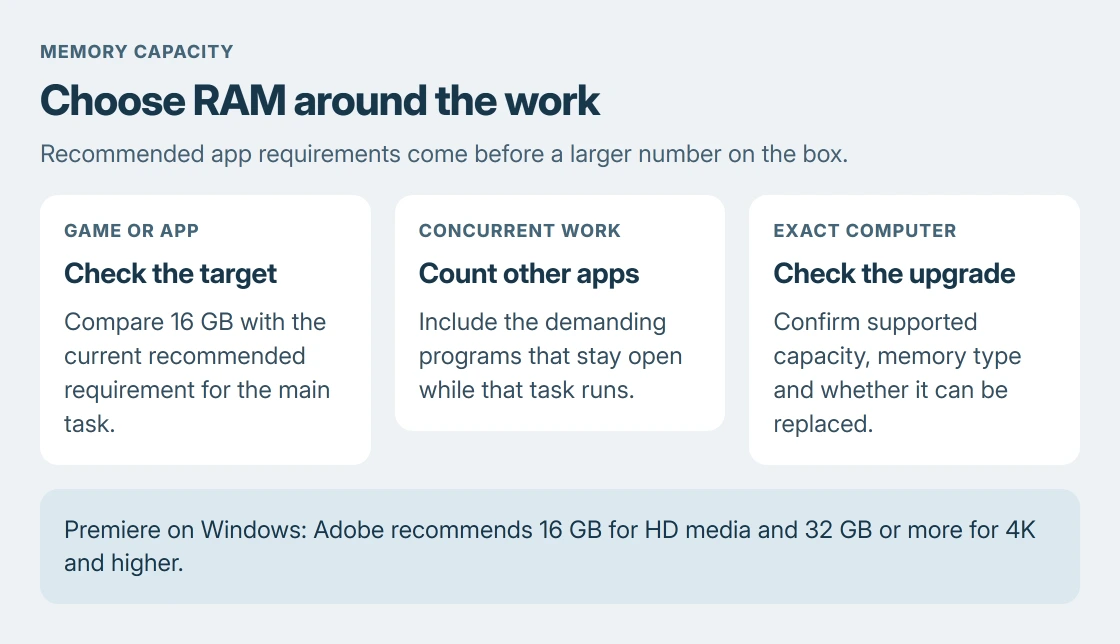
List the game or application that demands the most from the computer. Read its current recommended requirements, then consider the programs that will stay open beside it. A minimum requirement only answers whether the software can run.
Intel says its gaming memory guidance recommends at least 16 GB for modern gaming, with more for multitasking. Check each game's requirements as well.
Status: RAM capacity advice checked against Intel, Adobe and Windows documentation on 24 October 2026. No games, editing projects or memory upgrades were benchmarked.
A game whose recommended specification exceeds 16 GB settles that part of the choice. Extra capacity gives other open apps more room. It does not guarantee higher frame rates when the graphics card or processor is the limit.
For an existing machine, Microsoft documents the installed total under Settings > System > About in its Windows device-information instructions.
Use the PC hardware lookup guide to record the model and graphics hardware as well. Matching only the RAM figure does not establish that the whole computer meets the application's requirements.
Give video editing and heavier workloads their own budget
Adobe's Premiere 26.x recommendations are 16 GB for HD media and 32 GB or more for 4K and higher on Windows. These are documented by the vendor, Adobe.
That makes 16 GB a different proposition for an HD project than for sustained 4K editing. Follow the requirements for the app version, operating system and media being used. The same number is not a universal editing recommendation.
Virtual machines, large projects and demanding applications need a combined memory budget. Check what each workload requires and what runs simultaneously. One program's figure does not describe the whole system's need.
For a new machine with permanently fitted memory, choose capacity for the work planned during its useful life. Ask the maker whether the exact configuration is upgradeable before assuming another module can be added later.
Judge an existing 16 GB machine during ordinary work
Open the applications normally used together and perform the task that feels slow. In Task Manager > Performance > Memory, watch the readings over that task. Compare the experience with unneeded apps closed.
A large percentage by itself is insufficient reason to buy RAM. The Windows memory-usage explanation covers available memory and commit, including why cached data is not automatically a shortage.
Repeated stalls under the same combined workload deserve a closer check. A single program whose use keeps growing may need its own repair. Adding memory can postpone that symptom without correcting the cause.
If the work already runs smoothly and its requirements are met, there is no capacity problem to solve merely because a larger kit is available. Keep that money for a change with an identified benefit.
Verify compatibility before choosing 32 GB
Check the computer or motherboard's supported capacity, memory generation and module format. DDR4 and DDR5 are different products. A laptop's memory arrangement also needs its own service documentation.
Intel documents these capacity, speed and form-factor distinctions in the same memory guide. A 32 GB kit with the wrong interface or unsupported arrangement is not an upgrade the machine can use.
Send the exact model and proposed kit to the computer maker or memory vendor if compatibility is uncertain. Ask about the actual upgrade route, including soldered memory, before opening the machine or buying parts.
The Short Version
16 GB can suit everyday tasks and games whose requirements fit it. Check app recommendations and concurrent work. Adobe recommends more for 4K Premiere editing. Confirm the PC's upgrade support before ordering a larger kit.

Isaac Smith is the founder and editor of PC Glance, a website that covers computers, laptops, and technology. He is a tech enthusiast and a computer geek who loves to share his insights and help his readers make smart choices when buying tech gadgets or laptops. He is always curious and updated about the latest tech trends.