
OpenOffice for Windows 11 is free, and the real installer is easy to miss when similar names offer paid downloads you don't need.
I'll explain Apache's download and installation route, then help you open a document. There is one file-format limit to know before you start editing work for somebody else.
Get the installer from Apache's own download page
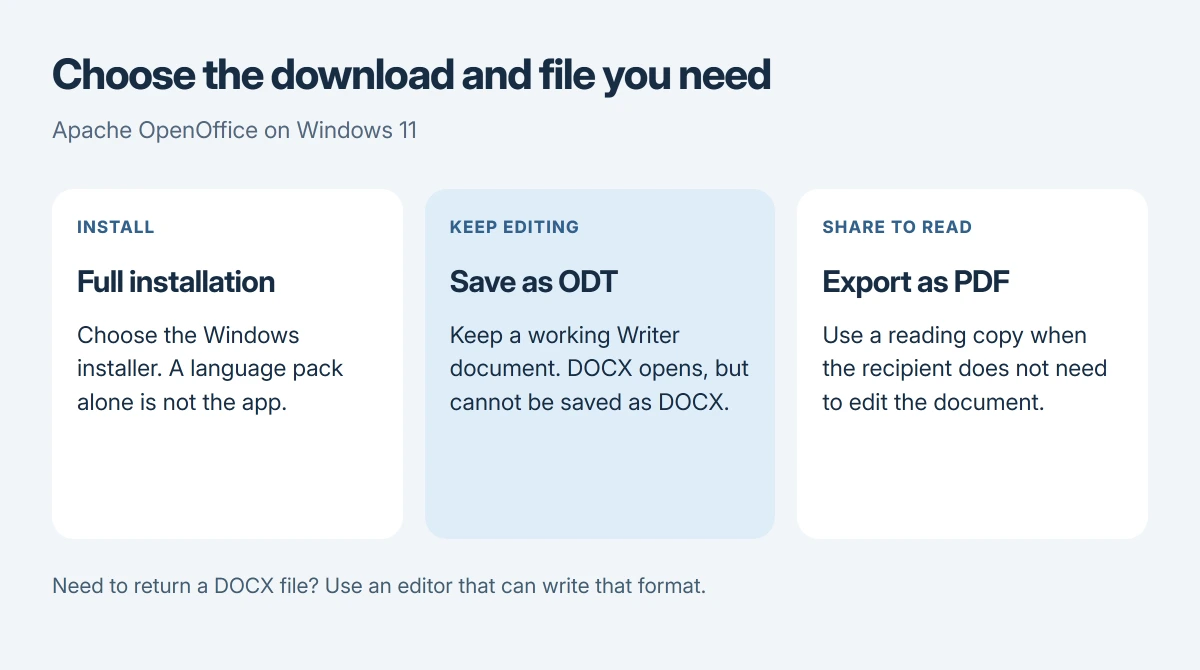
Open the Apache OpenOffice download page. Choose the Windows download and your language, then select Download full installation. A language pack alone won't install the complete application on your computer.
Apache's system requirements include Windows 11. The site currently lists OpenOffice 4.1.17. Check the release displayed there when you download, since it can change after this article is checked.
Status: Apache's download, Windows requirements and Writer documentation checked 17 October 2026. Current listed release: 4.1.17. No software was installed for this guide.
The download doesn't require a paid subscription. Apache's installation instructions say its download is free and doesn't need a website login. Follow Apache's links to the download host.
If you're unsure which Windows edition or computer you have, our PC specifications guide shows where to look. Save that information if you need help with an installation error.
Run the download, then finish the installation wizard
Find the downloaded installer in your browser's downloads or the folder you chose. Open it and follow the unpacking prompts. Unpacking the files is only the preparation stage.
The procedure documented by the vendor continues into the Installation Wizard. Follow its prompts, choose the installation options you need, then select Install and Finish when those buttons appear.
Apache recommends Complete for a normal setup. If your PC requires an administrator to install applications, use its approved administrator process, which may mean asking your IT team on a work computer.
I would open OpenOffice Writer from Start after setup finishes. Create a small document and save it somewhere you can find, then reopen it to check your installation before moving important work into it.
If Windows blocks an installer outside the Store
An S mode message names a Windows restriction. Microsoft says Windows 11 in S mode permits Store-installed apps; the downloaded desktop installer needs a different route.
Microsoft's S mode instructions explain that leaving is free but permanent, so read them before choosing to leave just to run this installer.
Don't confuse an S mode message with an ordinary request for administrator permission. If your message names something else, keep its exact text so you can address that particular block.
Open a document without changing every file association
Launch Writer, choose File > Open and select the document; Apache documents this route even for files that currently open in another program when double-clicked. You can try Writer without making it the default.
If you later want to change the default, Microsoft documents Settings > Apps > Default apps. Search for a file extension, select its result and choose your preferred program, following its default-app instructions.
If you own Microsoft Office and only need to restore it after an update, our missing Office applications guide covers that different problem. Installing OpenOffice doesn't repair or reactivate Microsoft Office.
Check the required file format before editing
OpenOffice Writer can open DOCX, but its Writer documentation says it cannot save in DOCX. Renaming a saved file won't convert its format.
Use ODT for an editable Writer document. If your recipient only needs to read or print it, Apache documents PDF export. A recipient who explicitly needs DOCX needs a tool that can actually write that format.
For another free route, open Word in a browser with a personal Microsoft account and check the document there.
I would keep the original Word file while checking a converted copy. Compare its tables and page layout before sending it, since opening a document isn't a promise that every design detail will stay identical.
The Short Version
Download the full Windows installer from Apache, complete both unpacking and installation, then launch Writer. Open an existing file from its File menu. Check the recipient's format requirement before editing a DOCX document.
Where to Next
Are you stuck at the download, a Windows warning, or saving the finished document? Tell me the exact message and the file format you need. That will help me keep an installation problem separate from Writer's format limit.

Isaac Smith is the founder and editor of PC Glance, a website that covers computers, laptops, and technology. He is a tech enthusiast and a computer geek who loves to share his insights and help his readers make smart choices when buying tech gadgets or laptops. He is always curious and updated about the latest tech trends.