
Missing Outlook templates can mean a hidden command, the wrong mailbox, or a disabled add-in. Open a new message to check: My Templates holds short snippets of text, and Mail Templates has separate controls for full messages.
If My Templates vanished for several people at work, tell IT that early. A problem with the service or a setting at your organization can remove the add-in even when Outlook itself works.
1. Look in a new message for the correct command
Start a fresh email rather than looking only at the main inbox ribbon. In classic Outlook, open New Email, then look on Message for View Templates. This opens My Templates, the pane for your saved pieces of text.
In new Outlook, use Home > New > Mail, then look for My Templates on the message ribbon. If the pane opens and contains your saved text, the snippets are still available.
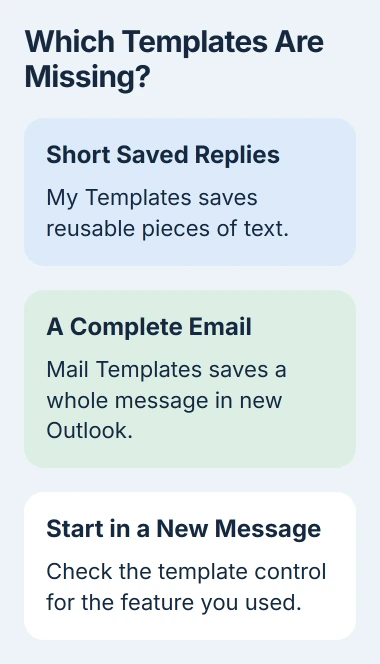
For full messages saved with new Outlook's Mail Templates feature, go to Settings > Mail > Templates and look under the account you used to create them. These messages won't appear in the separate My Templates pane.
Classic Outlook also supports .oft template files, which you save through Save As. They aren't entries in the My Templates add-in, so a missing button doesn't mean your .oft file was deleted.
If the problem is choosing or reopening that other template format, the Outlook template guide covers its controls. Keep this check focused on the feature you actually used before it disappeared.
2. Check the mailbox that owns the saved text
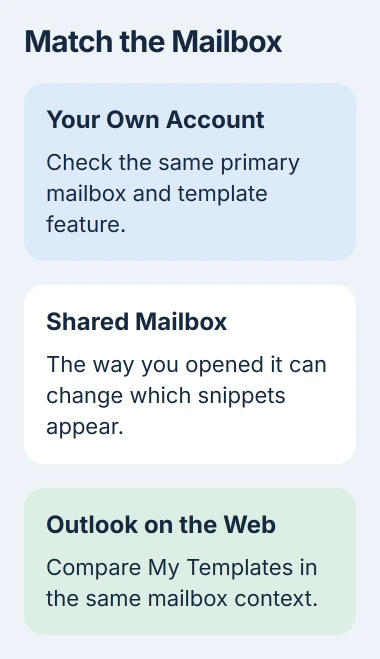
Check whether you're sending from the same account you used to create the template. It's easy to check the wrong one when Outlook holds your work, personal and shared addresses.
My Templates stores your snippets in your primary mailbox. New Outlook's full Mail Templates belong to the account you used for their original draft. Their settings list groups them by account.
Open a draft from the mailbox you expected to use and try its template command. Saved text appearing there means you were checking the wrong account. You don't need to recreate it in every mailbox.
If the whole mailbox is missing from the folder list, restore Outlook's folder pane and account view first. An absent account and an empty snippet pane are different problems.
Check the account's access too. Microsoft's template instructions say both features need an eligible Microsoft 365 subscription when used in new Outlook or webmail.
For a work account, ask your administrator whether add-ins are allowed. If your organization has disabled them, moving buttons around the ribbon won't make My Templates work.
3. Compare the same mailbox in Outlook on the web
Sign into your organization's webmail with the work account you're checking. Create an email and find My Templates on its message ribbon. Look for the entries missing from your desktop app.
If the browser shows your snippets, you can use them there while the desktop problem is checked. Leave that webmail tab open, restart the desktop app and compare its list again.
Tell IT if neither app shows the command. They'll need to check whether your account can use the add-in and whether the service is working, as well as the desktop ribbon.
An empty list in both apps is another result to report. A missing command, an add-in that won't load and an empty list are three different symptoms; describe what your screen actually shows.
I'd compare the two apps before rebuilding an Outlook profile. You may be able to keep working in webmail, and support can check whether the problem needs a fix on your PC.
4. Check how a shared mailbox was opened
Shared-mailbox templates have extra limits. Text created while viewing a shared mailbox doesn't automatically become available to all its members.
In classic Outlook, snippets you create while using a shared mailbox belong to your account. Other members won't see them just because they use that shared address.
In new Outlook, a shared mailbox can be promoted to a full account. If yours has been, the snippets you create there can be shared with colleagues who also open it as a full account in new Outlook.
Those snippets won't appear in other Outlook apps or if you haven't opened the mailbox as a full account. Ask the template's creator which app they used and how they opened that mailbox.
On the web, use Open another mailbox to open the shared mailbox in a separate tab or window. Templates created there can be available to colleagues who open that mailbox the same way.
A template saved in your primary mailbox won't appear inside that separately opened shared-mailbox window. Return to the primary mailbox's normal view to check it, rather than assuming the text was erased.
5. Recognize the fixed service incident and current limits
Microsoft's missing-template incident notice marks EX1255397 as fixed. Its recorded end was March 27, 2026. This isn't a notice of an ongoing November outage.
During that incident, View Templates could disappear, My Templates could be missing from All Apps, and adding the add-in again could fail. The service changes that caused it have been rolled back.
The notice also says organizations that disabled Exchange Web Services (EWS) may still be affected. EWS is a service Outlook uses to connect to Exchange. Ask your administrator to check that setting.
Send IT the incident link if you're seeing the same symptoms. They can check your account and the organization's service settings, including EWS restrictions, using the current guidance.
Only run the old PowerShell commands in that notice if a support engineer asks you to. They change settings across the organization, so they aren't a fix to try on your own.
Keep working while support checks the missing feature
Use the web pane if your earlier comparison found the saved snippets there. Otherwise save whatever standard wording you still have in a separate file, and paste it into a fresh message when needed.
Before sending, check names, recipients and any details that change between messages. Pasting a temporary copy can get today's email out, but it won't bring back the missing template.
Tell support your Outlook version, account type, missing command, web result and whether coworkers are affected. If they request a trace, a record of app activity, send it through the case; it can contain account or message information.
The Short Version
Check the feature, mailbox and web access. Shared mailboxes have extra template rules. The March service incident is fixed; ask your administrator to check persistent add-in or EWS restrictions.
Checked November 4, 2026.

Isaac Smith is the founder and editor of PC Glance, a website that covers computers, laptops, and technology. He is a tech enthusiast and a computer geek who loves to share his insights and help his readers make smart choices when buying tech gadgets or laptops. He is always curious and updated about the latest tech trends.