
A laptop splitting open near a hinge needs a mechanical check before its lid moves again. A stiff hinge or damaged mounting point can pull the surrounding case apart. Stop forcing the lid, shut the laptop down and disconnect its charger.
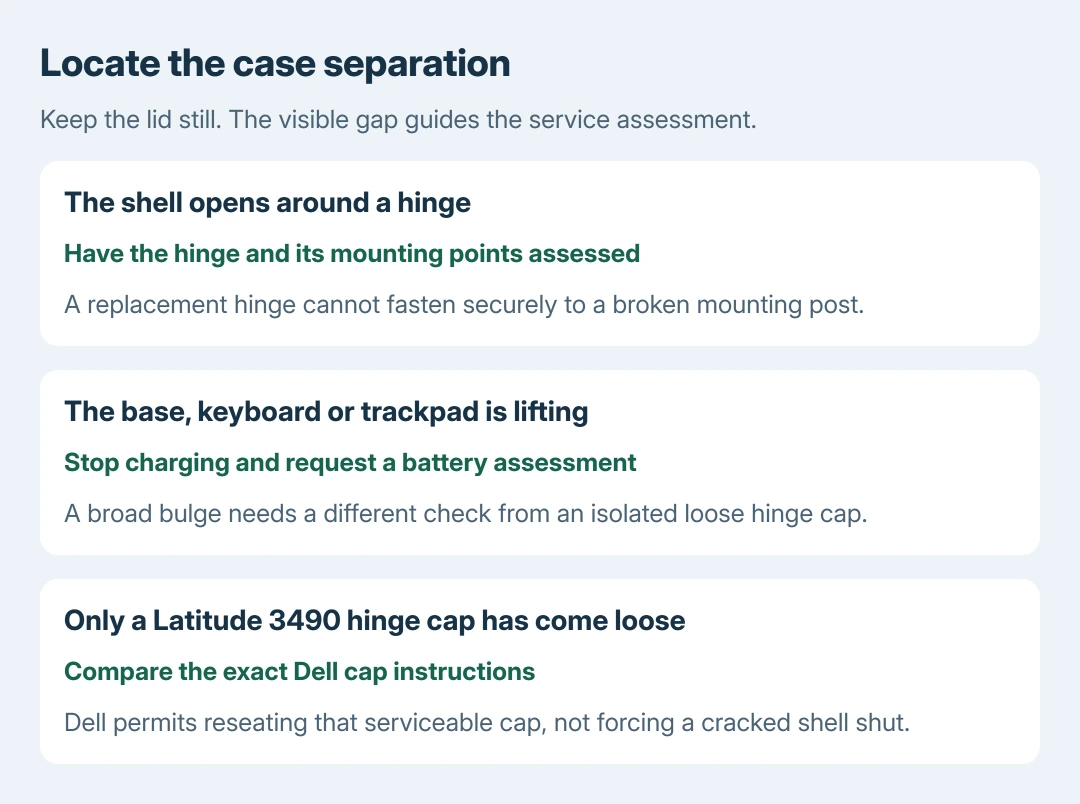
A lifted keyboard, trackpad or broad bulge in the base also raises a battery concern. That needs a different assessment from a loose decorative hinge cap.
Stop moving the lid and locate the separation
Leave the display at its present angle while inspecting the outside. Check whether the gap is concentrated at a lower display corner, beside a hinge, or across the keyboard and bottom cover. Do not pry the opening wider.
Dell says hinge trouble can produce cracking sounds, a crooked lid and separation around its mounting area. Its hinge guidance explains how forcing a stiff lid can stress the casing and display cable.
Status: Dell hinge and cap information and HP repair guidance reviewed October 28, 2026. No damaged laptop was opened, powered on or repaired here.
A gap's location is useful service information, not proof of the failed part. Photograph it without cycling the hinge. Note the model and any fall or recent repair that preceded the separation.
If the base is bulging or the trackpad has lifted, stop charging and follow the laptop battery safety guidance. Do not press the shell shut or turn the laptop on just to complete a backup.
Have the hinge and its mounting points assessed together
The metal hinge attaches to the display housing and laptop base. A screw can remain attached to a broken plastic post, so buying a hinge alone may leave nothing sound to fasten it to.
Dell states that cracked surrounding plastic can require a compatible housing repair or replacement as well as hinge work. Ask for a quote identifying the hinge, mounting posts, affected cover and any damaged display cable.
Match parts to the exact model and service or part number. Screen size or the broad laptop family name does not establish that another hinge assembly will fit.
Do not squeeze the case together, glue the visible seam or tighten exposed screws blindly. Our recommendation is to establish what is detached first; closing the gap cosmetically does not restore a broken mount.
HP says broken hinges and cracked screens can escape software diagnostic tools and still need repair. Its repair service page directs these cases to support. A passing Windows test cannot clear physical hinge damage.
Check a loose cap against the exact model's instructions
A small cover falling away does not always mean the structural hinge broke. Dell documents a specific exception for the Latitude 3490: pressure can release its serviceable hinge cap, which can be reseated.
Use Dell's Latitude 3490 cap article and its illustrated orientation only for that model and an intact cap. A cracked shell or binding hinge needs assessment instead.
This exception does not establish that another laptop's separating case should snap back into place. Check its service manual or ask the manufacturer before applying pressure.
Arrange repair before returning it to normal use
Send the manufacturer or repair shop the model, photographs and description of where the case opens. Ask which parts require replacement and whether the applicable warranty covers the assessed cause. Coverage is a service decision.
If the picture has also failed, the external-display checks can help after the repairer confirms the laptop is safe to power. A working external image does not make a damaged hinge safe to keep moving.
Keep a convertible within its documented folding range after repair. The repaired lid should move without separating the shell; ask the technician to demonstrate that result before collection.
The Short Version
Stop forcing a separating lid. Have the hinge and its mounts assessed together, and treat a bulging base as a battery concern. Reseat a cosmetic cap only when the exact model's instructions support it.

Isaac Smith is the founder and editor of PC Glance, a website that covers computers, laptops, and technology. He is a tech enthusiast and a computer geek who loves to share his insights and help his readers make smart choices when buying tech gadgets or laptops. He is always curious and updated about the latest tech trends.