
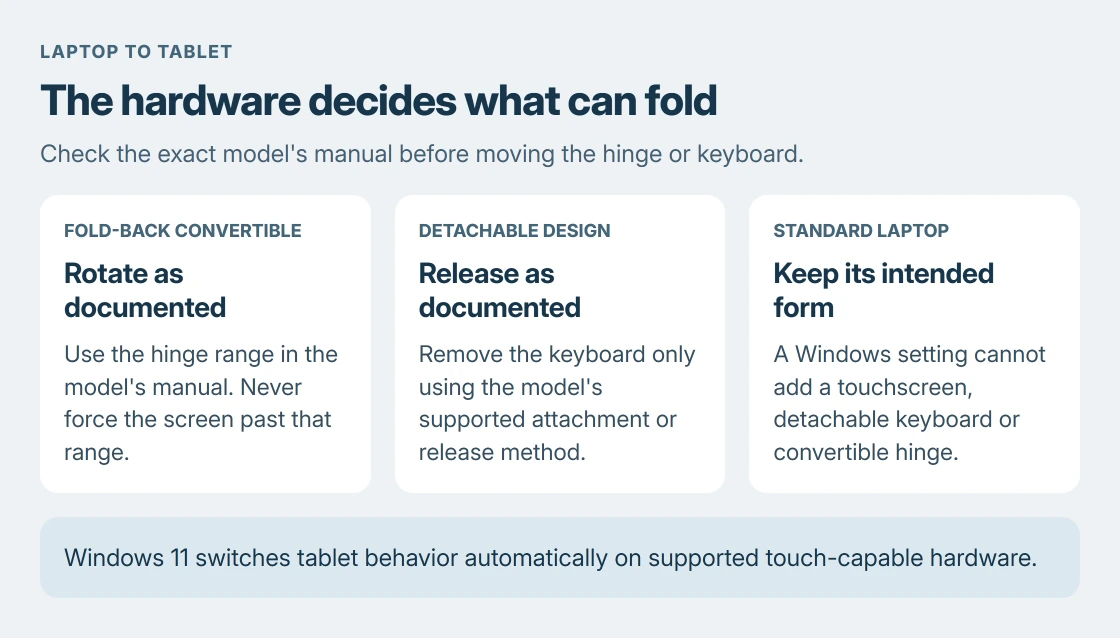
Turning a laptop into a tablet takes a convertible hinge or detachable keyboard, plus a touchscreen. A standard laptop cannot gain those parts from Windows. Check the model's manual before folding or detaching anything.
On a supported Windows 11 device, tablet behavior switches automatically when the hardware changes position or its keyboard is detached. There is no manual Tablet mode switch to find.
Check whether the laptop is a convertible or detachable
Look up the model on the manufacturer's support site and find its supported usage modes. A touchscreen alone does not mean the hinge can rotate all the way around, and a hinge that opens flat is not necessarily a 360-degree hinge.
For example, Lenovo's ThinkPad X1 2-in-1 Gen 10 manual explicitly permits 360-degree rotation. That permission applies to that design, not every ThinkPad.
Status: Windows tablet behavior, touch controls and Lenovo's convertible manual checked 24 October 2026. No laptop was folded, detached or converted here.
The supported designs differ:
| Laptop type | What changes for tablet use |
|---|---|
| Fold-back convertible | The screen rotates through the range specified by its manual. |
| Detachable design | The keyboard separates using the model's documented release or attachment system. |
| Standard laptop | Windows settings cannot add a fold-back hinge or touch input. |
Follow the model's instructions gently. Lenovo warns against forcing the screen or its corners. Stop if the hinge resists a movement the manual does not describe.
Let Windows 11 recognize the supported position
Rotate a convertible into its documented tablet position, or detach the keyboard on a model designed for that. Wait for Windows to adjust before trying to type or navigate without the physical keyboard.
Microsoft's tablet-mode instructions explain that Windows 11 changes automatically on touch-capable devices. It also detects attached wired and wireless keyboards.
An external keyboard can affect this behavior. Disconnect it if the device stays in its keyboard-oriented state, then check its supported tablet position again. Reattaching a keyboard or returning to laptop form reverses the change.
The folded keyboard and touchpad can stop responding by design. Lenovo says they are disabled in tablet, stand and tent modes for its supported model. Returning to notebook mode enables them again.
Do not use a frozen touchscreen as evidence that the hinge position is wrong. If taps fail even in ordinary laptop use, follow the touchscreen troubleshooting guide instead.
Practice touch navigation and bring up a keyboard
Tap an item to select it, press and hold for its context menu, and pinch or spread two fingers to change zoom in a supporting app. Microsoft documents separate screen and touchpad gestures.
Tap inside a typing box to open the touch keyboard when automatic opening is enabled. Microsoft's touch-keyboard guide also gives the taskbar keyboard icon as a way to open it.
If the icon is hidden, search Windows Settings for Touch keyboard and enable its taskbar icon. A separate accessibility keyboard can also appear in its own window. Our two-keyboard explanation shows the distinction.
Touch navigation changes how a Windows app is operated. It does not turn Windows into Android or iPadOS, and it does not establish support for a pen. Check pen compatibility separately if writing or drawing is the goal.
On Windows 10, use its older Tablet mode control
Windows 10 has a manual control that Windows 11 does not. Open Action center beside the clock and choose Tablet mode. Expand the quick-action tiles if it is hidden.
Microsoft says a missing tile can be added through the quick-action editing controls. If it is unavailable even there, Windows may not recognize the hardware as touch capable. Switching the interface cannot create a missing touchscreen.
October 14, 2025 marked the end of standard Windows 10 support. Changing its tablet setting does not change the computer's security-update eligibility. Check the current support arrangement before continuing to use it online.
When the device will not switch or cannot convert
Return to the supported notebook position and check the manual again. If a genuine convertible never detects its position, ask the maker about the model's sensors and required drivers.
Keep a keyboard or mouse available if touch input is unreliable. A standard laptop can use an external touch display, but that remains an attached display and does not make the laptop itself a handheld tablet.
If the manual lists no tablet configuration, use the laptop in its intended form. A different operating system or a display-rotation setting cannot supply the missing hardware.
The Short Version
The laptop needs a supported convertible or detachable design. Windows 11 detects tablet use automatically; Windows 10 has an Action center control. The manual decides how the hardware can move.

Isaac Smith is the founder and editor of PC Glance, a website that covers computers, laptops, and technology. He is a tech enthusiast and a computer geek who loves to share his insights and help his readers make smart choices when buying tech gadgets or laptops. He is always curious and updated about the latest tech trends.