
ExplorerPatcher crashes on Windows 11 25H2 can follow a shell change. Check the full Windows build against the project's release notes. Its 70-series changelog documents a specific taskbar and Start menu breakage.
That version information matters more than the 25H2 name. A developer-published fix for one Windows change does not establish that every later build, shell style and combination of modifications works.
Match the Windows revision before choosing an installer
Press Windows + R, enter winver, and record the full OS Build. Microsoft documents the Run shortcut in its Windows keyboard reference. Keep the installed ExplorerPatcher version beside that number.
If the desktop cannot be used, follow the black-screen recovery route first. That guide covers regaining access and removing a shell replacement. This version check comes after access is restored.
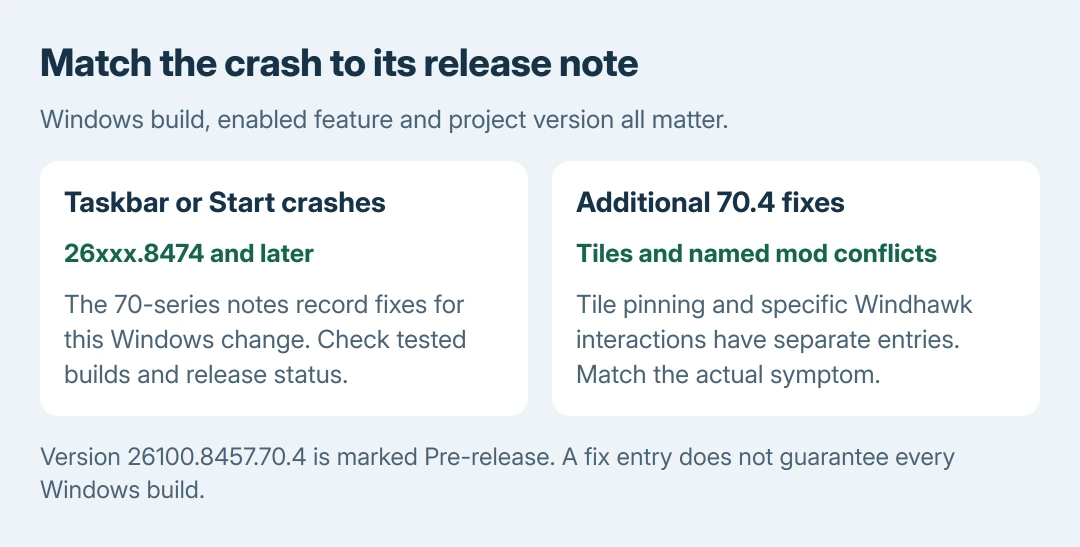
Status: ExplorerPatcher's official changelog and releases checked October 28, 2026. Version 26100.8457.70.4 is marked Pre-release. Compatibility is build-specific; no installation was tested.
Open the official release notes and compare the tested OS builds, architecture, known issues and release status. The source is the project itself; similarly named download sites are unnecessary.
Check the documented 26xxx.8474 taskbar breakage
In the 26100.8457.70 series, the project's changelog records fixes for Windows 10-style taskbar and Start menu crashes on 26xxx.8474 and later. This is a particular Windows-build change, not a claim about every 25H2 installation.
The developer explains that the Windows 10 Start menu's tile-layout engine was removed from StartTileData.dll. The initial 70-series entry therefore temporarily hid the Windows 10 Start menu option.
That missing option was an intentional temporary limitation in that release. Repeatedly changing taskbar preferences would not restore the removed component.
The notes then say the option returned in 70.2, followed by fuller tile restoration in 70.4. Compare the complete version number, rather than treating every installer beginning with 26100.8457.70 as identical.
The changelog also separates fixes for experimental 25H2 builds and for other Windows branches. Read the entry that matches the actual build and symptom.
An older recovery report for a different cumulative update is insufficient evidence of current compatibility.
Distinguish the later fixes from the original crash
Version 70.4 separately records restored tile pinning on the affected builds and a fix for Explorer crash loops involving the file-explorer-content-animation Windhawk modification.
Its hide-titlebar-elements entry concerns a properties-dialog crash. These are distinct failure patterns. The named modification in one entry is not evidence that every Windhawk setup causes the same problem.
Check whether the named feature or modification is actually in use before applying its explanation. For a different combination, include that combination in a project support report rather than assuming the closest-sounding entry fits.
Decide whether the available release is appropriate
At this check, 26100.8457.70.4 carries the Pre-release label. Its published fixes are useful evidence, but that label still matters when choosing software for a PC needed every day.
The recommendation to leave ExplorerPatcher removed is ours when no suitable release supports the installed Windows build. Use the normal Windows taskbar settings while waiting for a compatible option.
For a compatible release, the update procedure documented by the vendor runs its matching setup file. Use ep_setup.exe for Intel/AMD and ep_setup_arm64.exe for Snapdragon.
A working properties window also offers Updates controls. Read the project's update-channel guidance before changing channels. An update notification alone does not explain a release's compatibility limits.
Keep the standard shell if installation would require a security change that is unsuitable for the machine or its management policy. Compatibility with a shell tool is not a reason to assume the Windows update itself should be removed.
Send a precise report when the notes do not match
Give the project the full OS Build, ExplorerPatcher version, processor architecture, selected taskbar/Start styles and any additional shell modifications. Include whether the normal desktop works after ExplorerPatcher is removed.
If Windows still fails without the tool, seek Windows troubleshooting for that remaining failure. A persistent crash after removal does not prove that another ExplorerPatcher build will repair it.
The Short Version
Compare the full Windows build with the release notes. The 70 series documents a specific 26xxx.8474 taskbar/Start breakage; 70.4 adds separate fixes and is marked Pre-release. Use a compatible release or keep ExplorerPatcher removed.

Isaac Smith is the founder and editor of PC Glance, a website that covers computers, laptops, and technology. He is a tech enthusiast and a computer geek who loves to share his insights and help his readers make smart choices when buying tech gadgets or laptops. He is always curious and updated about the latest tech trends.