
Deleting iPhone contacts takes Contacts > the person's card > Edit > Delete Contact, followed by confirmation. Check the account first: deleting a synced contact can remove it from the account and its other connected devices too.
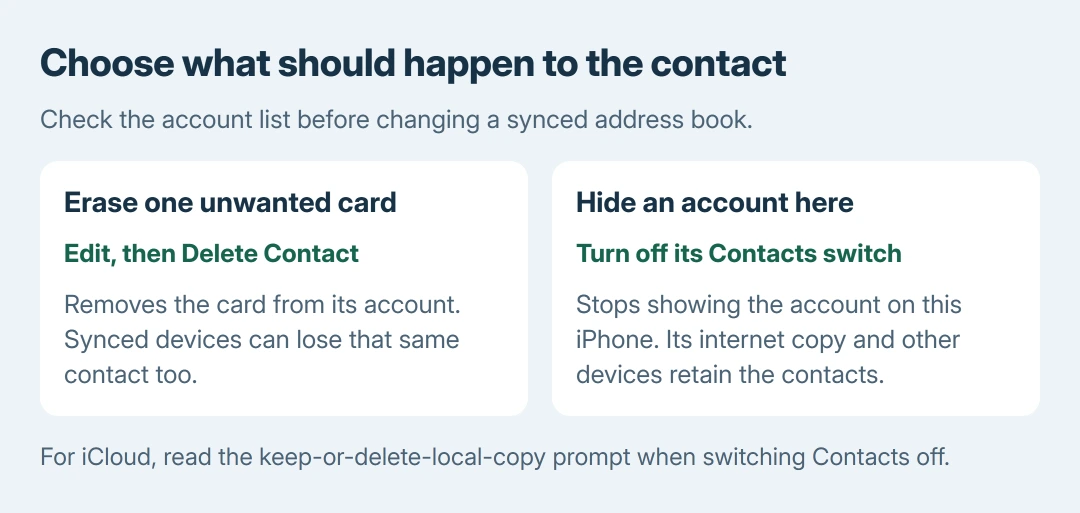
Removing a whole account from this iPhone is a different action. Choose whether the goal is to erase one unwanted card everywhere or stop showing an account's address book on this phone.
Check the card's account before deleting
Open Contacts > Lists and choose the relevant account, such as All iCloud or a Google account's list. Find the unwanted card there. This is more precise than deleting from a mixed All Contacts view.
Apple says deleting a contact from an email account also removes it from other devices signed into that account in its contact-management instructions. This changes the account's address book.
Status: Apple's contact deletion, account visibility and iCloud export instructions checked October 28, 2026. No personal contacts were viewed, deleted or synchronized.
For an address book being cleaned extensively, keep a separate copy first. Apple documents exporting contacts from a Mac or iCloud.com. An export gives you something independent of the list being edited.
If the desired card is already missing, use the contact-list and recovery checks before removing more records. A hidden account and a deleted card call for different actions.
Delete the unwanted contact card
- Open the Contacts app and select the person.
- Tap Edit on that contact's card.
- Scroll to the end and tap Delete Contact.
- Tap Delete Contact again when the confirmation appears.
Return to the same account list and search for that person. Read the card before each deletion when several people share a name. Deleting a contact is not the command for erasing a call-history entry or message conversation.
Apple documents the card-and-Edit route in its iPhone contact guide. There is no need to erase the iPhone or remove the entire email account to delete one card.
A contact present in two accounts can still appear through the remaining account. Check the individual lists again before deleting a second copy. The account holding that second card determines which other devices are affected.
For devices sharing an Apple Account, iPhone and iPad syncing explains why changes can appear on both. A device backup and a separate export of that synced address book serve different purposes.
Hide an account from this iPhone instead
For a configured Google, Exchange or similar account, open Settings > Apps > Contacts > Contacts Accounts. Tap the account, then turn off Contacts. On iOS 17 and earlier, start at Settings > Contacts.
Apple states in its Contacts account guide that turning off or removing a contacts account leaves its contacts in the internet account and on other previously configured devices.
For iCloud, open Settings > your name > iCloud > See All, then turn off Contacts. When asked what to do with previously synced iCloud contacts on the iPhone, choose according to whether a local copy should remain.
Read that confirmation carefully. Removing the local synced copy through this account setting differs from opening individual cards and deleting them while iCloud sync is active.
Turning Contacts back on makes that account available on the phone again. Delete Account is broader and unnecessary when the purpose is only to stop displaying its contacts. Other services from that account may still be wanted.
When a contact cannot be edited or keeps appearing
Some contacts come from third-party contact-provider apps. Apple documents that those records are managed in the supplying app and cannot be edited in Contacts. Use that app's controls for those cards.
A managed work directory can require the organization's administrator. If its removal controls are unavailable, ask about the account policy instead of trying to erase the phone to remove a directory entry.
For a deleted name that returns, first check whether another account supplies a separate card. If the same account keeps restoring the same record, ask that provider about the source and sync behavior.
Our recommendation is to work through one identified card before a large cleanup. Give support the account type, whether the contact exists in the provider's web service, and whether Edit or Delete Contact is missing.
The Short Version
Open the card, tap Edit, then Delete Contact and confirm. Synced deletion can affect other connected devices. Use the account's Contacts switch to hide its address book on this iPhone while retaining the internet copy.

Isaac Smith is the founder and editor of PC Glance, a website that covers computers, laptops, and technology. He is a tech enthusiast and a computer geek who loves to share his insights and help his readers make smart choices when buying tech gadgets or laptops. He is always curious and updated about the latest tech trends.