
Missing iPhone contacts can still be in an account that is hidden or no longer syncing. Check Contacts > Lists for each account first. An iCloud archive is the later option for contacts actually deleted from that service.
Restoring an address book changes more than the missing name. First establish where the contacts were stored and whether that account still has them online.
Find the account that held the missing contacts
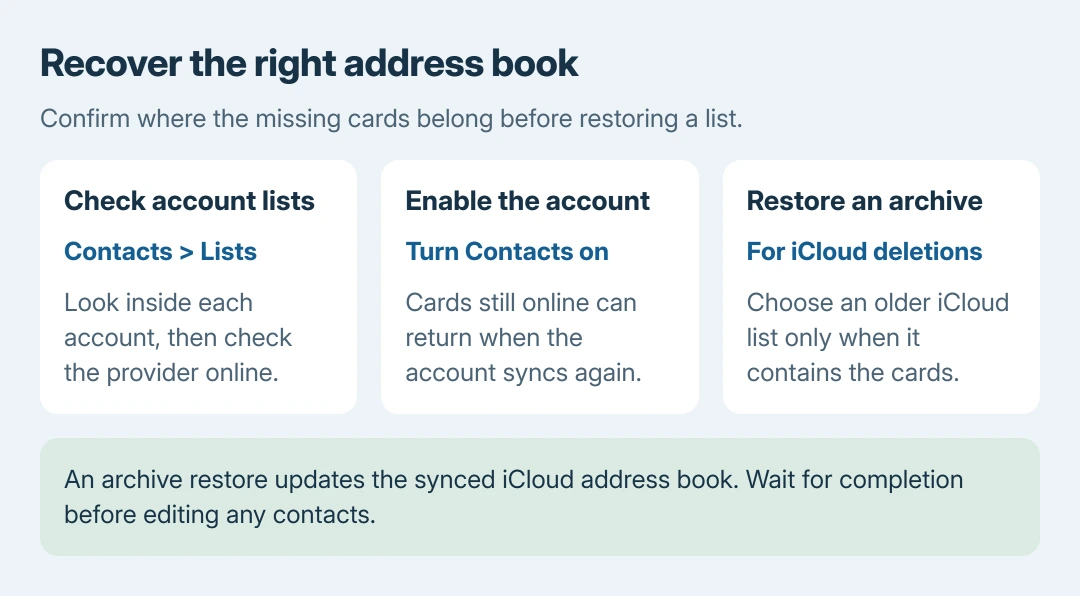
Open Contacts, tap Lists at the upper left, and select All Contacts. Then examine the individual account lists, including All iCloud and any Google or Exchange account.
Apple documents checking each account in its iCloud sync instructions. A contact absent from All iCloud can still belong to a different service; changing the default account does not move existing cards between services.
Status: Apple contact-account, iCloud sync and archive-restoration procedures checked October 26, 2026. No address book was accessed, merged or restored during research.
Scroll the relevant list as well as searching it. When a visible card cannot be found through search, the Contacts search workaround addresses that symptom. Restoring that same list adds an unnecessary change.
Sign in to the account's own Contacts service in a browser and check the missing names there. Cards present online give you a source to reconnect. Cards absent online need a recovery option for that particular service.
Re-enable the account's Contacts switch
For iCloud, open Settings > your name > iCloud > See All beside Saved to iCloud, then enable Contacts. Confirm that this is the Apple Account that stored the missing people.
For Google, Exchange or another configured account, open Settings > Apps > Contacts > Contacts Accounts. Select that account and turn on Contacts. On iOS 17 or earlier, Contacts settings sit directly under Settings.
Apple says turning an account's Contacts off removes those contacts from the iPhone's view while leaving them in the internet account. Its account controls provide the switch to show them again.
If the account is missing entirely, choose Add Account from Contacts Accounts, sign in to the original provider, and enable Contacts. Re-adding a provider cannot recover cards already deleted from that provider.
Return to the appropriate list and pull down to refresh. If the names reappear, verify several cards before making further changes. Leave a working account connected while checking the rest.
Were the missing cards deleted from iCloud?
Use this only for contacts that were stored in iCloud. Apple states that its contact archives restore an earlier version of the address book, rather than a selected card from another provider.
- On a computer or tablet, sign in at icloud.com/contacts with the correct Apple Account.
- Open the toolbar's app-launcher menu and choose Data Recovery, then Restore Contacts.
- Compare the archive dates and select Restore beside a version from before the deletion. Confirm the offered restoration.
Apple archives the current version first, making it possible to return to that version afterward. Nevertheless, the restored list appears on devices with iCloud Contacts enabled. Treat it as a change to the synced address book.
Wait until restoration finishes before editing contacts. Changes made during that process are not saved. Apple says a recently deleted contact's archive may appear only after a delay of up to 24 hours.
Check the result before merging or deleting anything else
Review the recovered names and important fields on the iPhone after syncing. If two accounts now show the same person, handle the duplicate-contact problem only after confirming which account contains the complete card.
Our order is to recover visibility first and do cleanup afterward. Removing accounts to simplify the list can hide the very contacts being recovered.
Once recovery is complete, remove only the unwanted contact cards with their synced account in mind.
If there is no usable archive, contact the account provider about recovery. A work Exchange address book belongs with its administrator. An iPhone reset cannot rebuild contacts missing from both the device and the account's stored copy.
The Short Version
Check Lists and the original provider first. Enable the correct Contacts account when the cards remain online. Use Restore Contacts for an existing iCloud archive, wait for completion, and verify the recovered cards before cleanup.

Isaac Smith is the founder and editor of PC Glance, a website that covers computers, laptops, and technology. He is a tech enthusiast and a computer geek who loves to share his insights and help his readers make smart choices when buying tech gadgets or laptops. He is always curious and updated about the latest tech trends.